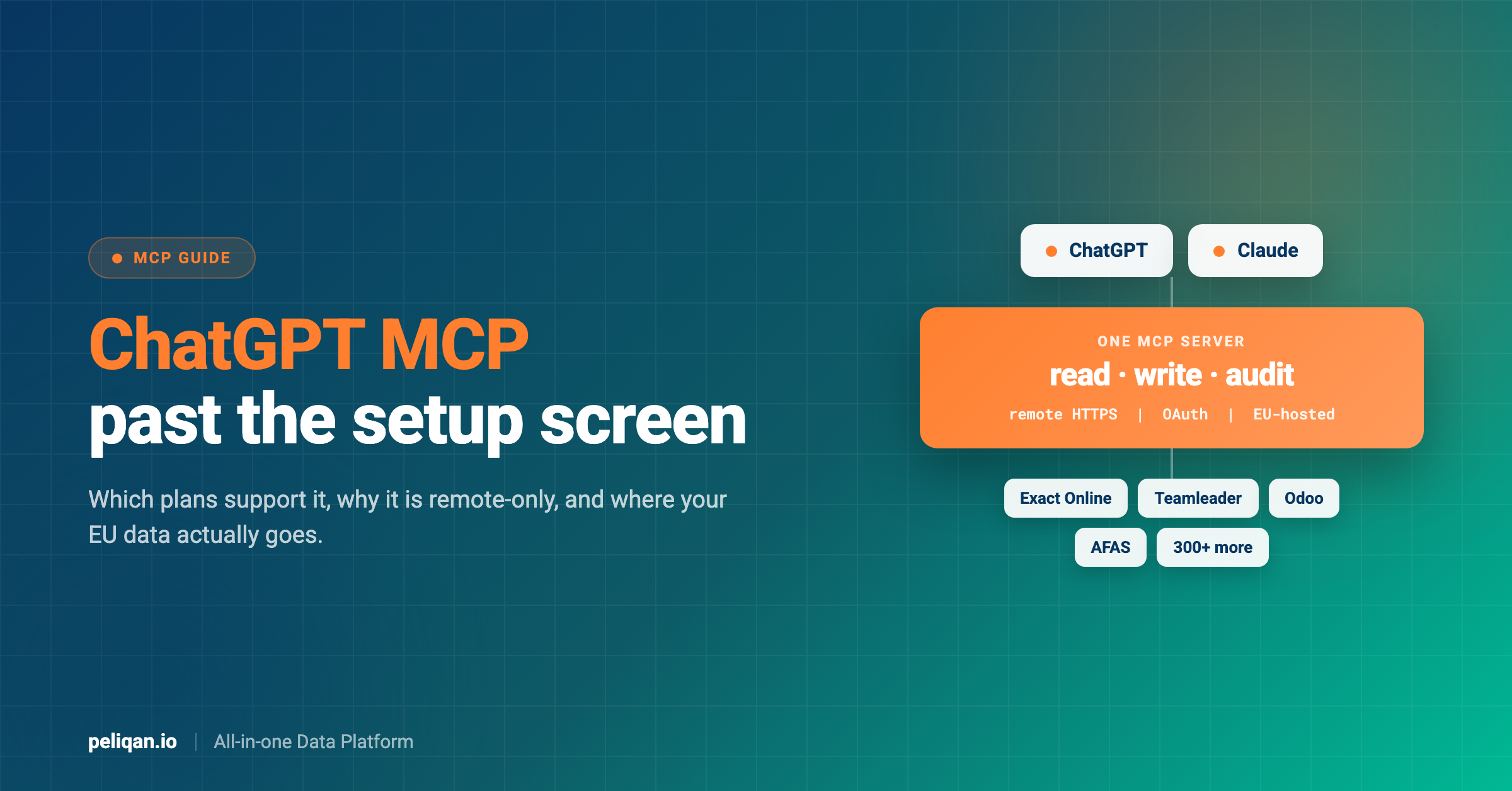





ChatGPT MCP means connecting ChatGPT to your own systems through the Model Context Protocol, so it can query your ledger, your CRM or your data warehouse instead of guessing. The protocol started at Anthropic and OpenAI adopted it during 2025, which means a server built once serves both assistants. What differs is everything around the protocol: which plan you need, how connectors get approved, and what an admin can see.
Most guides to ChatGPT MCP stop at the setup screenshots. That part is genuinely short. The questions that decide whether you can deploy this at work sit elsewhere: whether your plan supports it, whether IT will allow it, and where your data goes when a US-hosted assistant queries an EU ledger.
This covers the setup, then the parts that determine whether it survives a security review. If you want the protocol itself first, the introduction to Claude MCP explains the mechanics, and they are identical on both sides.
What ChatGPT MCP actually is
The Model Context Protocol is an open standard for connecting AI assistants to external tools and data. A server exposes tools the model can call, resources it can read, and prompts it can use. The assistant is the client. The official specification is the authoritative reference for the protocol itself.
OpenAI announced Developer Mode with MCP server support on 9 September 2025. Before that, extending ChatGPT meant plugins or bespoke actions, both proprietary. After it, the same server that works with Claude works with ChatGPT, and OpenAI’s own MCP documentation treats it as the standard integration path.
That portability is the practical argument for building on MCP rather than a vendor-specific format. You are not choosing an assistant when you build the server; you are choosing an integration layer, and the assistant becomes a client you can swap.
What is not shared is the surrounding product. ChatGPT wraps MCP in a connector and app model with its own permissions, approval flow and distribution catalogue. Those differences are where deployments succeed or stall.
Which ChatGPT plans support MCP
The first question everyone asks, and the answer has moved since launch.
The line that matters for most teams: a custom MCP connector is a workspace feature, not a personal one. Free, Plus and Pro cannot create one. OpenAI’s help centre is explicit that apps, full MCP support and Developer Mode are available to ChatGPT Business and Enterprise/Edu customers, on ChatGPT web.
This is the detail most guides still have wrong, because Developer Mode launched on Plus and Pro in September 2025 and the requirement changed afterwards. If the evaluation plan was “a developer on Plus wires it up and shows us”, that plan no longer works. You need an admin on a Business or Enterprise workspace from the first test.
The second line that matters: only admins and owners can publish. On Business plans an admin cannot enable Developer Mode for individual members at all, and each admin has to enable it for themselves. On Enterprise and Edu, role-based access control lets you grant developer access to named people and decide who gets each published app.
How to connect an MCP server to ChatGPT
The setup is short, and an admin has to drive it.
Step 1: an admin enables Developer Mode
Developer Mode is a workspace setting. An admin or owner turns it on under Workspace Settings, then Permissions & Roles, then Connected Data, where the toggle is labelled Developer mode / Create custom MCP connectors.
On Enterprise and Edu an authorised member then toggles it for their own account under Settings, Apps, Advanced Settings. On Business, each admin enables it for themselves and cannot enable it for anyone else, which is the most common reason the option is missing for the person who actually wants to build.
Step 2: create the app and scan its tools
From Workspace Settings go to Apps, then Create. Supply the server endpoint and the required metadata, pick the authentication mechanism, then click Scan Tools and wait for the scan to finish. If the server uses OAuth you complete the authorisation prompt first and the scan runs after it.
Click Create and the app lands as a draft under Workspace Settings, Apps, Drafts. A draft is visible to you with a Dev label, and to nobody else.
Step 3: the server must be remote
ChatGPT connects over remote HTTPS. There is no stdio option, so a local server on your laptop will not work without OpenAI’s separate Secure MCP Tunnel.
This is a real difference from Claude, which happily runs local servers, and it means anything you build for ChatGPT needs hosting from day one. Our guide to building an MCP server covers the transport decision in detail.
Step 4: authenticate, and check your refresh tokens
Most business servers use OAuth, and one configuration detail decides whether the connection survives: your OAuth or OpenID Connect provider has to issue refresh tokens.
Request the offline_access scope, and confirm the provider advertises it in its discovery metadata at .well-known/openid-configuration or .well-known/oauth-authorization-server. Without it ChatGPT loses access once the original authorisation expires and everybody has to reauthenticate. Fixing it later means recreating the app, because ChatGPT reads that metadata only when the app is created.
Step 5: test the draft, then publish it
Open a new chat, select the draft from the tools menu, and exercise the tools properly, including any writes. Then an admin or owner publishes from Workspace Settings, Apps, Drafts.
Enterprise and Edu admins get two more controls at this point: Configure Actions selects exactly which actions the app may take, and Configure Access picks the groups that receive it. On Business plans a published app cannot be updated at all, so changing a tool or its metadata means recreating and republishing the app.
Quick-start checklist
- A Business, Enterprise or Edu workspace: Free, Plus and Pro cannot create a custom connector.
- An admin or owner: only they can enable Developer Mode and publish an app.
- Remote HTTPS endpoint: publicly reachable, valid certificate, no local stdio.
- The exact endpoint your server publishes: paste it whole. Peliqan’s is
https://mcp.eu.peliqan.io/mcp. - OAuth with offline_access: without refresh tokens the connection dies at the first expiry.
- A clean tool scan: Scan Tools must complete before Create, or the app has no tools.
- A republish plan: on Business, server changes mean recreating the app.
What is different about ChatGPT as an MCP client
The protocol is identical. The client is not, and four differences show up immediately.
Remote only. Claude runs local stdio servers, ChatGPT does not. If your evaluation started on Claude with a server running locally, budget for hosting before you test the same thing in ChatGPT.
Two execution modes. ChatGPT exposes MCP servers in Chat mode and in Deep Research mode, and they do not behave the same. Deep Research is built for retrieval across many calls; Chat mode is interactive. A server tuned for one can disappoint in the other, so test both before you promise anything.
A distribution layer. The Apps SDK lets you publish an MCP-backed integration to the ChatGPT app catalogue, adding UI components, OAuth scaffolding and a review process. Nothing equivalent exists on the Claude side. If you want end users installing your integration themselves, this is the route.
Admin governance, and it is not optional. Custom connectors exist only inside a Business or Enterprise workspace, where an admin approves and publishes them, and Enterprise adds role-based access and action-level control per app. For a regulated company that is usually the deciding feature. It also means there is no informal path: you cannot have one developer quietly prove it out on a personal plan and show the results around.
ChatGPT or Claude: which client for which job
Since the server is shared, the client choice stops being architectural and becomes practical. The differences that actually affect a decision:
The pattern most teams land on is to build and iterate against Claude locally, because the feedback loop is faster with no hosting in the way, then deploy the same server remotely and roll it out through ChatGPT where the seats already are.
Deep Research mode deserves its own note. It issues many more calls than Chat mode and it is less forgiving of tools that return large unbounded results, so if you intend to support it, bound every result and say so in the tool description. A server that is pleasant in Chat mode can time out in Deep Research for no reason other than payload size.
What people actually ask once it is connected
Worth grounding this in observed behaviour rather than a benefits list, because the two differ. Across 5,300+ production tool calls made by AI assistants against connected business systems, the jobs that repeat are narrower than the marketing suggests.
Reconciling one system against another. The single most repeated job, across every connector. A ledger against a margin workbook. A webshop against invoices against bank transactions. This is not reporting and it is not data movement, it is comparison, and it always spans at least two sources.
Chasing a discrepancy. A total is a few hundred out and somebody needs the entry responsible. Iterative by nature, which is exactly what an assistant is good at and a dashboard is not.
Open item follow-up. Aged receivables, matching customers to open invoices, checking whether a supplier invoice was received and paid. The answer is a join across an invoice list, a payment record and a customer record.
Status questions before a deadline. Whether a client file is ready, whether the month is closeable, what is still unreconciled. Cheap to answer and constantly asked.
Notice what three of those four have in common: they span systems. A connector that faithfully exposes one tool answers none of them, however well it works.
Which MCP servers actually work with ChatGPT
Any spec-compliant remote server does, which is the point of a standard. In practice the ones businesses reach for fall into three groups, and they are not interchangeable.
The last column is the one admins care about, and it now decides how many approval cycles you sit through. Ten vendor-native connectors mean ten apps for an admin to create, scan and publish, ten OAuth flows and ten audit trails. It also means the model gets ten separate islands, so a question spanning three of them makes the assistant pull three result sets and do the arithmetic itself. That is where wrong answers come from, and the cross-source SQL post explains the mechanism.
For a European business the shortlist narrows fast, because most vendor-native servers are built for US-dominant tools. If your stack is Exact Online, Yuki, Teamleader or AFAS, see the 13 MCP servers every European business should know.
What breaks in practice
The honest section, because the feature is a year old and still moving.
OAuth completes but the connector never appears
The most reported problem, and it has two distinct causes. The first is the tool scan rather than the auth: Scan Tools has to complete before you click Create, so check the server returns a valid tool list at the endpoint you supplied rather than a redirect.
The second only shows up later. If your provider never advertised offline_access, the connector works until the original authorisation expires and then quietly stops. Enable refresh access at the provider, then recreate the app, because ChatGPT fetches that discovery metadata once and does not go back for it.
Published apps go stale and cannot be edited
On Business plans an app cannot be updated after publishing. Change a tool description or add a tool, and the published app keeps serving the old definition until somebody recreates and republishes it from scratch.
Enterprise and Edu avoid the worst of this: an admin clicks Refresh to pull new action definitions, which arrive as a diff, with new actions disabled by default until somebody turns them on. Either way, plan for a republish cycle rather than assuming the workspace picks up server changes on its own.
The same server behaves better in Claude
Developers keep reporting this, and it is worth planning around rather than arguing with. Tool selection and multi-step reasoning differ between clients, so a server that works well in one needs its own test pass in the other.
The fix is boring and effective: keep a fixed set of questions phrased the way your users phrase them, and re-run them in both clients whenever a tool description changes. Descriptions are prompts, and editing one can change which tool gets picked for an unrelated question.
Rate limits arrive sooner than expected
An assistant exploring a question is not a scheduled job. It will paginate through a large collection because you gave it a tool that allows it to, and business APIs throttle per tenant rather than per integration. The MCP rate limits guide covers the pacing strategy.
Tool descriptions are the real interface
The most common cause of a disappointing result is not a broken tool, it is a tool the model never picked. Descriptions decide selection, so write them as instructions to a colleague rather than API documentation, and state the default limit in the description itself.
The part most guides skip: where the data goes
This is the question that stops deployments, and it is barely covered anywhere.
When ChatGPT queries your MCP server, the server reads from your systems and returns results to OpenAI’s infrastructure for the model to reason over. If the source data is personal data held in the EU, that return trip is a cross-border transfer and needs a lawful basis. That is true whether or not anyone wrote it down.
Three choices decide your posture, and none can be retrofitted with a policy document.
Where the server runs. An EU-hosted MCP server keeps the data plane inside the EU up to the model call. It does not solve the model call itself, but it removes every hop before it from scope.
What reaches the model. Minimise at the tool boundary, not afterwards. If the question is about ageing balances, the payload does not need names and bank details. This is the cheapest control available and the easiest to demonstrate, because it is visible in the tool definition.
What the audit trail records. Log every call with the prompt that caused it. “The assistant did it” is not an audit trail, and on Enterprise plans the workspace logging gives you the client half; you still need the server half.
The GDPR-compliant MCP servers post works through the Article 28 and Schrems II detail properly.
Beyond GDPR, the EU AI Act obligations apply to how the assistant is used rather than only to where the data sits, and they arrive on their own timetable.
For the security model around the connection itself, including prompt injection through tool results, see the MCP security guide.
Questions to answer before a security review
- Do we have a Business or Enterprise workspace? Free, Plus and Pro cannot create a custom connector at all.
- Which admin owns it? Only an admin or owner can enable Developer Mode and publish, and on Business that cannot be delegated.
- Where is the server hosted? EU hosting removes every hop before the model call from transfer scope.
- What fields leave our systems? Name them. Minimisation happens in the tool definition or not at all.
- Does our OAuth issue refresh tokens? Without offline_access the connector fails at the first expiry and has to be recreated.
- Which actions did we approve? On Enterprise and Edu the selection is explicit per app. Record it, because new actions stay disabled until someone enables them.
- Can we reconstruct who asked what? You need the server-side log, not just the client-side one.
Read broadly, write narrowly
Write support is where the plan documentation is least consistent, and where the risk profile changes completely.
A wrong read gives you a wrong number, you notice, you fix the query. A wrong write creates an entry somebody has to reverse, and in an accounting context that reversal is itself an auditable event. The blast radius differs in kind, not degree.
The pattern that holds up: sync everything you want to analyse, then write back only through specific, tested operations with a person approving anything consequential. Scope the write credentials separately from the read ones, and make destructive operations require an explicit confirmation parameter so a model cannot trigger one while exploring.
There is a ChatGPT-specific wrinkle worth knowing, and it cuts in your favour. Write actions are governed by the workspace rather than by the person chatting. On Enterprise and Edu an admin selects exactly which actions a published app may take, new actions arrive disabled by default, and ChatGPT asks the user to confirm writes based on the app’s permissions and the action’s context. Some especially risky actions are blocked rather than confirmed.
That is a real guard, and it is still not your guard. It lives in OpenAI’s workspace, it only exists on the plans that have it, and it says nothing about what a badly worded prompt can do with a credential you issued. If a write must not happen casually, the control belongs in the server, as a required confirmation parameter or a scoped credential.
The writeback via MCP post covers the implementation pattern.
Where Peliqan fits
Peliqan is a data platform with an MCP server on top, rather than an MCP server with a database behind it, and that ordering is what makes it work with ChatGPT specifically.
Data from 300+ connectors syncs into a built-in data warehouse running Postgres and Trino. The MCP server queries that, so a question spanning Exact Online, Teamleader and your webshop is one SQL join rather than three connectors and a model doing arithmetic. Federated queries handle the sources that should stay live.
Because it is a single remote server rather than one connector per tool, it fits the ChatGPT model cleanly: one app for an admin to create, scan and publish, one OAuth flow, one audit trail. Adding a source later does not mean another approval cycle, which matters more on Business plans where a published app cannot be edited.
The platform is EU-hosted, SOC 2 Type II compliant, ISO 27001:2022 certified and GDPR compliant, which is the baseline a security review asks about. Per-agent permissions decide what any given assistant can reach, managed at schema level rather than per prompt.
Peliqan supports both reads and writeback, with curated write operations on the main business systems and raw API calls for anything a connector does not cover. New custom connectors are built within two weeks, which matters for the long tail of European tools nobody else covers.
Real-world example: CIC Hospitality
Fifty-plus data sources consolidated into one queryable layer, replacing a board reporting process that consumed 40+ hours a month. That consolidation is what makes a single assistant connector useful rather than a novelty. Read the full case study.
For ChatGPT the connector is the hosted EU endpoint, https://mcp.eu.peliqan.io/mcp, which is what an admin pastes into Apps, Create. The MCP server documentation covers configuration, and building a remote MCP server covers hosting your own.
There is also a local package, pip install mcp-server-peliqan, for desktop clients that run stdio servers, such as Claude and Cursor. ChatGPT cannot use it, for the transport reason above.
Pricing is per source and per platform rather than per task, which suits exploratory questioning where call volume is unpredictable by nature. Connect starts at €75 per month per data source and PRO at €500 per month, both on a 12 month contract, with Enterprise priced on request. The reasoning is in the MCP server pricing breakdown.
If your stack is European accounting software specifically, the build guide for EU accounting covers the per-tenant OAuth and chart of accounts problems in depth.
The takeaway
Connecting ChatGPT to an MCP server takes an afternoon. Getting it past a security review takes longer, and that is the actual project.
Three things decide it. Your plan, because this needs a Business or Enterprise workspace and an admin willing to own it, not a developer on Plus. Your hosting, because ChatGPT is remote-only and a laptop server will not do. And your data path, because an EU ledger queried by a US-hosted assistant is a transfer somebody will eventually ask about.
The protocol being shared with Claude is the quiet advantage. Build the server once, point both clients at it, and the assistant becomes a preference rather than a commitment. The Model Context Protocol hub is the starting point for the rest.
To see what this looks like on your own stack, book a demo and bring a question that spans two systems you have never been able to join.