Peliqan

Data Apps: The way to activate your data

Data activation goes beyond traditional BI – it’s about making your business more data-driven, automating processes, and increasing productivity.

Peliqan’s low-code Python data apps combine SQL and Python to unlock powerful automation, integrations, and interactive applications.

Data_Activation
Build Data apps with low code

Build data apps with low-code Python

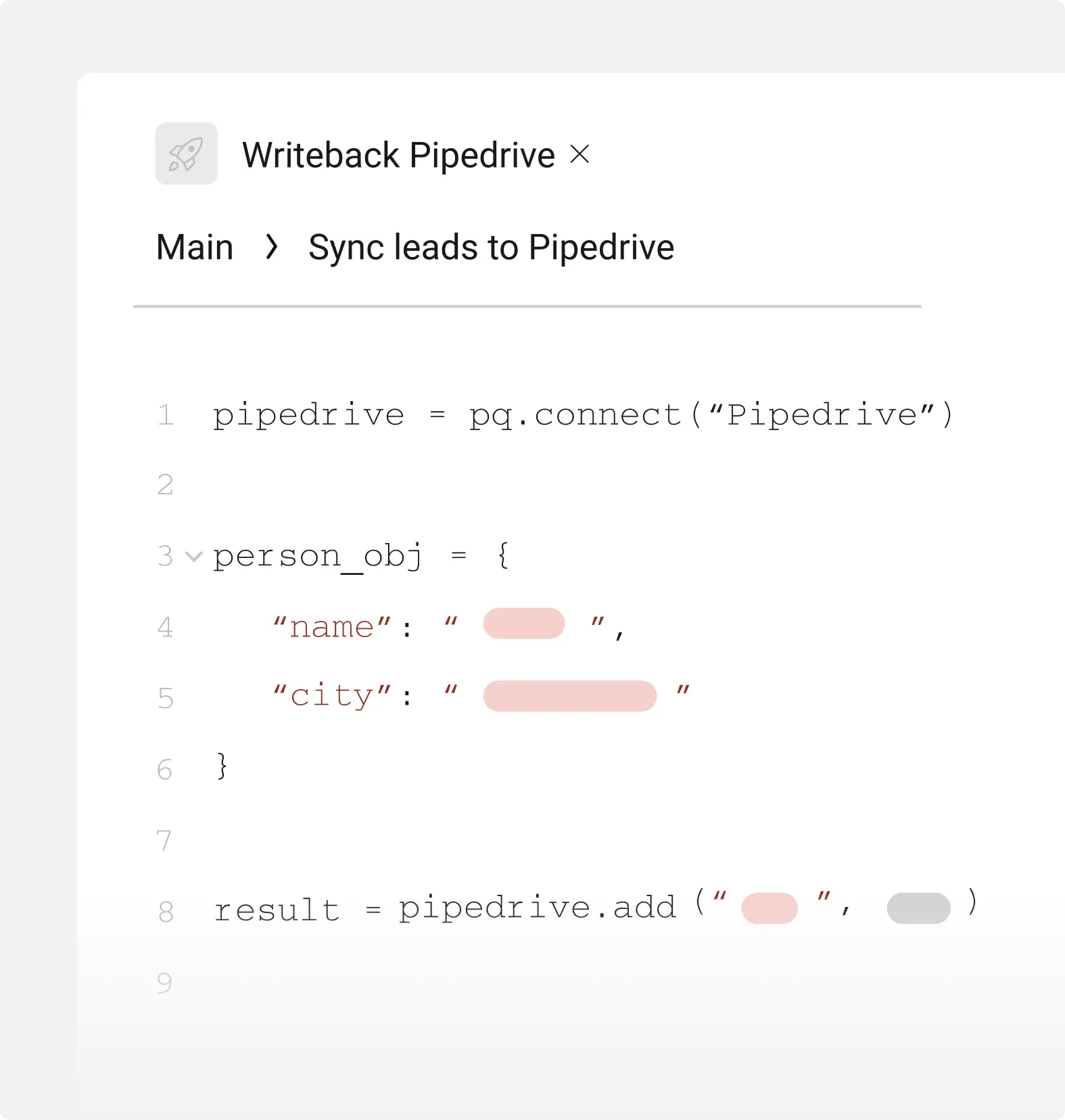
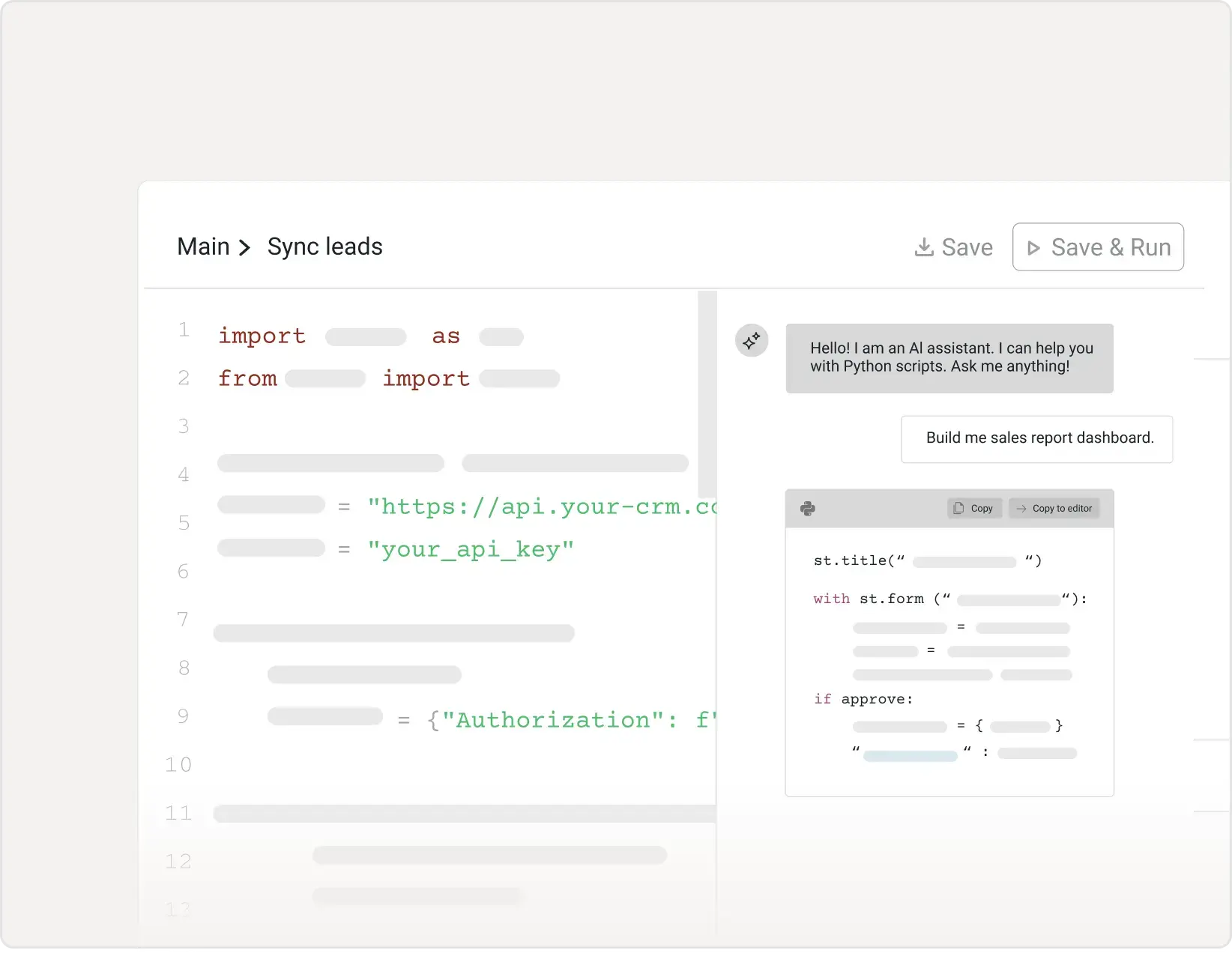
Activate data in your data warehouse (Snowflake, BigQuery, Redshift, Peliqan DW) using a combination of SQL and low-code Python. Write, test, and run scripts directly in Peliqan’s built-in IDE and runtime, or develop locally with pip install Peliqan.

tick mark 2

Full Python IDE & runtime in the cloud

Write, test, and run Python scripts directly in Peliqan – schedule runs, view logs, and publish apps without any local setup or infrastructure management.

tick mark 2

Code locally or in the cloud

Install pip install peliqan to develop locally in your favorite IDE, then deploy to Peliqan’s cloud runtime – seamlessly switch between local development and cloud execution.

Demo

Build interactive apps

Learn about low-code Python Data Apps, covering their use cases for automation, custom data pipelines, and API endpoints, as well as features like Streamlit UI, scheduling, versioning, and built-in dwh functions.

Data Integrations & Migrations

Move data seamlessly between systems with automated integration pipelines and one-time migrations. Whether you’re migrating from legacy systems or syncing data between modern SaaS applications, Peliqan handles complex transformations and validations.

tick mark 2

Automated data migrations

Migrate historical data from legacy ERP, CRM, or custom databases into modern cloud systems- handle schema mapping, data validation, deduplication, and transformation with low-code Python.

tick mark 2

Real-time integrations & syncs

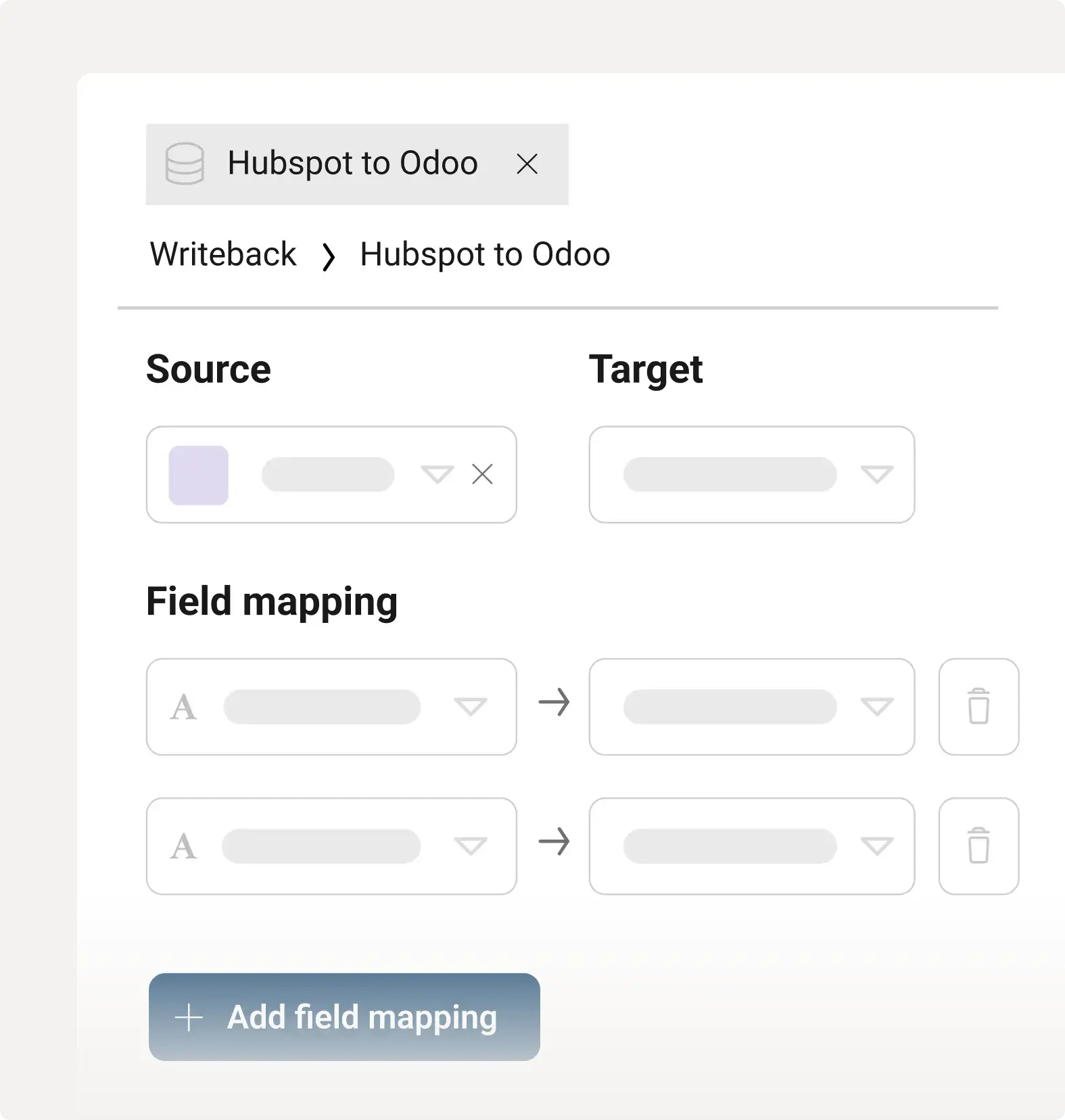
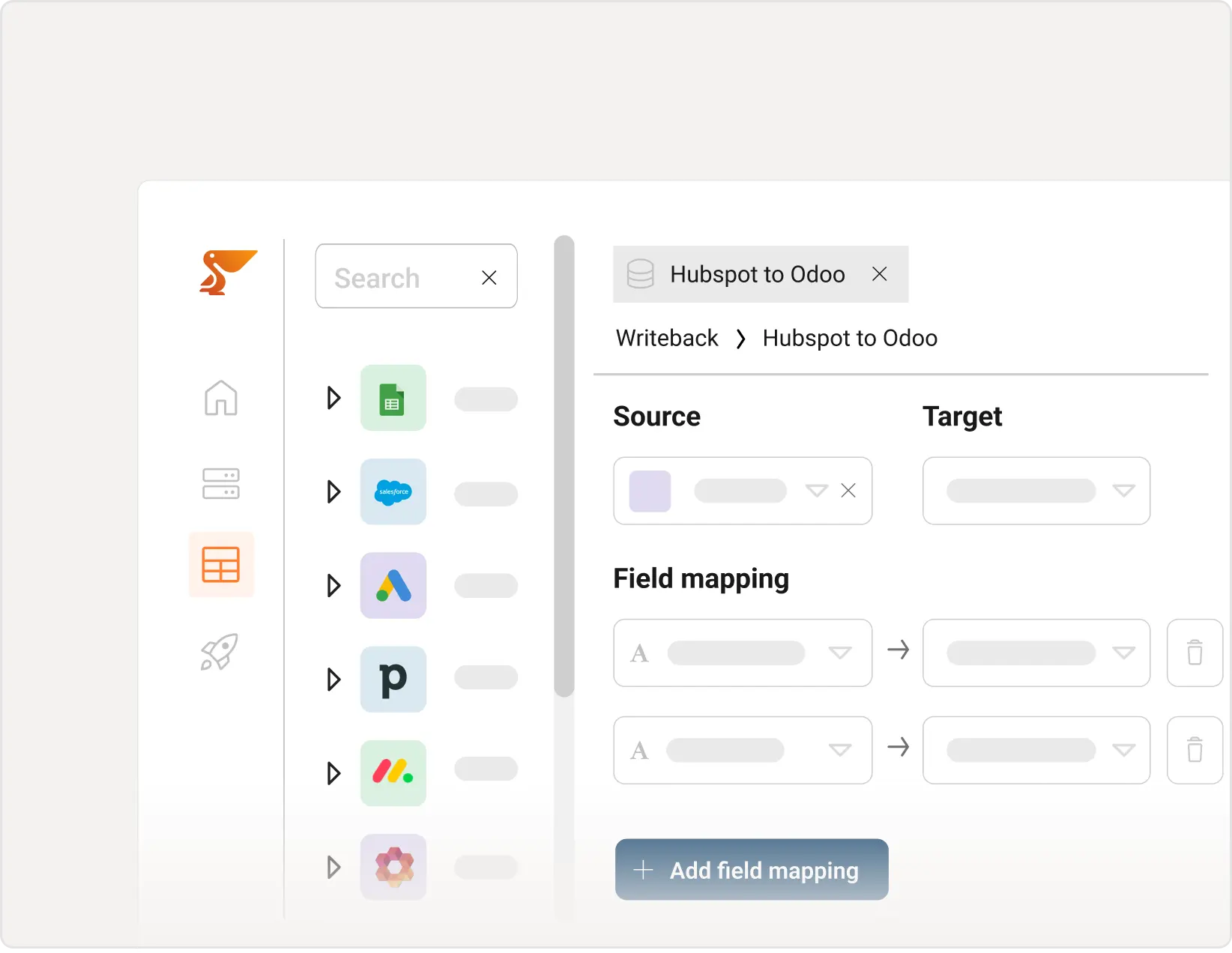
Build bi-directional integrations between business applications using 250+ connectors – sync customers, orders, invoices, and inventory across systems with custom mapping and business logic.

Build Data apps with low code
🔗 Shared Datasets
Internal
🏢
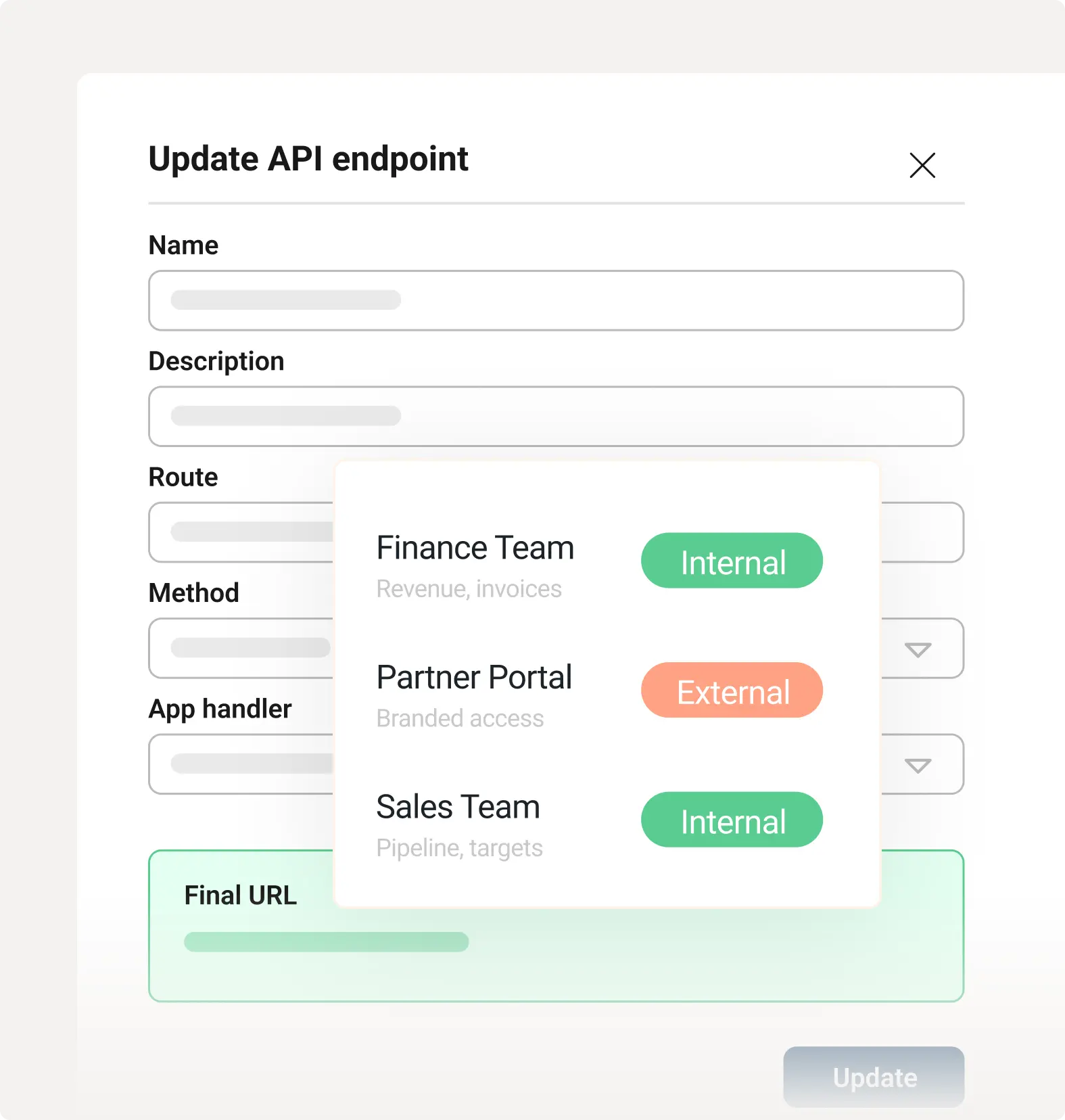
Finance Team
Revenue, invoices
Internal
📦
Operations
Inventory, orders
Internal
📊
Sales Team
Pipeline, targets
Internal
External
🤝
Partner Portal
Branded access
External
👥
Customer Cloud
Live feeds
External
🌐
Data API
REST endpoints
External

Data Sharing

Give internal teams governed self-service access to the data they need – and share curated datasets, live feeds, and reports with external partners and customers through a branded portal, APIs, or custom delivery pipelines.

tick mark 2

Publish APIs & MCP servers

Expose any dataset as a REST API endpoint or MCP server. Partners and AI tools pull live data directly, with authentication and rate limiting built in.

tick mark 2

Satellite data warehouse

Provision a managed data warehouse for each partner. They get their own Peliqan DWH or bring their own — you control what flows in.

tick mark 2

Sub-accounts & multi-tenant setup

Spin up isolated sub-accounts per partner or customer. Manage permissions, pipelines, and a satellite data warehouse independently for each.

tick mark 2

Custom delivery per partner

Push data to each partner the way they need it: API sync, SFTP file drop, cloud storage, Excel export, BI connector, or ERP writeback.

What you can build with data apps

From automated reports to intelligent chatbots, Peliqan’s Python data apps unlock limitless possibilities. Build exactly what your business needs – whether it’s interactive dashboards, API endpoints, or custom integrations – all with low-code simplicity.

Custom reports

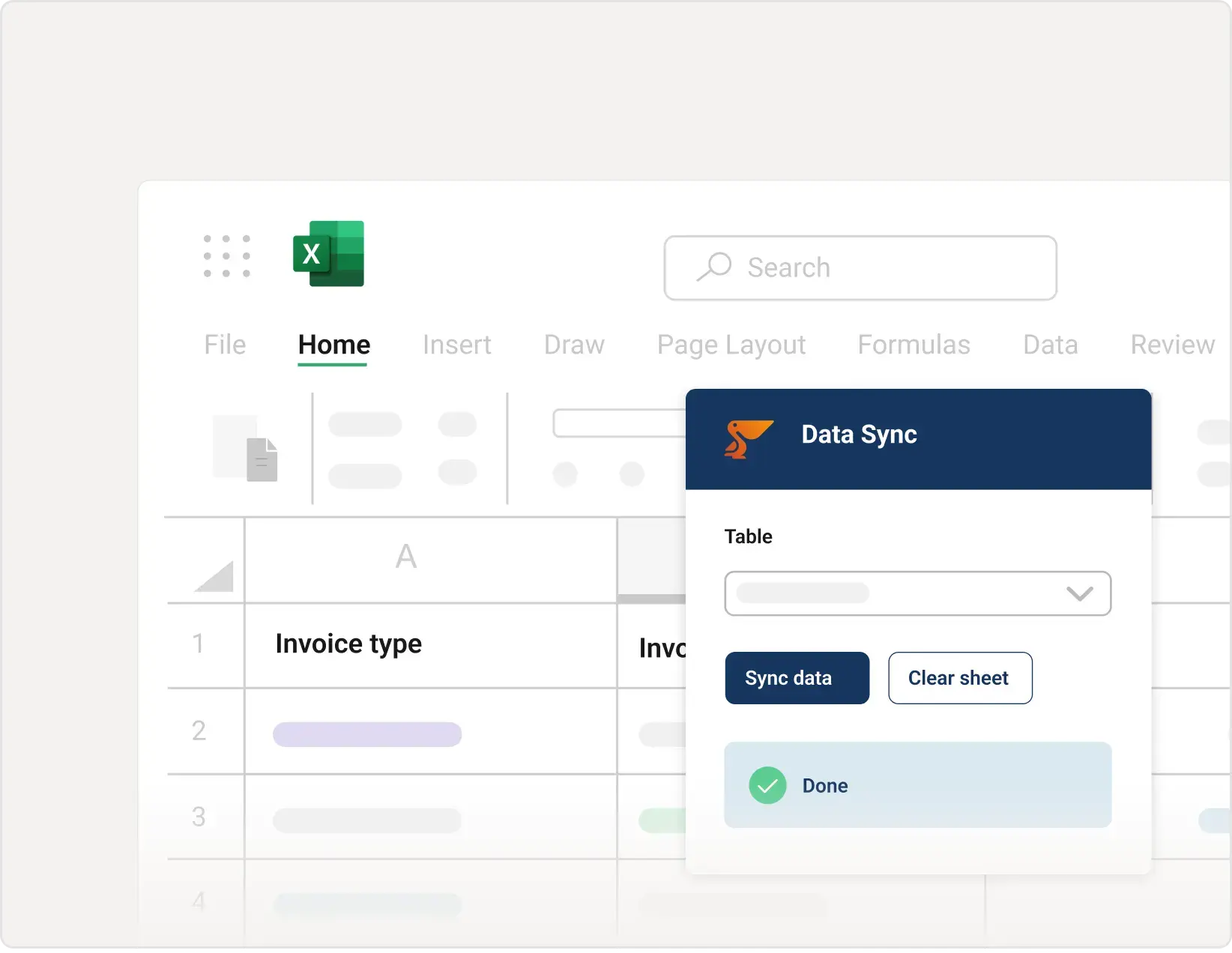
Build personalized reports in Excel or Google Sheets with dynamic data from your warehouse.

Distribute them automatically via email, SFTP, or cloud storage like Google Drive, OneDrive, and Sharepoint.

Schedule daily, weekly, or trigger-based delivery to keep stakeholders informed.

Interactive data apps

Create web-based forms and interfaces for data entry or data access using Streamlit.

Build dashboards with filters, charts, and real-time data updates that business users can interact with.

Deploy self-service tools that eliminate manual data requests and empower teams.

Data automations

Automate data-related processes like file imports at scale, data quality checks, and business alerts on Slack or Teams.

Set up scheduled data syncs and custom workflows triggered by data changes.

Eliminate repetitive manual tasks and ensure data operations run reliably 24/7.

AI chatbots

Implement LLM chatbots based on your internal company data for natural language interaction.

Enable Text-to-SQL queries and RAG (retrieval-augmented generation) on business information.

Let users ask questions in plain English and get instant answers from your data warehouse.

API endpoints

Publish REST APIs with selected datasets for data sharing with partners & customers.

Handle custom logic in API endpoints with low-code Python to validate, transform, or enrich data.

Serve data using JSON or any format with authentication and rate limiting built-in.

Data syncs & reverse ETL

Sync data between business applications or from your warehouse to SaaS tools using bi-directional flows.

Use our connectors with custom transformation logic for complex mapping and business rules.

Keep all your systems in sync automatically with scheduled or real-time updates.

Build with low-code Python

Peliqan’s specialized Python functions turn complex data operations into simple one-liners. Access your entire data platform through code – pipelines, warehouses, APIs, and business applications.

UI elements

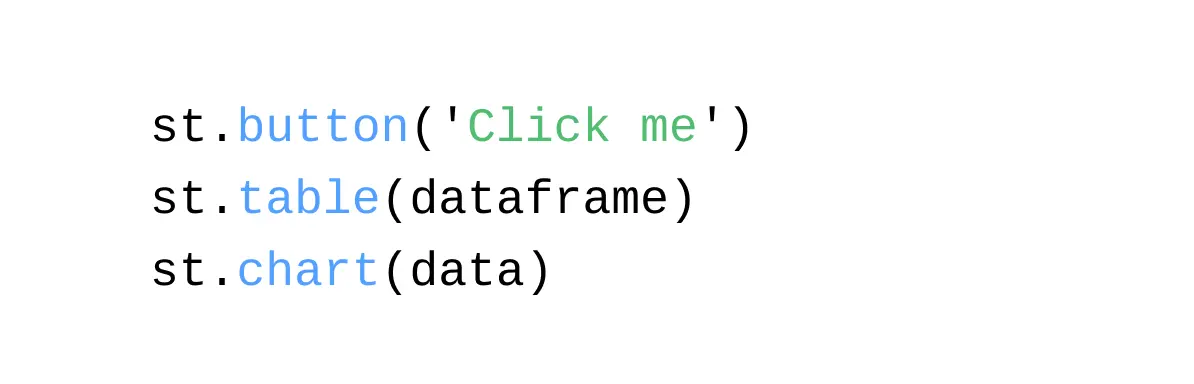
Create buttons, tables, and charts with Streamlit – build rich, interactive user interfaces in minutes. 

Enable data entry forms, dynamic visualizations, and real-time dashboards without frontend expertise. 

st.button('Click me')
st.table(dataframe)
st.chart(data)

Build Data apps with low-code

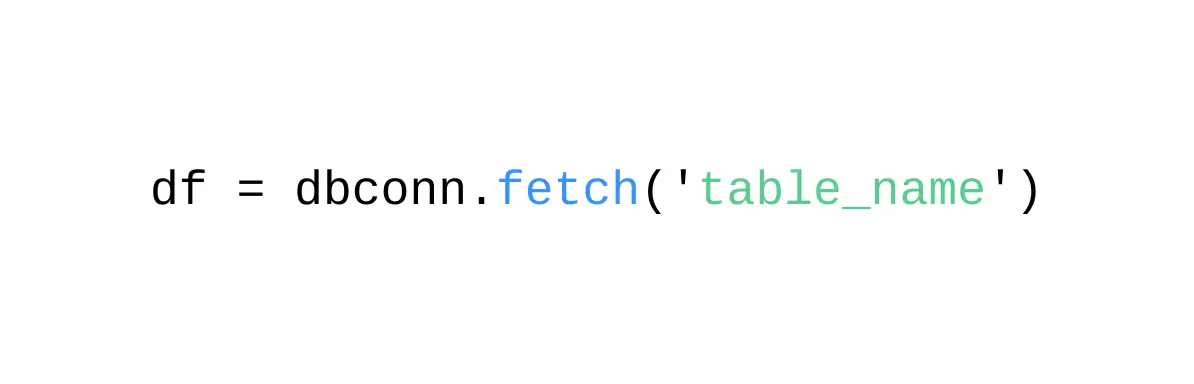
Access any table in your data warehouse instantly with dbconn.fetch() – retrieve data as a Pandas DataFrame with a single function call.

Work with your data locally, apply transformations, and seamlessly integrate with any Python library or workflow.

df = dbconn.fetch('table_name')

Orchestrate

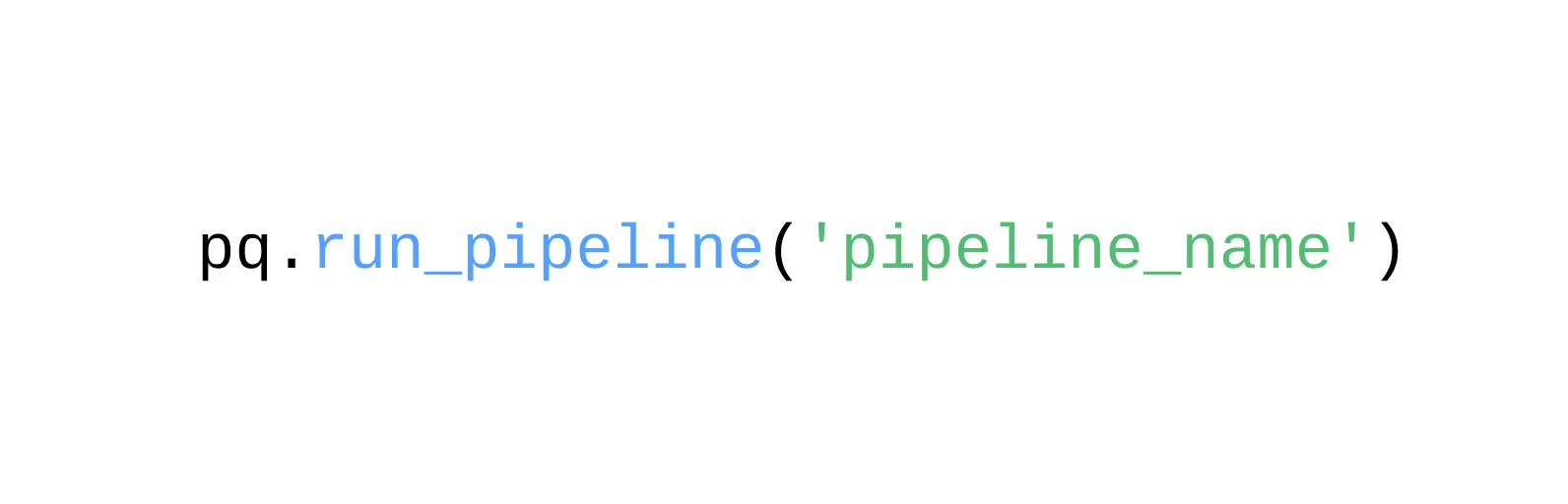
Trigger and manage data pipelines from code with pq.run_pipeline() – automate your data workflows with full programmatic control.

Schedule runs, chain multiple pipelines together, and handle complex orchestration logic without leaving your Python environment.

pq.run_pipeline('pipeline_name')

Custom pipeline

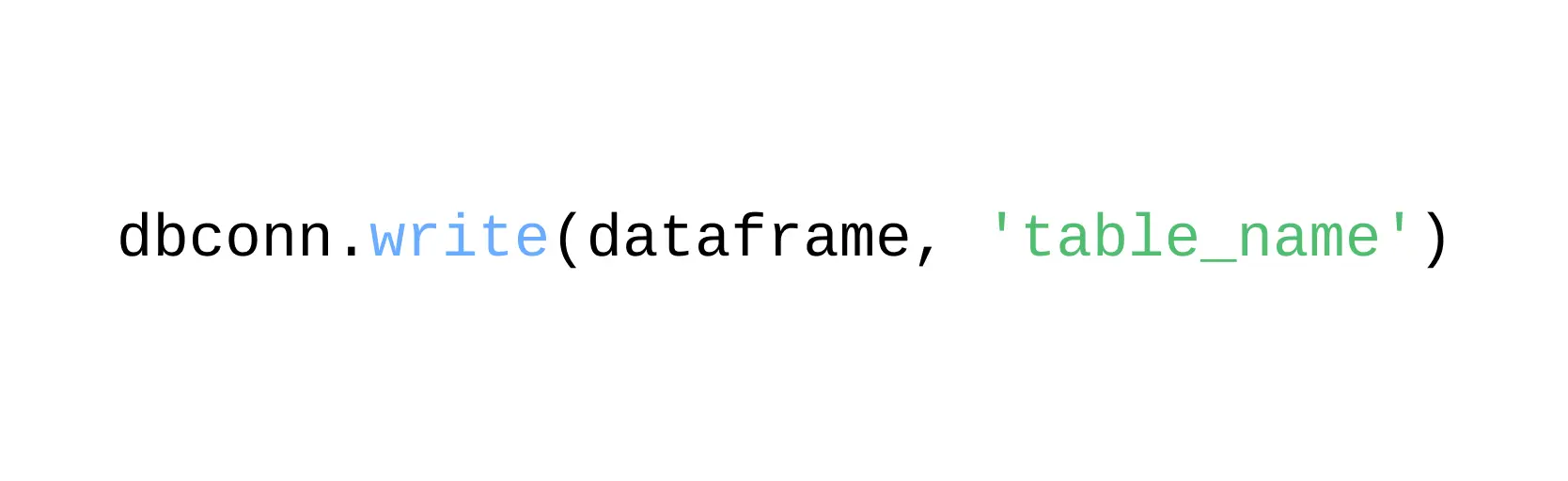
Write data to any table with dbconn.write() – a single function that has the power of a full-blown ELT pipeline.

Handle upserts, schema changes, and incremental loads automatically without complex configuration.

dbconn.write(dataframe, 'table_name')
Build Data apps with low code

Powerful Peliqan Python functions

Peliqan provides specialized Python modules that turn complex data operations into simple one-liners. Access your entire data platform through code – pipelines, warehouses, APIs, and business applications – all with unified syntax.

tick mark 2

Manage data projects with "pq" module

The peliqan module gives you programmatic access to pipeline automation, data warehouse operations, metadata management, and all Peliqan platform capabilities.

tick mark 2

Streamlit built-in with "st"

Build interactive apps and dashboards instantly using Streamlit – create forms, charts, filters, and data entry interfaces with just a few lines of Python.

Implement custom pipelines with one line of code

Write data to any table with dbconn.write() – a single function that has the power of a full-blown ELT pipeline. Handle upserts, schema changes, and incremental loads automatically without complex configuration.

tick mark 2

Works with any source or destination

Write from Pandas DataFrames, API responses, or CSV files to your warehouse, databases, or business applications – the function handles all the complexity.

tick mark 2

Full ELT pipeline in one line

Use dbconn.write(dataframe, ‘table_name’) to intelligently write data with automatic schema detection, type conversion, and incremental updates.

# Full ELT pipeline in one line
dbconn.write(dataframe, 'table_name')
# Example: Write API response to warehouse
import pandas as pd
df = pd.DataFrame(api_response)
dbconn.write(df, 'customer_data')
# Automatically handles:
# • Schema detection & changes
# • Upserts & incremental loads
# • Type conversion & validation
Low-code Python for developers

Writeback functions for Reverse ETL

Push data from your warehouse back into business applications with simple one-line functions. Create invoices in your ERP, update CRM records, or sync data to marketing tools – all from Python.

tick mark 2

ERP writeback example

Create a draft invoice in your ERP with one line: connector.create(‘invoices’, {‘customer_id’: ‘123’, ‘amount’: 1000, ‘status’: ‘draft’})

tick mark 2

CRM integration example

Push new leads into your CRM instantly: salesforce.create(‘Lead’, {‘FirstName’: ‘John’, ‘LastName’: ‘Doe’, ‘Company’: ‘Acme Inc’, ‘Email’: ‘[john@acme.com](mailto:john@acme.com)’})

Vibe coding: No coding experience? Let AI do it for you

Peliqan’s AI assistant writes Python code for you. Describe what you want in plain English, and the AI generates the data app, complete with data access, transformations, and writebacks.

tick mark 2

AI-powered code generation

Ask “Create a script to sync new customers from Salesforce to my accounting system” and watch the AI write the entire Python script with proper error handling

tick mark 2

Learn as you go

The AI explains the code it generates, helping you understand Python and Peliqan functions – perfect for non-developers building their first data apps.

Build Data apps with low code
Human first data experiences

Human-first data experiences

Get the right data to the right people. Go beyond static dashboards to truly empower your team.

tick mark 2

Data to MS Teams and Slack

Push personalized data updates (tables, charts) to channels and people in Slack or Teams.

tick mark 2

Distribute Personalized Reports

Generate and distribute personalized PDF and Excel reports at scale. Use the Peliqan Excel add-in for real-time updates.

tick mark 2

Build data apps with low-code scripts

Build custom forms for data entry and retrieval. Implement AI Chatbots based on your company data.

Peliqan trust center

Security, compliance, trust, privacy and availability are our highest priority. If you want more details, if you require a certificate or a copy of Peliqan’s operating procedures, contact us now.

SOC 2 Type II

SOC 2 Type 2

SOC 2 Type 2 validates our security controls, ensuring your data is protected by independently audited security measures.

ISO 27001

ISO 27001

ISO 27001 certification ensures enterprise-grade information security, protecting your business with globally recognized standards.

GDPR-compliant

GDPR

GDPR compliance guarantees EU data protection compliance, keeping PII data secure within EU boundaries.

Start activating your data now!

Combine SQL and low-code Python to implement your data use case fast