




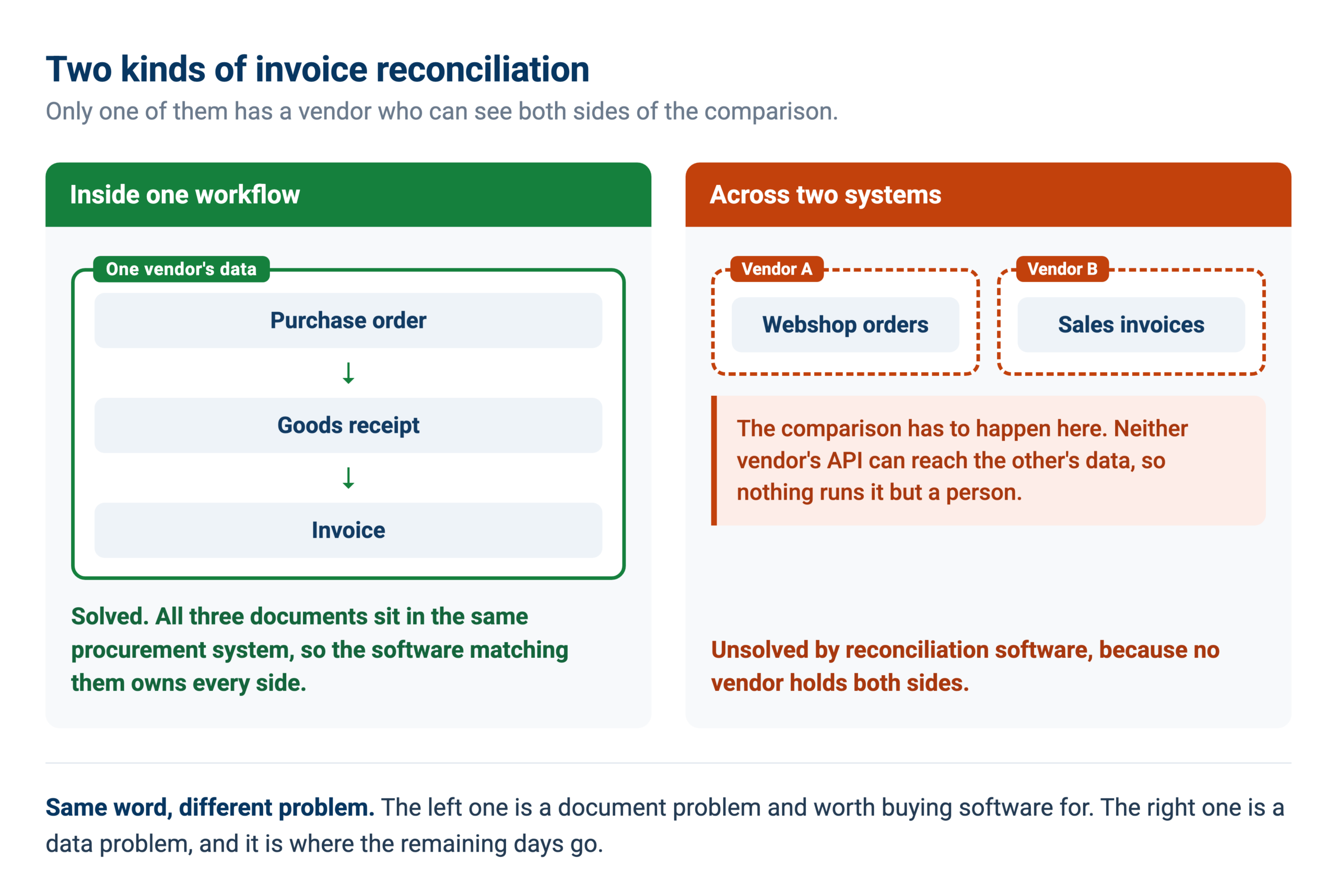
Invoice reconciliation software solved one problem well: matching an invoice to a purchase order and a receipt inside a single procurement workflow. The reconciliations that still eat days are the ones spanning two independent systems, where no vendor owns both sides. This covers what the software does, where it stops, and how the harder half gets handled.
There are two kinds of invoice reconciliation and they get sold as one thing.
The first is matching inside a workflow. An invoice arrives, it should agree with a purchase order and a goods receipt, and software checks that it does. Two-way, three-way, four-way matching. This is a solved problem, and most invoice reconciliation software solves it competently.
The second is reconciling between systems that were never designed to know about each other. Webshop orders against sales invoices against bank transactions. A general ledger against a margin workbook somebody maintains in Excel. An ERP against the tracker where the commercial team actually records things. An e-invoicing channel against open payables.
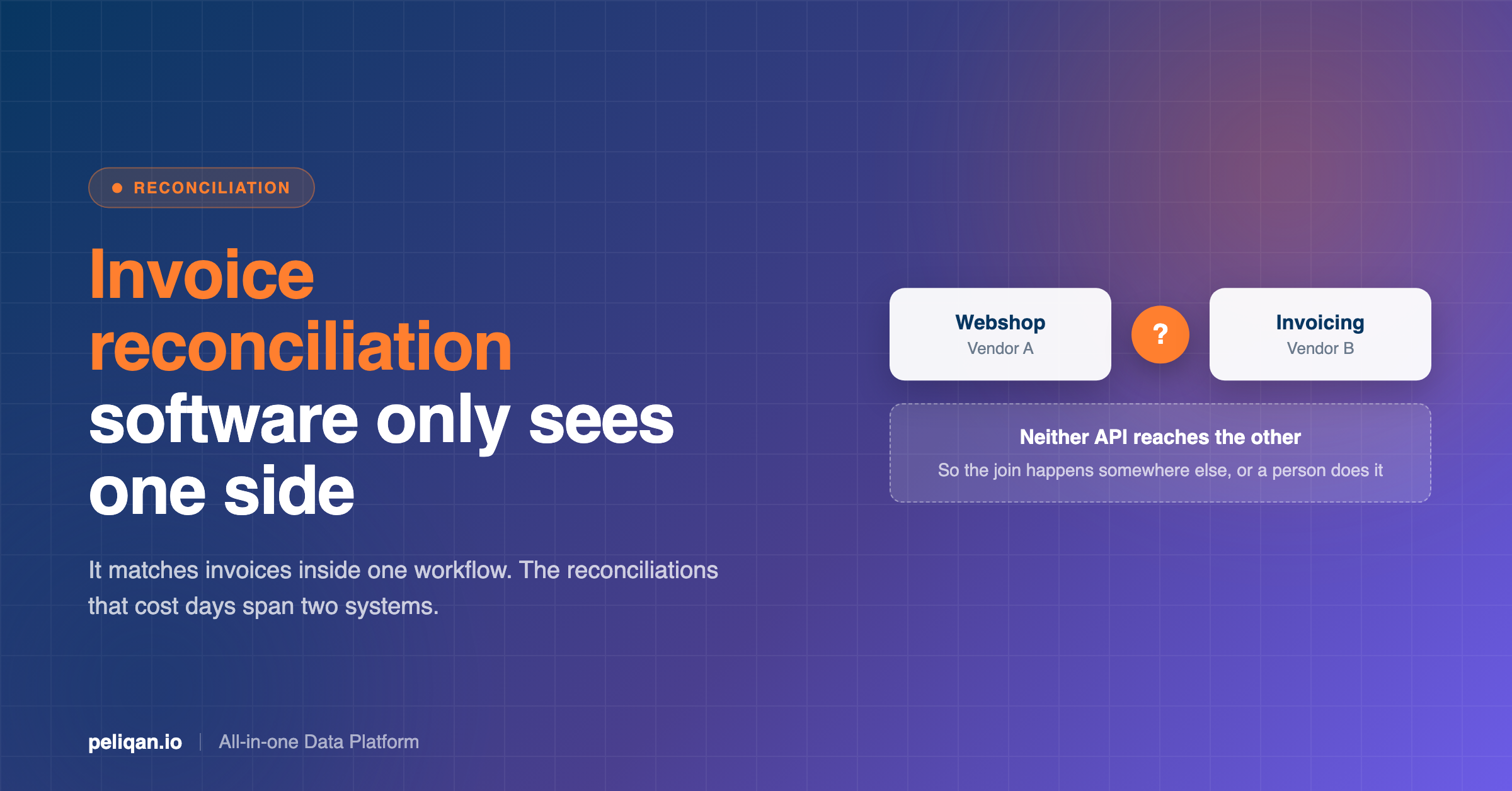
Almost nothing addresses the second kind, because doing so requires holding both systems at once, and vendors only own their own. That is the half that still takes days, and it is what this post is mostly about.
The distinction that matters
Matching within one procurement flow is a document problem, and software is good at it. Reconciling across two systems is a data problem, and it is unsolved by the tools sold for it, because no single vendor has both sides of the comparison.
What invoice reconciliation software actually does
Worth being fair about, because this part works and you should not build it yourself.
Document capture and extraction
Pulling structured fields out of an invoice, whether it arrives as a PDF, a scan or a structured e-invoice. Modern tools handle layout variation reasonably well, which is the main thing that broke earlier template-based systems when a supplier redesigned their invoice.
Two-way, three-way and four-way matching
The core function, and worth understanding properly because the levels are not interchangeable.
Two-way matching compares the invoice against the purchase order: is the price what we agreed, and is the quantity what we ordered. It catches pricing errors and quantity overbilling. It cannot catch anything about what actually arrived, so a supplier who invoices correctly for goods they never shipped passes a two-way match.
Three-way matching adds the goods receipt, which closes that gap. Invoice against purchase order against what was received. This is the standard for physical goods and the level most controls frameworks expect. The cost is that someone has to record receipts accurately, and in practice this is where the process breaks: an unrecorded receipt makes a correct invoice look wrong, generating an exception that is really a data-entry problem.
Four-way matching adds inspection or quality data, so an invoice can be held for goods received but rejected. Relevant in manufacturing and regulated supply chains, unnecessary overhead in most other settings.
For services rather than goods there is often no receipt to match against, which is why service invoices tend to route to an approver rather than through a match. Any tool that only does three-way matching will treat your entire services spend as an exception.
Exception routing
When something does not match, sending it to the right person with the discrepancy already identified. This is where most of the practical time saving comes from, more than the matching itself.
Duplicate detection
Catching the same invoice entered twice. Good tools compare amount, date proximity and supplier identity together rather than relying on the invoice number, because genuine duplicates rarely share a reference. A re-sent invoice with a new number, or the same invoice booked against two slightly different supplier records, is the common shape.
Approval workflow and audit trail
Who approved what, when, and what the invoice looked like at the time. Necessary for controls, and unglamorous.
If your problem is any of the above, buy software for it. The rest of this post is about the reconciliations those features do not reach.
The reconciliations no invoice software covers
These come from watching what finance teams and accounting practices actually ask AI assistants to do against live ledgers. They share one property: the two sides of the comparison live in different systems, owned by different vendors.
Webshop orders against invoices against the bank
Every order in the shop should have a sales invoice, and every invoice should eventually have a payment. Three systems, three sources of truth, and discrepancies down to the cent when payment provider fees, carrier costs or reverse-charge VAT enter the picture.
This is a weekly job for anyone selling online through separate commerce and invoicing systems, and the shop side of it is covered in the walkthrough for Shopify, and the reconciliation for it appears in the work behind our post on Peppol and invoicing. No invoice matching tool sees the shop; no shop analytics sees the ledger.
A ledger against a workbook somebody maintains
The most common one, and the least discussed. Somewhere in the business there is a spreadsheet that calculates project margin, or product profitability, or contract value, and it is maintained by hand. It disagrees with the books, usually because a cost invoice was booked but never made it into the workbook.
Finding those gaps means comparing the ledger’s purchase entries against a spreadsheet’s cost lines, which no accounting system will do for you. It is a recurring pattern in Yuki and Exact Online work alike.
An ERP against where work is actually tracked
Sales invoices and open orders in the ERP, project status in a separate tracker. The two drift, because people update the tool they work in rather than the system of record. Reconciling them weekly is exactly the kind of standing job that is easy to describe and tedious to do, and it is why cross-system integration platforms get bought for it.
E-invoicing channels against payables
For anyone handling e-invoicing across multiple clients or entities: which channels are still receiving, which flows have stalled, and does what arrived actually appear in payables. A stalled flow is invisible until someone reconciles the two.
Operational data against the books
Revenue by channel in the ERP compared against what the analytics and advertising platforms report. Not a controls exercise, but the same shape: two systems, one number that should agree, and no tool that holds both.
Why cross-system reconciliation is genuinely hard
Four reasons, and only the first is obvious.
Nobody owns both sides. Your invoicing vendor built for invoicing. Your commerce platform built for commerce. Each exposes an API for its own data, and neither can join to the other, so the join has to happen somewhere else or be done by a person.
The identifiers do not line up. An order number is not an invoice number is not a bank reference. Matching requires inference across amount, date proximity and party, which is precisely the logic that makes this tedious manually.
Rate limits punish the obvious approach. The intuitive fix is to call both APIs and compare. That works for ten records and fails at ten thousand, because you are paginating through two systems and burning both quotas, which is the failure mode we covered in the guide to API rate limits.
It is never finished. A reconciliation is not a project, it is a recurring obligation. Anything that requires a person to run it manually will be skipped in a busy week, and the discrepancy compounds quietly until someone finds it at year end.
What to look for in invoice reconciliation software
If you are evaluating tools, these are the questions that separate them, roughly in order of how much they matter.
Note the fourth row. “We integrate with your ERP” usually means the tool can push its own results into your ERP, not that it can reconcile your ERP against a third system. Those are different capabilities and the phrasing hides it.
The other approach: reconcile on synced data
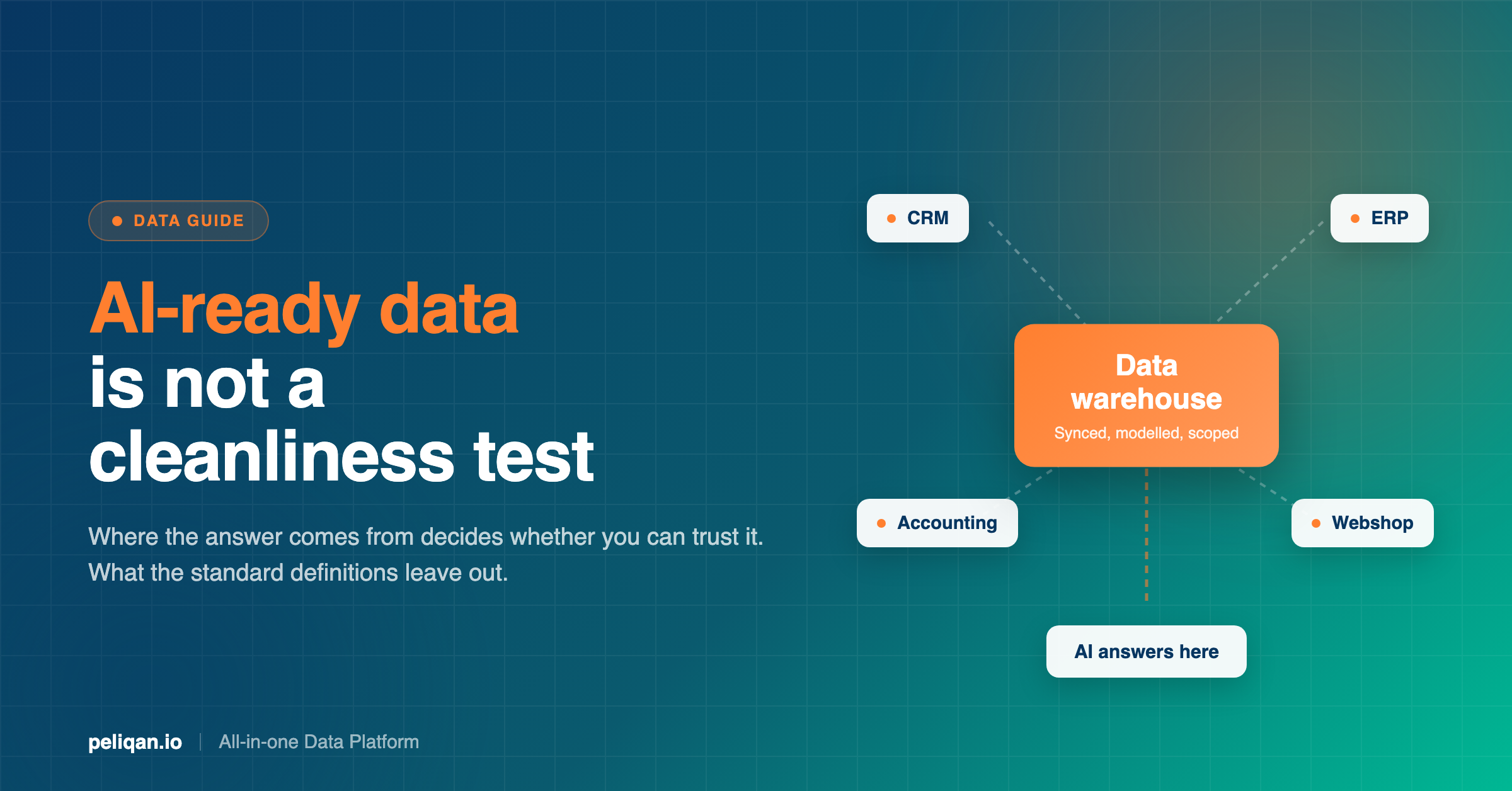
There is a second way to handle the cross-system half, and it inverts the problem. Rather than calling two APIs and comparing the results, you sync both systems into one place and reconcile with a query.
Once both sides sit in the same data warehouse, a reconciliation is a join. Orders left-joined to invoices, showing what has no invoice. Invoices left-joined to payments, showing what is unpaid. Ledger entries compared against workbook lines, showing what one has and the other does not. Written once, run on a schedule.
Four things change structurally.
The identifiers problem becomes solvable. Fuzzy matching on amount, date window and party is straightforward in SQL and awkward through two APIs.
Rate limits stop applying. The sync is one scheduled reader. The reconciliation itself never touches the source systems, so running it hourly costs nothing at the source.
Any two systems can be compared. Not just the ones your invoicing vendor integrates with. If both are synced, both are joinable, which is what makes the ledger-against-a-workbook case tractable at all.
It becomes a standing job. Put the query on a schedule with an alert on exceptions, and the reconciliation stops depending on someone remembering. This is the difference between a reconciliation that runs and one that theoretically exists.
What this approach does not give you
Being straight about the trade-offs, because they are real.
It does not extract data from PDFs. If your invoices arrive as scans, you still need capture software, and this approach starts after that.
It does not give you an approval workflow. If you need routing, sign-off and controls around invoice approval, that is what invoice reconciliation software is for, and this does not replace it.
It answers from a synced copy, so it is as current as the last sync. For reconciliation that is usually fine, since you are comparing periods rather than checking a balance this second. But it means freshness monitoring matters, because a copy that stopped updating produces a reconciliation that looks clean and is not.
And writing corrections back to the source system is a separate question with its own reliability characteristics, which vary per operation rather than per system.
Where AI changes this and where it does not
Two honest halves.
What it genuinely does. Describing a discrepancy in plain language and having it traced to the entry. Not “run reconciliation report 4” but “our margin workbook says this project cost 12,000 and the ledger says 14,300, find the difference”. The assistant iterates across both sides until it isolates the entries, which is the part a person does slowly.
It is also good at the exploratory phase. Building a reconciliation the first time means working out which fields actually correspond, and that is a conversation rather than a specification. Once it works, it becomes a saved query on a schedule.
What it does not do. It does not decide whether a discrepancy is acceptable. It does not post the correcting entry unsupervised, and it should not: write reliability varies by operation and needs verifying against your own system first.
It also cannot compensate for data that is not there. If a cost was never booked anywhere, no assistant will find it, and the reconciliation will correctly report a difference it cannot explain.
How to set up a cross-system reconciliation
The order that works, based on how teams got there.
Pick the reconciliation you already do manually. Not the most valuable one in theory. The one someone is doing in a spreadsheet every Monday, because you have a known-good answer to compare against.
Sync both sides. Both systems into one place on a schedule. Just those two, not the whole estate. Getting them connected is the prerequisite and it is usually the fastest step.
Write the join and check it against last period. Build the comparison with SQL transformations and run it against a period you have already reconciled by hand. If the numbers agree, the logic is right. If they do not, you have learned something useful before it mattered.
Decide what an exception is. A one-cent difference is rounding. A hundred-euro difference is an entry. Set the threshold explicitly rather than reviewing everything.
Schedule it and alert on exceptions only. Weekly is usually right. The output should be the short list that needs a person, not a report nobody opens.
Keep the manual version for one cycle. Run both, compare, then retire the spreadsheet. This is the step people skip and regret.
How often each reconciliation should run
Frequency is a real decision and most teams pick it by habit. The useful rule is to match the cadence to how expensive the discrepancy gets while undetected.
Daily: anything involving money movement where a gap compounds. Payment provider settlements against invoices, failed direct debits against open receivables. A missed failed payment quietly becomes a collections problem.
Weekly: the operational reconciliations. Webshop orders against invoices, ERP against the tracker where work is recorded, margin workbook against the ledger. Weekly is frequent enough that the exception list stays short enough to actually work through, which is the practical constraint.
Monthly, as part of close: supplier statements against payables, intercompany balances, VAT accounts against filed returns. These are period-bound by nature, and they belong to the month-end close rather than sitting outside it.
Annually, and this is the trap: nothing should first be reconciled at year end. Anything discovered only in the annual review has been wrong for up to twelve months, and the correction is proportionally harder. If a reconciliation currently happens once a year, that is the strongest candidate for moving to a schedule.
The pattern worth noticing is that frequency costs almost nothing once a reconciliation is a query on synced data. Running a join weekly instead of monthly is a scheduler setting. Running it weekly instead of monthly by hand is three extra days of work a month, which is why manual reconciliations settle at the lowest defensible frequency rather than the right one.
Why reconciliations fail, even automated ones
Five failure modes worth recognising, because each one looks like something else at first.
The exception list nobody works through. The most common failure by a distance. A reconciliation runs, produces four hundred exceptions, and everyone ignores it. Usually the threshold is wrong rather than the data: rounding differences and known timing gaps are being reported as exceptions. Set the tolerance deliberately and the list becomes short enough to act on.
Silent staleness. One side stopped syncing and the reconciliation now compares current data against a frozen snapshot. It runs clean, because both sides internally agree. This is the dangerous one, and the only defence is knowing where each figure came from and when.
Timing differences read as errors. An invoice raised on the last day of the month and paid on the second of the next is not a discrepancy, but a naive comparison reports it as one. Reconciliation logic has to carry a date window, and picking that window is a judgment about your own business.
The one-to-many problem. One payment settling five invoices, or one invoice split across two payments. Matching logic built for one-to-one relationships generates exceptions on both sides of every legitimate case. This is the single most common reason a reconciliation that worked in testing falls apart in production.
Nobody owns it. A scheduled reconciliation with no named owner stops being read within about two months. The technical part is the easy part.
Where Peliqan fits
Peliqan is not invoice reconciliation software. It does not capture PDFs or run approval workflows, and if that is your problem the tools above are the right answer.
What it does is the cross-system half. Data from 300+ connectors syncs into a built-in data warehouse running Postgres and Trino, which means a webshop, an invoicing system, an accounting package and a bank feed can sit in the same place and be joined in one query. That is the capability the reconciliation problem actually needs.
Reconciliations are written as SQL or Python and run on a schedule, with alerting on exceptions. The MCP server also lets people investigate a discrepancy in plain language from Claude or ChatGPT, and for accounting sources those questions run as SQL against the data warehouse copy rather than consuming your accounting system’s API quota.
Permissions are managed through Groups at the schema level, queries and writeback actions are logged, and the platform is SOC 2 Type II certified, ISO 27001:2022 certified, GDPR compliant and EU-hosted.
If the reconciliation spans client files rather than systems, the same mechanics apply, and that pattern is covered in the guide to multi-client reporting. For the specific case of matching bank lines, there is a dedicated walkthrough of bank reconciliation.
The takeaway
Invoice reconciliation software is worth buying for what it does. Document capture, matching inside a procurement flow, exception routing and approval controls are real problems and the tools handle them.
They are not the reconciliations that still cost days. Those are the ones spanning two systems that were never built to know about each other, and they are unsolved by the software sold for reconciliation because no vendor holds both sides of the comparison.
That half is a data problem. Sync both systems into one place, write the join once, and put it on a schedule.
If you want to test it, book a demo and bring the reconciliation someone currently does in a spreadsheet every week. That comparison settles it faster than a trial.