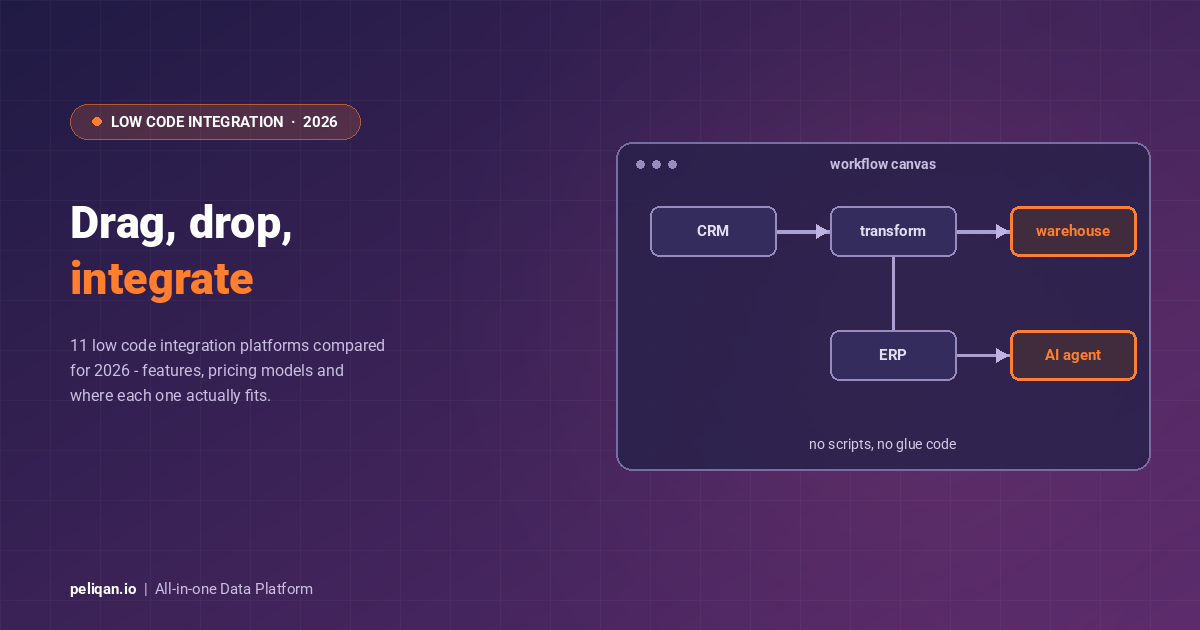





Low code integration platforms connect applications, sync data, and automate workflows with minimal hand-coding. Instead of writing custom scripts for every API, teams assemble integrations from pre-built connectors, visual workflow designers, and data mapping tools. This guide covers how they work, what to look for, and the 11 platforms worth evaluating in 2026.
The appeal is simple, and it is mostly about who does the work. Integration work used to sit entirely with engineers. As a result, every new data flow became a ticket in a queue. Low code platforms move most of that work to a visual layer. Analysts and operations teams can now build and maintain integrations themselves, while developers keep control of the complex cases.
What are low code integration platforms?
A low code integration platform connects applications, synchronizes data, and automates workflows through a visual interface. Pre-built connectors do the heavy lifting. Users configure integrations instead of coding them from scratch. However, most platforms still allow custom code where it is needed.
In practice, traditional integration requires engineering time for every connection: authentication, pagination, retries, schema changes. Low code integration shifts that burden to the platform. As a result, four features show up in nearly every product in the category.
- Pre-built connectors for popular applications
- Visual workflow designers
- Built-in data mapping tools
- Automated error handling and monitoring
Key features of low code integration platforms
- Visual workflow designers: Build integration logic by dragging elements onto a canvas. The flow of data becomes visible, so anyone on the team can follow and modify it without reading code.
- Pre-built connectors: A ready-made library handles API communication, authentication, and formatting. Systems like Salesforce, SAP, and Oracle connect in minutes.
- Drag-and-drop interfaces: Technical and non-technical users can both build integrations, which shortens prototyping cycles considerably.
- Built-in data mapping: Define how fields in one system correspond to fields in another, apply transformations, and handle type conversions visually.
- Scalable architecture: Handle rising data volumes and integration counts without rebuilding what already works.
- AI platform integration: Most platforms now plug into AI models for classification, prediction, and enrichment inside workflows.
One example of this direction is AI Platform Integration. It lets teams enrich workflows with intelligent insights, without writing complex code.
Low code integration vs traditional integration
Low code platforms typically support several integration types at once. Application-to-application (A2A) integration links CRM, ERP, and HR systems. Data integration moves records into warehouses and databases. API integration connects cloud services, and file transfer handles documents between systems and storage.
Enterprise application integration covers the rest: connecting disparate systems inside one organization.
Low code integration platform benefits
Four benefits come up repeatedly in real deployments. First, efficiency: automated data flows remove manual entry and the errors that come with it. Second, cost savings: fewer specialist developer hours per integration, and faster time to value. Third, data accuracy: synchronized systems show consistent information, so decisions rest on current numbers. Fourth, scalability: new applications join the stack without a redevelopment project each time.
Beyond the numbers, the broader effect is organizational. When more people can create and manage integrations, the data team stops being a bottleneck and starts setting standards instead.
Real-world example: CIC Hospitality connected 50+ sources, including its PMS, booking, and finance systems, on one low code platform. The team saves 40+ hours per month that previously went into manual reporting. Read the CIC Hospitality case study.
Technical components of low code integration platforms
Underneath the visual surface, however, these platforms share a common architecture. Each component turns one part of the data integration problem into something configurable.
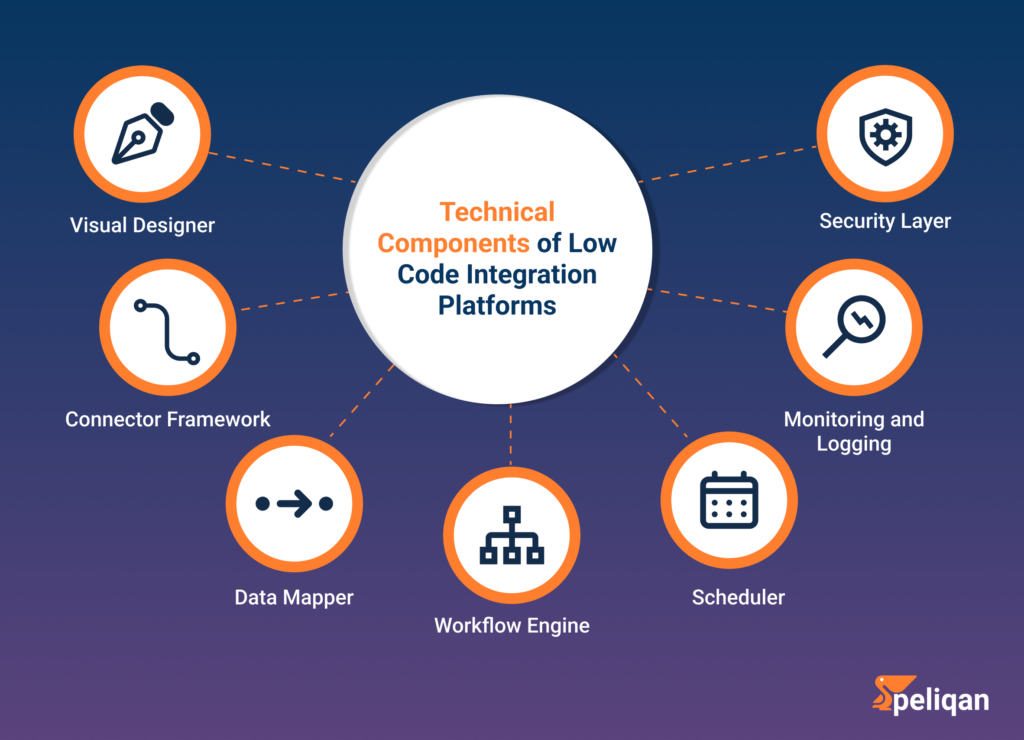
- Visual designer: The graphical canvas where workflows are built from connectors and logic blocks.
- Connector framework: The system that manages pre-built connectors, usually with an SDK for custom ones.
- Data mapper: Transforms data between formats and structures, including string, math, and date operations.
- Workflow engine: Executes the integration logic and moves data between connected systems.
- Scheduler: Triggers runs on a schedule or on events, covering both batch and near real-time needs.
- Monitoring and logging: Tracks performance and status, with alerting when something fails.
- Security layer: Handles authentication, authorization, and encryption across the platform.
Some organizations hold sensitive data across several locations. In that case, a hybrid connectivity layer extends these protocols from the cloud to the local data center.
How low code integration platforms work
The operating principle here is abstraction. Complex integration tasks are broken into visual steps, so users focus on business logic instead of code-level detail. Here is what happens at each stage.
Connectors handle the messy parts of talking to each system. A Salesforce connector, for example, manages authentication, API calls, pagination, and field mapping so the user never touches them.
The visual workflow designer lays out the sequence: retrieve data from a source, transform it, then send it to a target. Because the flow is visual, changes are quick and reviewable.
Data mapping defines how fields correspond across systems. Users apply transformations such as date reformatting and type conversion, which keeps records consistent as they move.
Business logic and rules cover the conditional cases. Examples include routing high-value orders to a special process, aggregating several sources, or applying custom calculations.
Testing and deployment validate the integration before it reaches production. Teams run test scenarios and debug issues first, much like testing AI models to verify accuracy and reliability.
Monitoring and management then keep things healthy over time, with dashboards, alerts, and version control for workflow changes.
Some teams also create visuals with AI to document workflows. That helps when technical and business users review an integration together.
Use cases of low code integration platforms
Customer data synchronization. Connect CRM, marketing automation, and support tools so every team sees the same record. When someone updates a web form, the change propagates automatically to the CRM, the email marketing platform, and the ticketing system.
E-commerce order processing. Next, link the storefront to inventory and shipping. One order can update stock levels, generate a shipping label, and send confirmation emails without manual steps.
HR process automation. Onboarding, offboarding, and benefits administration all follow repeatable rules. A new hire triggers account creation, system access, orientation scheduling, and enrollment paperwork in one flow. Many teams automate employee onboarding first, since the steps are so predictable.
Upstream of that, AI recruiting software can feed candidate data straight into the same workflow.
Financial data consolidation. Similarly, pull data from multiple sources, including departmental systems, bank accounts, and finance tools, into one place for reporting and forecasting.
IoT data integration. Meanwhile, sensor data feeds predictive maintenance. In manufacturing, equipment readings feed maintenance scheduling, which cuts unplanned downtime.
Supply chain management. Connect inventory, logistics, supplier portals, and order management for real-time visibility across the chain.
AI agent access to business data. This is the newest use case, and the fastest growing. Teams no longer build one-off prompts against raw APIs. Instead, they expose governed datasets to assistants through the Model Context Protocol. An agent can then answer cross-system questions with permissions and audit trails intact.
Top 11 low code integration platforms in 2026
Choosing the right low code integration platform
In short, seven criteria separate a good fit from an expensive mistake. Work through them in order, because the first three usually eliminate most of the shortlist.
Evaluation checklist
- Ease of use: a clear visual designer, pre-built templates, and documentation that non-developers can follow.
- Connector availability: coverage for your critical systems, plus a path for custom connectors and a stated delivery time.
- Scalability: room to grow in data volume, run frequency, and number of integrations.
- Security and compliance: encryption, access controls, audit trails, and the certifications your industry requires.
- Support and documentation: response times, knowledge base depth, and whether training exists.
- Pricing model: fixed versus usage-based, and what the total cost looks like at three times your current volume.
- Customization: whether you can drop into SQL or Python when the visual layer runs out of room.
On security, verify certifications rather than claims. Data security documentation should name the standards met, such as SOC 2, ISO 27001, and GDPR. It should also state where data is hosted.
On pricing, similarly, compare models rather than headline numbers. Usage-based plans look cheap in a pilot and can grow unpredictably, whereas fixed tiers are easier to budget. Check the pricing page of each candidate at your projected volume, not today’s.
Peliqan: low code integration plus a data warehouse
Most platforms in the list above automate workflows between applications. Peliqan takes a wider scope. It combines integration, storage, analytics, and activation in one product. That suits teams who need reporting and AI on top of the synced data, not only app-to-app automation.
Integration: 300+ connectors for SaaS applications, databases, and file sources, with custom connectors delivered within 2 weeks. ELT pipelines land data in a built-in Postgres and Trino warehouse, or in your own Snowflake, BigQuery, Redshift, or SQL Server.
Transformation: SQL, low-code Python, and a spreadsheet-like interface cover different skill levels, and an AI assistant writes SQL from plain-language questions.
Activation: Reverse ETL syncs results back into business applications, and teams can publish API endpoints, set alerts, and distribute personalized reports.
Analytics and BI: built-in dashboards, plus one-click deployment of tools like Metabase, Jupyter notebooks, and Apache Superset from the marketplace.
Governance: automatic data lineage detection, a built-in catalog, and role-based access. Peliqan is SOC 2 Type II, ISO 27001, GDPR, HIPAA, and CCPA certified, EU-hosted on AWS Frankfurt.
For service companies: white-label options let integrators, software companies, and agencies deliver data products under their own brand.
Conclusion
In short, low code integration platforms changed who gets to build integrations. Business teams and IT now work on the same canvas, which shortens delivery cycles and cuts the cost of every new connection. As a result, that collaboration is the real benefit, more than any single feature.
The category is also splitting. Workflow automation tools like Zapier and Power Automate excel at app-to-app tasks. App builders such as OutSystems, Mendix, and Launchpad focus on delivering software products. Data platforms handle pipelines, warehousing, and analytics together. Pick the category first, then the product. The evaluation gets much simpler that way.
For teams building custom software around their data, low code application development can complement the data layer rather than replace it.