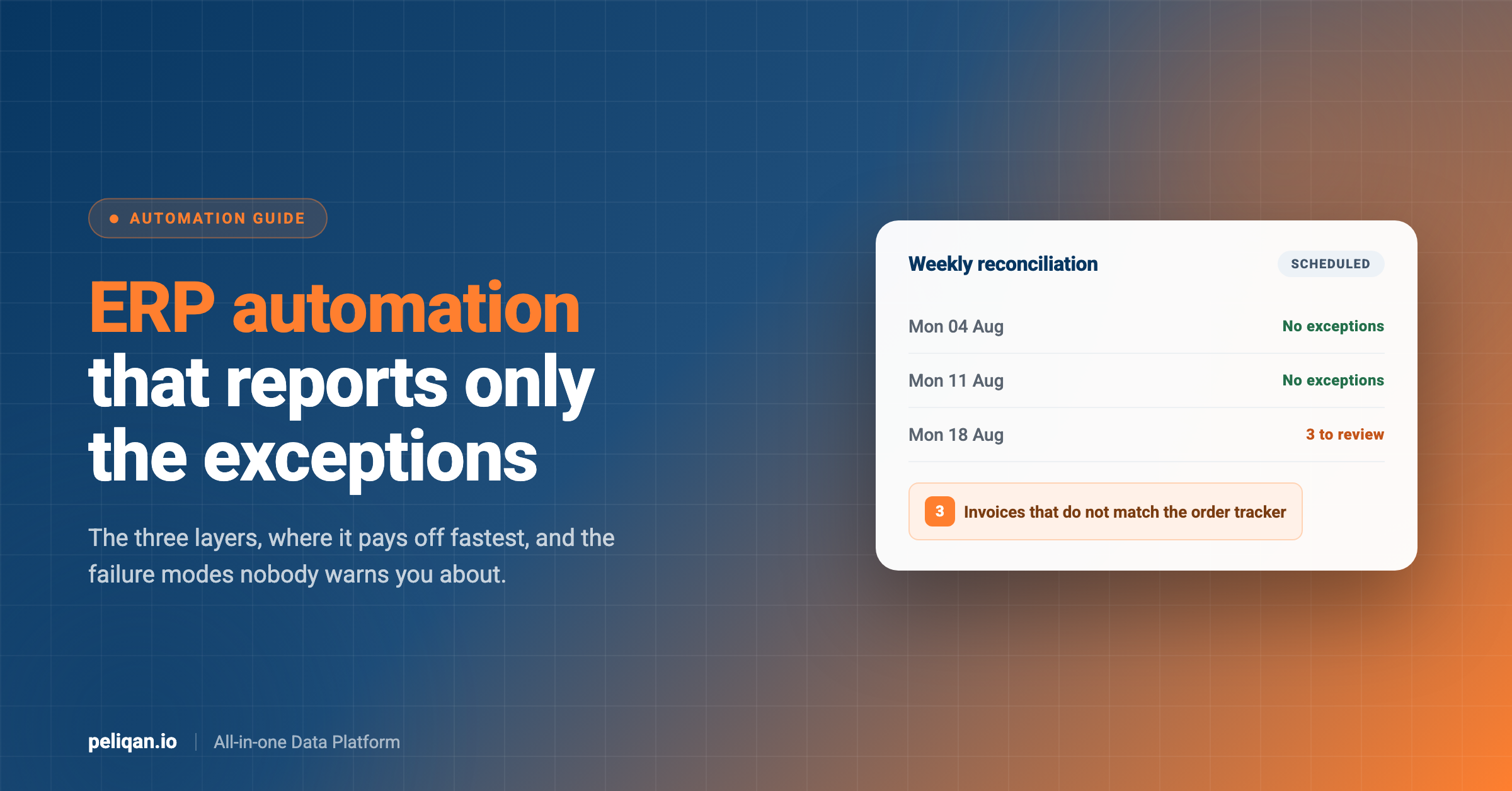





ERP automation means letting software do the repetitive work inside your ERP instead of a person doing it by hand. Most guides stop at the workflow rules your ERP already ships with. This one covers those, the integration layer above them, and the newer layer that runs on a schedule and reports back only the exceptions, with real examples of what works and what still breaks.
What ERP automation actually means
An ERP already automates plenty. Approval routing, recurring journal entries, reorder points and standard postings all come out of the box, and every vendor calls that automation. The term gets confusing because it also covers a second, much larger category: everything you bolt on when the ERP’s own rules run out.
That second category is where most of the effort goes. Matching a supplier invoice to a purchase order and a receipt, reconciling a webshop against the ledger, chasing the deals nobody has updated, rebuilding the same month-end spreadsheet – these cross system boundaries, so no single ERP module owns them.
A useful way to think about it is three layers, each one sitting on top of the last.
The three layers of ERP automation
Where ERP automation pays off fastest
The wins concentrate in high-volume work with rules that are mostly knowable. Six areas come up again and again.
Accounts payable and three-way matching
Invoice capture, coding, and matching against the purchase order and goods receipt. Volume is high, the rules are stable, and the exceptions are what actually need a person. Automating the match means your team only sees the invoices that disagree with something.
Month-end close
Accruals, reconciliations, intercompany eliminations and the reporting pack. Close work is deadline-bound and repetitive, which is exactly the combination that rewards automation. It also tends to be the process where a spreadsheet has quietly become load-bearing.
Reconciliation between two systems
This is the single most repeated job we see, and most guides skip it because it does not belong to any one vendor. The ledger against a margin workbook. A webshop against invoices against the bank. An ERP against a project tracker. Two systems each hold part of the truth, and somebody compares them by hand every week.
The shape repeats no matter which pair of systems you name. One side holds the commitment and the other holds the settlement, the two are keyed differently, and the differences that matter are a small fraction of the rows. That is why it resists both a workflow rule, which cannot see across the boundary, and a straight integration, which copies records without judging them.
Inventory and purchasing triggers
Reorder proposals built from sales history, free stock and open purchase orders. The calculation is not hard; keeping it current by hand is. Teams often run this out of a spreadsheet that gets refreshed when someone remembers.
Bank feed and payment matching
Bank transactions arriving through PSD2 feeds, matched against open invoices so nobody ticks them off by hand each week. Reading both sides and proposing the matches works reliably today; writing the reconciliation back does not, on several accounting systems. We covered the detail separately in bank reconciliation automation, including the lines a matching rule will never clear.
Data entry that exists only because two tools do not talk
Re-keying a won deal into the ERP, copying an invoice number into a tracker, updating a status in two places. None of this is real work, and all of it is a symptom of a missing sync between systems rather than a missing feature.
The newer layer: agents that run on a schedule
Layers one and two are well understood. The third is recent enough that most ERP automation guides do not mention it, so it is worth being concrete about what it is and what it is not.
A scheduled agent is a job that runs on a timer, reads whatever systems it needs, applies judgement to the differences it finds, and reports back only what a person should look at. It differs from a workflow rule in that nobody has to enumerate every condition in advance, and it differs from a chatbot in that nobody has to be sitting there asking.
Peliqan’s production data shows several of these running unattended today. One runs a weekly reconciliation between Uniconta and a Notion order tracker: it pulls the brand’s sales invoices, pulls the open sales orders, compares both against the tracker, and flags what does not line up. It has run with zero errors, and nobody opens it unless it finds something.
Another runs a weekly margin control for a webshop seller, matching every Shopify order total including VAT against the sales invoices in the accounting system for the previous 60 days. When a reverse-charge order looked wrong, the check surfaced it rather than a person spotting it later.
A third runs every morning against a consolidated ledger: it checks whether the sync has landed, finds the most recent booking day, categorises what was posted, resolves supplier names, and flags any supplier appearing for the first time. The team reads a short digest before they start rather than opening the accounting system to look.
That last detail is the one worth copying. Flagging first-ever-seen suppliers costs nothing to compute and catches the thing a human scanning a booking list would miss on a busy morning, which is a new name that should not be there.
What one run actually does
1. The timer fires. Weekly on a Monday, daily before the team logs in, or hourly for something time-sensitive. Choosing this well matters more than people expect, and we covered the trade-offs per source in the post on sync frequency.
2. It reads both sides. Invoices and open orders from the ERP, the equivalent rows from the other system. Reading from synced tables rather than hammering each vendor’s API keeps this predictable, which matters once several jobs share the same API rate limits.
3. It compares and decides. Amounts, dates, statuses, VAT treatment. Most rows match and get dropped silently. This is the step a workflow rule struggles with, because the interesting differences are rarely the ones you predicted.
4. It reports exceptions only. Four mismatched invoices, not four thousand matched ones. Sending that as an alert rather than a report is what turns it into something people act on, and alerts into Slack or email handle that side.
5. A person approves anything that writes back. The agent proposes, a named human accepts, and only then does anything change in the ERP. Every production write we see follows this pattern, and it is the reason these jobs survive contact with a finance team.
Where ERP automation breaks down
Being honest about the failure modes is more useful than another benefits list, and it is the part of this topic where real usage data helps.
The sync stops and nobody notices
This is the most common failure, and the most damaging, because everything downstream keeps working and simply reports old numbers. In one account a connection scheduled to run every six hours had not actually updated for five days. The dashboards did not break; they just quietly went stale. Anything automated on top of synced data needs a freshness check the agent itself performs before it trusts the answer.
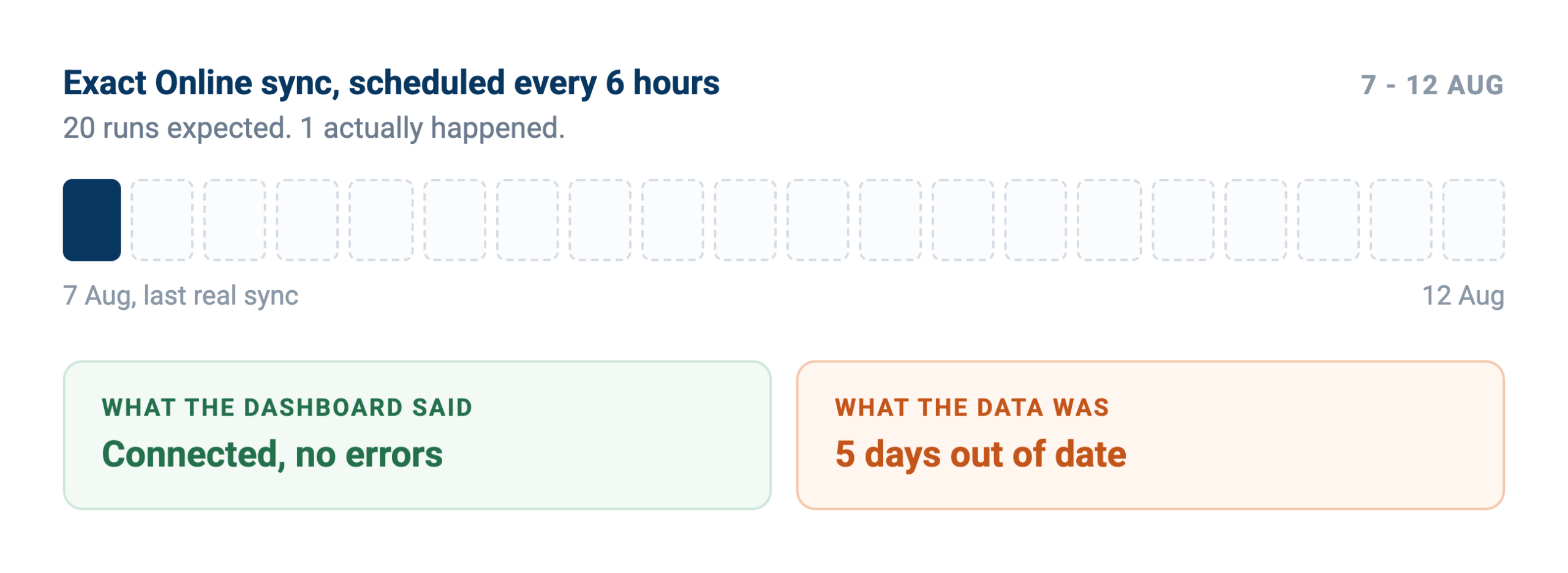
The connection reported healthy the whole time. Only the run history showed it had not fired since the 7th.
Bad data in, confident nonsense out
Automation scales whatever your data already does, including its errors. Duplicate suppliers, nulls in fields the calculation depends on, placeholder values that were never updated. Running data quality checks on a schedule catches these before they reach a report.
None of that is ERP-specific, which is rather the point. The same quality practices that protect a financial report protect an automated one, and an automated process fails more quietly because no human reads the intermediate steps.
Automating a process that should be deleted
If a report exists because somebody asked for it in 2019 and nobody has asked since, automating it is the expensive way to keep it alive. Cheaper to stop producing it. The same goes for approval chains with five steps where the middle three always approve.
Generic API calls, rather than curated ones
Where an agent has to guess the shape of a system’s API payload, error rates climb fast. In our own data, the connectors exposing a generic passthrough call showed error rates several times higher than those exposing curated, purpose-built operations. The fix is not a smarter model, it is a narrower set of tools that only do things the system actually supports.
Writes that the target system will not accept
Reading is broadly reliable. Writing back is not universally so, and it varies by system rather than by effort. Some accept a created entry cleanly; others reject it over routing between administrations or date handling. Confirm which writes work in your specific setup before you design a process that depends on them, and read our take on writing back safely first.
Four questions before you automate anything
- Who reads the output today: If the honest answer is nobody, delete the process instead of automating it.
- What does a wrong answer cost: A stale reorder proposal is annoying. A wrong payment run is not. Price the failure before choosing how much human review to keep.
- How will you know it ran: Silence should mean “no exceptions found”, never “the job died on Tuesday”.
- Does anything write back: If yes, name the person who approves and build the pause into the flow rather than the policy document.
Guardrails that make scheduled writes safe
Once a job writes back rather than only reporting, three failure modes appear that a one-off script never hits. Every recurring agent we see running reliably in production handles all three, and the patterns are worth copying rather than rediscovering.
Idempotency, so a re-run changes nothing
Scheduled jobs re-run. The timer fires again, someone triggers it manually, a retry kicks in after a timeout. If the second run repeats the first run’s writes, you get duplicate tasks, duplicate notes and duplicate follow-ups, and trust evaporates immediately.
The pattern that works is a marker: when the agent acts on a record, it leaves something behind that says so, and it checks for that marker before acting again. A processed-flag on the record, a note with a known prefix, a row in a log table. The check costs one query and removes the entire class of problem.
Dedupe before the write, not after
Creating a company, a contact or a task means first asking whether it already exists, under a slightly different name, with a trailing space, or under a legacy entity. Agents doing this well in production search first, match on more than one field, and only create when nothing plausible comes back. Cleaning duplicates afterwards is far more expensive than not making them.
Verify after the write
A write returning success is not proof the record looks how you intended. Reading the record back and checking the fields that mattered catches silent coercions, dropped custom fields and the writes that a system accepts but quietly ignores. It also gives you an audit trail, which is what makes finance comfortable with the whole arrangement.
Together these three turn a scheduled write from a risk into routine, and they are cheap. Any agent you build in Peliqan can carry the same checks.
How to tell whether it is working
ERP automation gets justified with hours saved, which is the hardest number to defend and the easiest to inflate. Three measures hold up better under scrutiny.
The exception rate, trending. How many rows does the check flag each run? A healthy job trends down as upstream data improves, then stabilises. A job flagging the same 60 rows every week is not finding problems, it is describing a rule you have not fixed.
Escapes. How many issues reached a customer, an auditor or a board pack without the automation catching them? This is the number that matters, and it needs someone to record it when it happens rather than being derivable from a log.
Time to notice. Before automation, how long between a problem occurring and somebody seeing it? A weekly reconciliation caps that at seven days regardless of who is on holiday, and that shortening is usually the real benefit rather than the labour saved.
What none of these need is a productivity study. If the exception list is short, the escapes are near zero and problems surface within a week, the automation is doing its job whether or not anyone can attribute an hour to it.
Choosing between the three approaches
Most teams end up with some of each, but the starting point should follow the work rather than the tooling you already own.
How to start without a six-month project
Pick the reconciliation somebody already does by hand. Not the biggest process, the most repeated one. If a person compares two screens every Monday, that is your first candidate and you already know the rules because they do.
Get both systems into one place. Automation across systems needs the data in a place you can query. Syncing both sides into a central data warehouse turns a cross-system comparison into an ordinary query rather than an integration project.
Write the comparison as a query first. Before any agent, express the check as SQL and look at what it returns. If the exception list is 400 rows long, your rules are wrong, and you have learned that in an afternoon rather than after launch.
Put it on a schedule and route the output. Once the exception list is short and correct, run it on a timer and send it where people already work. Materialising the heavy parts keeps the run fast as volume grows.
Add writes last, with a human in the middle. Reading and reporting earn trust. Only once the exception list has been right for a few weeks should anything start proposing changes back into the ERP.
Real-world example: Globis
Globis, a container logistics company, went past reporting into prediction: machine learning models estimate container arrival times, and those predictions flow back into the operational system where planners actually work. Read the full case study.
Where AI changes the picture, and where it does not
Two claims get made about AI and ERP automation, and only one of them holds up.
The claim that holds up is about judgement on messy comparisons. Deciding whether a 12 euro difference between an order and an invoice is a rounding artefact, a shipping charge or a real error used to need a person. Handing that to a model with access to both records, and having it explain its reasoning, genuinely removes work.
The claim that does not hold up is that an agent can be pointed at an ERP and left to figure things out. Given free rein it explores, burns through API quota, and produces confident answers built from whatever it happened to read. Narrow the tools, narrow the data, keep a person on anything that writes. Our guide for finance leaders goes further into where that line sits.
The interface question is separate from the automation question. Whether someone asks in plain language through the Model Context Protocol or a job runs on a timer, the same synced data and the same guardrails sit underneath. One is a conversation, the other is a schedule.
How Peliqan fits
Peliqan syncs your ERP into a built-in data warehouse alongside 300+ other connectors, so the systems you need to compare land as tables you can query together. Connecting a source takes minutes, and syncs run incrementally on a schedule you set per connection.
From there the automation is ordinary work rather than a project. Write the comparison in SQL or Python, schedule it, and route the exceptions. Agents reach the same data through the MCP server, so a scheduled job and an ad hoc question run against one source of truth, and automatic lineage traces any number back to the field it came from.
One honest limit: Peliqan does not remove your ERP vendor’s own constraints. API quotas stay what they are, and writeback support varies by system rather than being universal. What changes is that one scheduled, incremental reader replaces several improvising ones, and that everything sits in a place you can actually query.
Tell us which reconciliation is eating your week and we will show you what it looks like as a scheduled job.