




The Exact Online API is well documented and still catches people out, because the things that break in production are not the things the reference pages cover. This guide is written from production usage rather than from the reference pages: how the division model works, what the rate limits mean day to day, which writes are reliable, and when you should stop calling the API on every request.
Exact’s own documentation is the right place to look up an endpoint. It is not the place that tells you why your integration works fine in testing and starts returning 429s the week it goes live, or why a call that succeeds against one administration returns a 403 against the next one.
That gap is what this post covers. It is written from production usage rather than from the reference docs, so where a number is ours we say so, and where it is Exact’s we point at their page rather than repeating a figure that varies by contract.
What the Exact Online API actually is
Exact Online exposes a REST API returning JSON, organised into endpoints grouped by area: financial, CRM, logistics, payroll, project management and so on. Authentication is OAuth 2.0. So far, unsurprising.
The part that shapes every integration you will build is not the REST design. It is the division model.
Divisions are the thing to understand first
An Exact Online account contains one or more divisions. A division is a self-contained administration: its own ledger, its own customers, its own chart of accounts. A small company has one. An accounting firm has one per client, sometimes hundreds.
Every data call needs a division. The endpoint pattern makes this explicit, with the division number sitting in the path itself rather than in a parameter you can forget:
GET /api/v1/{division}/financial/GLAccounts
GET /api/v1/{division}/crm/Accounts
GET /api/v1/{division}/salesinvoice/SalesInvoices
Three consequences follow, and between them they explain most of the trouble people have.
There is no cross-division query. “Total revenue across all administrations” is not one call. It is one call per division, paginated, then joined by you. For an accounting firm with 200 clients, a single consolidated question is several hundred requests before any analysis begins.
Division IDs are not stable across environments. The number that works in your test account does not exist in the customer’s. Anything hardcoding a division will break on the second deployment.
Rate limits are applied per division. This one cuts both ways and we come back to it below.
Getting the division list
Start every integration by asking which divisions the token can actually see, rather than assuming:
GET /api/v1/current/Me
  -> returns CurrentDivision, plus the user context

GET /api/v1/{currentDivision}/system/Divisions
  -> returns every division available to this token
Cache the result, refresh it on a schedule, and never hardcode. The same applies however you are connecting the source. In our production data, division targeting was one of the two largest sources of failed calls, showing up as 403s and WrongDivision errors when a request was aimed at an administration the token could not reach.
Rate limits, and what they mean in practice
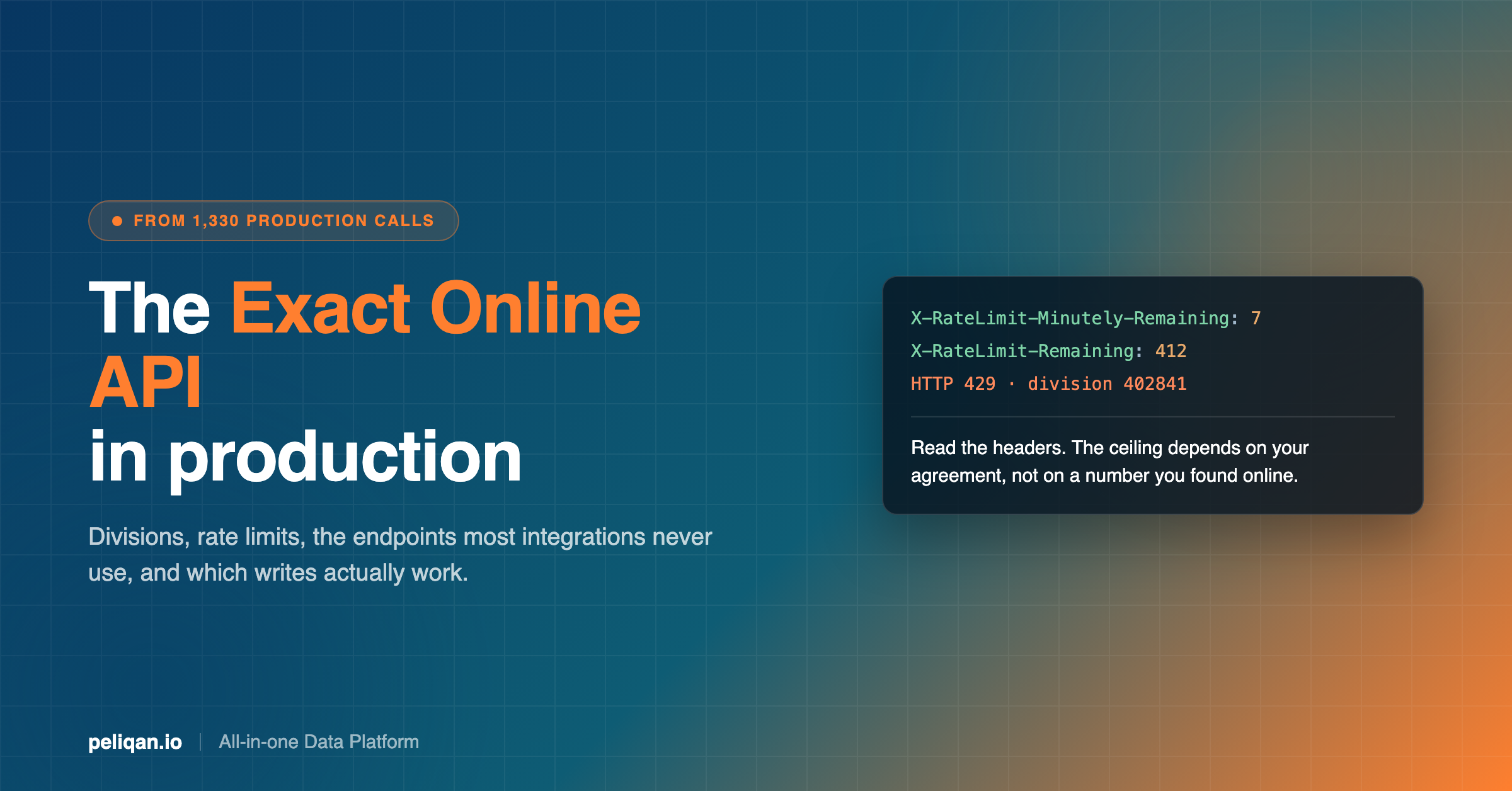
Exact enforces limits on two windows, per minute and per day, applied per division. The specific ceilings depend on your agreement rather than being one published number, which is why you will find different figures quoted around the web. Read them from the response instead of assuming.
Every response carries the current state in its headers:
X-RateLimit-Minutely-Limit       calls allowed this minute
X-RateLimit-Minutely-Remaining   calls left this minute
X-RateLimit-Limit                calls allowed today
X-RateLimit-Remaining            calls left today
Exceed either window and you get HTTP 429. Exact’s API limits article is the authoritative source for what your own ceilings are.
Why the per-division design misleads people
Per-division limits sound generous, and for a single company they are. One administration, a nightly sync, a handful of dashboards: you will not come close.
The picture inverts for anyone working across many administrations. Your total budget scales with divisions, but so does your workload, and the daily window is the one that bites. A full extract of ledger transactions for a division with real history is not a handful of calls, it is pagination across large collections. Multiply by every client and one refresh can consume most of a day’s allowance before anyone asks a question.
This is the same shape as the problem we covered in the guide to API rate limits generally, and Exact is a particularly clear example because the division model makes the multiplication so visible.
Practical handling
- Read the headers, do not count requests yourself. Your counter and Exact’s will diverge, and theirs is the one that matters.
- Back off before you hit zero. Slow down when remaining is low rather than waiting for the 429, because the 429 costs you the request and the retry.
- Respect the daily window separately. Minutely throttling does not protect you from exhausting the day. These need different strategies: pacing for one, prioritisation for the other.
- Sync incrementally. Pull what changed rather than re-reading history, and use modified timestamps to bound every request.
- Never let interactive traffic share a quota with scheduled jobs. If a user exploring data can exhaust the window your nightly sync needs, the sync fails and nobody connects the two events.
Authentication, and the part that fails months later
Exact Online uses standard OAuth 2.0 authorization code flow. Register an application in the Exact App Centre, get a client ID and secret, send the user through the consent screen, exchange the returned code for an access token and a refresh token.
None of that is unusual and none of it is where integrations die. Three things are.
Pick the right regional endpoint. Exact Online runs country-specific environments, and a customer on the Dutch environment is not reachable through the Belgian one. The authorisation and token URLs differ per country alongside the API base. Get the customer’s country before you build the URLs rather than defaulting to one and discovering the mismatch during onboarding.
Refresh tokens have a limited life and rotate. Each refresh returns a new refresh token, and the old one stops working. If your storage layer writes the new token only on success, and a deploy or a crash lands between the call and the write, the integration is permanently locked out and has to be reauthorised by the customer. Persist the new token before you use the new access token, not after.
App approval takes real time. Moving from a test registration to one that can serve customers involves review by Exact. Plan for it in the schedule rather than discovering it the week you intended to launch.
The failure that costs the most is the second one, because it is silent. An integration that stops refreshing does not throw errors at anyone. It simply stops syncing, and the first person to notice is whoever is looking at a number that has quietly gone stale. This is the argument for alerting on sync freshness rather than on API errors alone.
Asking for less: the query parameters that decide your call count
The most effective rate-limit strategy is not clever backoff. It is fetching less in the first place. Exact Online supports OData-style query parameters, and using them properly is the difference between an integration that fits comfortably in its daily window and one that does not.
GET /api/v1/{division}/salesinvoice/SalesInvoices
      ?$select=InvoiceID,InvoiceDate,AmountDC,OrderNumber
      &$filter=Modified gt datetime'2026-08-01T00:00:00'
      &$top=1000
$select is the one people skip and the one that matters most. Without it you receive every field on the entity. Sales invoice records are wide, and pulling forty fields when you need four inflates every response, slows every page and, on large collections, changes how many pages you have to walk.
$filter on Modified is what turns a full extract into an incremental one. This single parameter is usually the difference between a sync that stays inside the daily quota and one that exhausts it. Store the high-water mark from the last successful run and filter above it.
$top and pagination. Collections are paged, and responses carry a link to the next page rather than expecting you to compute offsets. Follow the link. Code that assumes a fixed page size or builds its own offsets will work against a demo account and break against a real one.
$orderby matters more than it looks when combined with incremental sync. Ordering by Modified ascending means an interrupted run can resume from where it stopped instead of starting again, which on a large administration is the difference between a retry and a lost day.
What a consolidated report actually costs
Worth doing the arithmetic once, because it is the moment the design decision becomes obvious.
Take an accounting practice with 120 client administrations wanting a monthly revenue comparison. Per division you need the general ledger transactions for the period. Assume a modest administration returns three pages, and a busy one considerably more, so call it four pages on average, plus a call to resolve the division and one for the account list.
That is roughly six calls per division, so around 720 calls for one report. Inside a per-division daily allowance that is comfortable, since each division only spent six. The problem is that it is 720 sequential round trips before any analysis starts, and every refresh of that report pays the same cost again.
Now let the same practice ask a follow-up question, which is what people actually do. “Which of those clients moved more than 10% against last year?” is another full pass. The API is not the bottleneck for correctness here. It is the bottleneck for iteration, and iteration is the whole point of reporting.
Sync the data once and both questions are queries against tables that are already there. That is the reasoning behind the 55/45 split in the next section, arrived at independently by teams who were not told to work that way.
The endpoints most people miss
If you are reading this because your integration keeps hitting limits, this section is the answer, and it is the one the standard tutorials skip.
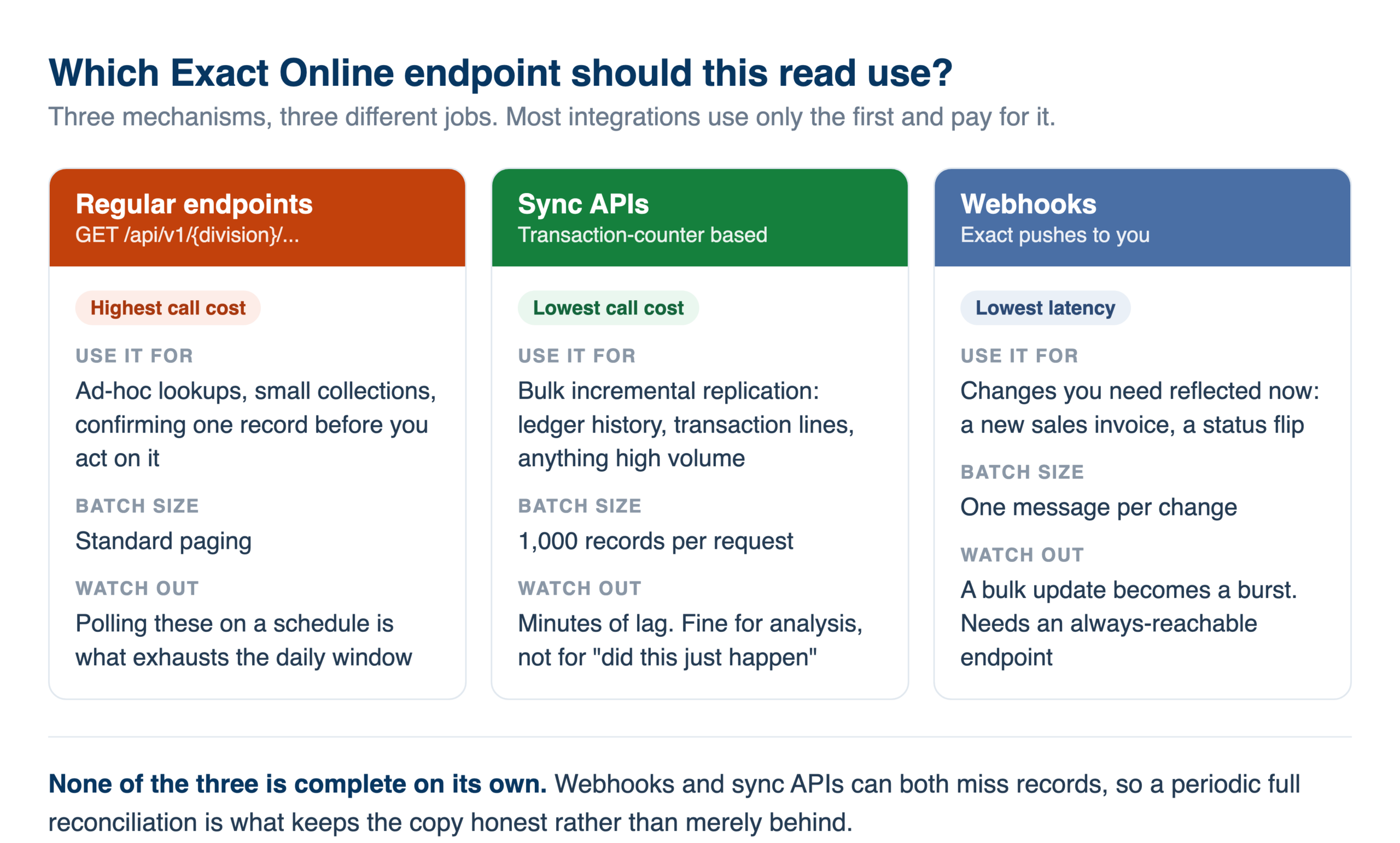
The obvious approach to keeping data current is to poll the regular endpoints on a schedule and filter on Modified. It works, and at scale it is the expensive way. Exact introduced two alternatives specifically because the load from ordinary API traffic was unsustainable on their side, which means using them is aligned with their interests as well as yours.
Sync APIs
Exact provides a separate family of sync endpoints designed for incremental replication rather than for querying. They work on a transaction counter rather than a timestamp: each record carries a monotonically increasing value, you remember the highest one you have seen, and the next call returns everything above it.
Two properties make this materially cheaper than polling. Records come back in batches of 1,000 per request rather than in the smaller pages the regular endpoints return, and the counter is exact, so there is no window of ambiguity where a record modified during your last run gets missed or fetched twice.
For anyone replicating an administration on a schedule, this is the difference between a sync that fits in the daily window and one that fights it. If you have built an Exact integration that polls the regular endpoints and you are watching your quota, moving the bulk reads to the sync endpoints is usually the single highest-value change available.
Webhooks
The other option is to stop polling and let Exact tell you. Webhooks push a notification when something changes, typically arriving within minutes, which is far better latency than any polling interval you would reasonably choose.
The trade-off is volume. Webhooks generate at least one message per change, so a bulk update in Exact produces a burst of individual notifications, where a sync call would have returned the same changes batched. Webhooks are also a delivery mechanism rather than a guarantee: you need an endpoint that is always reachable, and a reconciliation pass for anything that was missed while it was not.
Which to use
The pattern that holds up is both, for different jobs.
Webhooks for latency on things that matter now. A new sales invoice you want reflected within minutes.
Sync APIs for the bulk. Ledger history, transaction lines, anything where the volume is high and a few minutes of lag is irrelevant.
A periodic full reconciliation. Because both mechanisms can miss things, and a copy that has silently drifted from source is worse than one that is honestly behind. Choosing the right sync frequency for each of these is a real decision rather than a default.
What we learned running it in production
This is the part the documentation cannot tell you. Across production usage of Exact Online over a two-week window, three patterns held consistently.
Most reads should not be live API calls
Around 55% of the traffic we observed was SQL against a synced copy of the Exact data rather than live calls to the API. That was not a policy someone imposed. It is what people converge on once they try to do anything analytical.
The reason is structural. Management reporting, budget versus actual, consolidated dashboards across divisions and reconciliation work all need to scan and join, and the API is built to fetch records. Answering “which customers with open invoices also have overdue purchase orders” through the REST API means fetching two collections in full and joining them in your own code. Against a data warehouse it is one query.
The live API stays useful, and the remaining 45% shows where: checking whether a specific invoice was paid, confirming a record before acting on it, and every write. The split most teams land on is analysis against a synced copy and targeted live calls for freshness.
Writes are the weak spot
Reads through the Exact Online API are dependable. Writes are not uniformly so, and the failure is per operation rather than per system, which makes it hard to predict from the documentation.
In our data, creating financial entries repeatedly failed on two things: division routing, and date handling. Those failures were persistent rather than intermittent, which matters, because an intermittent failure gets retried and a persistent one gets abandoned.
The practical rule: verify every write operation you intend to depend on, in your own account, before designing a process around it. Treat any blanket claim that a tool supports writeback to Exact Online as untested until you have tested that specific operation. Reading is the safe half of this API.
People check freshness constantly
A behaviour worth designing for: users working from synced Exact data checked how current it was, repeatedly, before trusting an answer. It was close to universal among the organisations working this way.
They are right to. A month-end number drawn from a copy that stopped updating eleven days ago looks identical to one drawn from this morning. Whatever you build, surface the last sync time next to the number rather than burying it in a settings page.
The five things that actually break
- Wrong division. A 403 or a WrongDivision error, usually from a hardcoded or stale division ID. Fetch the list, do not assume it.
- Daily quota exhausted. Often caused by a full re-read where an incremental one would do, and usually noticed the following morning when the sync did not run.
- Token expiry. Refresh tokens have a limited life and a refresh has to be handled properly, or the integration dies silently weeks after you stopped watching it.
- Date handling on writes. Format and timezone expectations differ from what you would guess. This is one of the two write failures we saw persistently.
- Pagination assumptions. Collections are paged and large administrations return far more than a first test suggests. Code that works against a demo account will not survive a real one.
Build the integration, or connect it?
An honest way to decide, since both are legitimate.
Build directly against the API when you need a narrow, specific interaction: creating a record from your own application, reading one collection into one system, or embedding a small piece of Exact data into a product you already run. The API is well documented and OAuth is standard. For a bounded job it is a reasonable afternoon’s work.
Use a platform when the work is analytical, spans multiple divisions, spans multiple systems, or has to keep running without someone maintaining it. That is where the cost sits, and it is not in the first integration. It is in incremental sync logic, token refresh, rate-limit backoff, pagination, schema changes and the monitoring that tells you when any of it stopped.
The tell is whether you are moving data or asking questions of it. Moving a defined set of records is an integration. Asking questions that change from week to week wants the data somewhere you can query.
Where Peliqan fits
Peliqan syncs Exact Online into a built-in data warehouse running Postgres and Trino, alongside 300+ other connectors. The sync handles incremental extraction, pagination, token refresh and rate-limit pacing, which is the maintenance work rather than the interesting work.
Once the data has landed, the things that are awkward through the API become ordinary. Cross-division consolidation is a query rather than several hundred calls, and joining Exact to a CRM, a webshop or a payment provider is a join.
You can build the reporting logic as scheduled SQL transformations, then connect a BI tool over a Postgres endpoint.
That route is covered step by step in the Exact Online to Power BI guide.
You can also point an AI assistant at the same data through the MCP server and ask in plain language, which is what generated the production data behind this post. For Exact Online those questions run as SQL against the synced copy, so they do not consume your division’s API quota.
The connector-level walkthrough is in the guide to connecting Exact Online to Claude.
Governance sits at the platform level: permissions are managed through Groups at the schema level, queries and writeback actions are logged, and the platform is SOC 2 Type II certified, ISO 27001:2022 certified, GDPR compliant and EU-hosted. Historical tracking uses SCD Type 2, so prior-period comparisons remain answerable.
For practices running this across many client administrations, the accountancy-specific patterns cover the per-client side, and the same approach applies to Yuki and Twinfield.
The takeaway
The Exact Online API is a competent REST API with one design decision that dominates everything else: divisions. Learn the division model, read the rate-limit headers rather than guessing your ceilings, and assume writes need verifying per operation.
Beyond that, the single most useful thing in our production data is the 55/45 split. The teams getting value are not calling the API harder. They sync once and query the copy, keeping live calls for the things that genuinely have to be current.
If your Exact work spans several administrations or several systems and the API call count is becoming the constraint, book a demo and bring the consolidated question you cannot currently answer in one request.