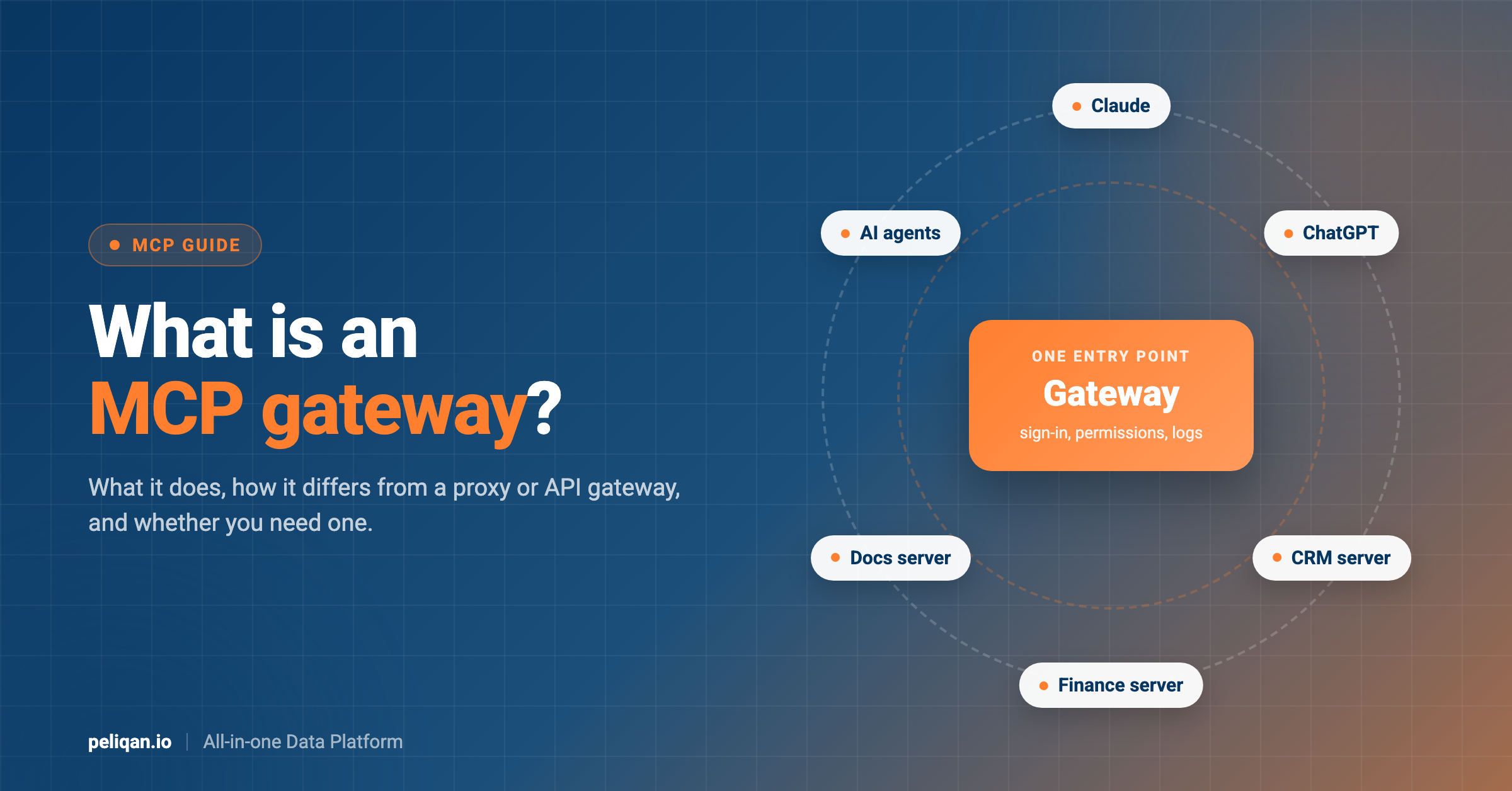





An MCP gateway sits between your AI apps and the MCP servers they use. Instead of connecting Claude, ChatGPT or an agent to every server one by one, you connect them to the gateway, and the gateway decides who can use which tools, handles sign-in and keeps a record of what happened. This guide explains what an MCP gateway does, how it differs from a proxy or an API gateway, what it cannot do, and how to decide whether you need one.
MCP gateway: the short answer
- What it is: one entry point in front of many MCP servers. To the AI app it looks like a single MCP server.
- What it adds: central sign-in, rules for who can use which tools, a log of tool calls, and one list of approved servers.
- Who needs it: teams with many MCP servers and many users, especially when security or compliance needs to know who did what.
- Who does not: one person or a small team using a few trusted connectors.
If MCP itself is new to you, start with our comparison of MCP vs API, which explains what an MCP server is and how AI apps use its tools.
The problem an MCP gateway solves
Most teams start small. Someone connects Claude to Google Drive and Slack. A developer adds a GitHub server to their code editor. Sales tries a CRM connector. Our list of the best Claude connectors shows how quickly these add up.
A few months later, the same company has a dozen MCP servers spread across people and tools. Each one has its own login, its own list of tools and its own settings. Then questions come up that nobody can answer quickly:
- Which MCP servers are people actually using, and who approved them?
- Which of those servers can write or delete data, not just read it?
- When a record changed in the CRM, which person and which AI request caused it?
- If someone leaves the company, how do we cut off their AI access to every tool at once?
An MCP gateway puts all of that in one place. That is the whole idea: one door instead of many.
What does an MCP gateway do?
Features differ by product, but most MCP gateways cover the same core jobs:
Core jobs of an MCP gateway
Some gateways also scan requests and responses for sensitive data or suspicious instructions, and some can hold the login details for each server so users never see them.
How an MCP gateway works
Follow one request from start to finish. A finance manager asks Claude: “Which invoices over €10,000 are overdue?”
- Claude connects to the gateway, not to each server. The gateway checks who the user is, usually through the company’s sign-in.
- Claude asks for the list of tools. The gateway returns only the tools this user is allowed to use, gathered from the servers behind it.
- Claude picks a tool, for example an invoice search tool from the accounting server, and sends the call to the gateway.
- The gateway checks its rules. Is this user allowed to use this tool? Is the call within the limits? If not, it refuses.
- The gateway passes the call to the right server, using the server’s own login, and gets the answer back.
- The gateway logs the call and returns the answer to Claude.
To Claude, the gateway looks like one ordinary MCP server. It asks for tools and calls them the standard way, as described in the MCP tools specification.
MCP gateway vs MCP server
An MCP server does the actual work. It offers tools for one app or one job, like “search Slack messages” or “create a Jira issue”, and it talks to that app. An MCP gateway does no work of its own. It stands in front of servers, checks requests and passes them on. For real examples of servers, see our list of MCP servers for European businesses.
A simple way to remember it: servers are the specialists, and the gateway is the reception desk that decides who gets to see which specialist. For a map of the different kinds of servers, see our MCP server landscape.
MCP proxy vs MCP gateway
An MCP proxy forwards traffic. Its main job is to let one AI app reach several MCP servers through one connection, or to reach a server that only runs on one machine. It does not add much control on top.
An MCP gateway usually includes that proxy function, then adds the controls: sign-in, permissions, logging and an approved server list. In practice, many products use the two words loosely. When you compare products, ignore the label and check which of the core jobs above each one really covers.
MCP gateway vs API gateway
An API gateway sits in front of APIs. It handles keys, rate limits and routing for normal web requests, and it has been standard in software for years.
An MCP gateway works one level higher. It understands MCP itself: it knows which tools a server offers, can hide or allow individual tools, and can log calls in terms a person can read, like “user X called the create invoice tool”. A plain API gateway sees only web requests, not which tool was called or why. Some API gateway vendors now add MCP features to their products, so the line is getting thinner.
The two can also work together. A company that already runs an API gateway often keeps it at the edge, where it handles network-level jobs like encryption, blocking unknown IP addresses and limiting how many requests each client can send. The MCP gateway then sits behind it and handles the tool-level jobs: which user may call which tool, and what gets logged. Each layer does what it is good at, and neither has to be rebuilt. The trade-off is one more hop for every request, which adds a little delay and one more place to look when something breaks.
What an MCP gateway cannot do
A gateway is useful, but it is not a complete answer. Before you buy or build one, know its limits.
Limits of an MCP gateway
- It only sees traffic that goes through it: a developer who connects a server directly, or runs a local server on their laptop, bypasses the gateway completely.
- It does not fix bad servers: a server with vague tool descriptions or too many tools is just as confusing to the AI behind a gateway.
- It does not change the app’s own limits: every call that reaches a CRM or accounting tool still counts against that app’s API rate limits.
- It does not replace permissions in the app: if a user can see everything in the app, the server usually can too. The gateway limits tools, not always the data inside them.
- It is one more system to run: someone has to host it, update it, keep its server list current and watch its logs.
Our guide to MCP rate limits explains the rate-limit point in more detail.
Our MCP security guide covers the permissions that still have to be set in the apps themselves.
Do you need an MCP gateway?
Use this as a rough guide:
- Probably not yet: you are one person or a small team, using a few connectors from Claude’s directory or from vendors you trust. The controls built into Claude and into each app are enough. On Claude’s Team and Enterprise plans, an owner has to enable each connector for the organization, and owners can set each connector’s actions to always allow, needs approval or blocked.
- Worth considering: several teams use AI tools, people are adding their own MCP servers, and nobody has a full list of what is connected.
- Likely yes: you are in a regulated industry, you must show auditors who accessed what, or you run AI agents that act on their own without a person approving each step.
If you work in the EU, also check where a gateway stores its logs, because those logs can contain customer data. Our GDPR MCP checklist lists the questions to ask any provider.
Your options: build, open source or buy
There are three common routes.
- Build your own. A basic proxy with sign-in and logging is a manageable project for a platform team. The work is in keeping it up to date as the MCP standard changes and as new servers are added.
- Use an open source gateway. Projects such as Docker MCP Gateway, Microsoft’s mcp-gateway and IBM ContextForge are free to run. You host and maintain them yourself.
- Buy a managed gateway. API gateway vendors such as Kong have added MCP features, and dedicated vendors such as MCP Manager, TrueFoundry, Zuplo, Portkey, Composio and Workato sell MCP gateways or similar controls as a service.
Whatever you choose, test it with the AI apps your team actually uses. Features that look the same on paper can behave very differently once real users connect.
The option most guides skip: fewer servers
Many MCP servers in a company exist for one reason: to let AI reach business data. One server for the CRM, one for the accounting tool, one for support, one for the database, and so on. Every extra server adds another login, another tool list and another thing to govern. That is a big part of why gateways exist. Our Claude MCP guide shows what connecting business data to an AI app looks like in practice.
Another way to shrink the problem is to need fewer servers in the first place. If one MCP server can reach many of your business apps, there is less to connect, approve and manage. You may still want a gateway later, but it has less to do.
Where Peliqan fits
Peliqan is not an MCP gateway. It does not sit in front of other companies’ MCP servers or pass calls through to them. Peliqan is one MCP server that covers many business apps at once.
How Peliqan reduces the number of servers
You can check which apps are covered on the Peliqan connectors page.
The setup steps for Claude, ChatGPT and Copilot are in the Peliqan MCP server docs.
For agencies, accounting firms and software partners, there is one more gateway-like need: working across many clients. Peliqan partner accounts can run the same MCP tools against each customer’s own sub-account, instead of setting up a separate server per client. How client accounts are organized is explained in the guide to multi-customer management.
Because the data from different apps sits in one place, a question that spans several apps can be answered in one step. Our post on cross-source MCP queries shows how that works.
Checklist for choosing an MCP gateway
If you decide you need a gateway, compare products on these points:
Questions to ask every gateway vendor
- Sign-in: does it work with our single sign-on, and does it support the OAuth sign-in that remote MCP servers use?
- Permissions: can we allow or block individual tools per user or group, not just whole servers?
- Audit log: can an admin search the log by user, tool and date, and export it?
- Where it runs: can we host it ourselves, and if it is a service, in which region are the logs stored?
- Server support: does it work with remote servers, local servers and the AI apps our teams use?
- Keeping up: how quickly does it support changes to the MCP standard?
- Cost: is it priced per user, per call or per server, and what happens as usage grows?
The sign-in question matters because the MCP standard builds remote sign-in on OAuth, as set out in the MCP authorization specification. A gateway that does not handle it well will force users back to shared keys.
MCP gateway: the bottom line
An MCP gateway is a single, controlled entry point for many MCP servers. It helps most when many people and agents use many servers and you need central sign-in, tool permissions and a clear record of what happened. For a small team with a few trusted connectors, it is usually more than you need.
Before adding a gateway, look at why you have so many servers in the first place. If most of them exist to reach business data, one server that covers many apps can remove a lot of that work. The Peliqan MCP page shows which apps one server can reach.