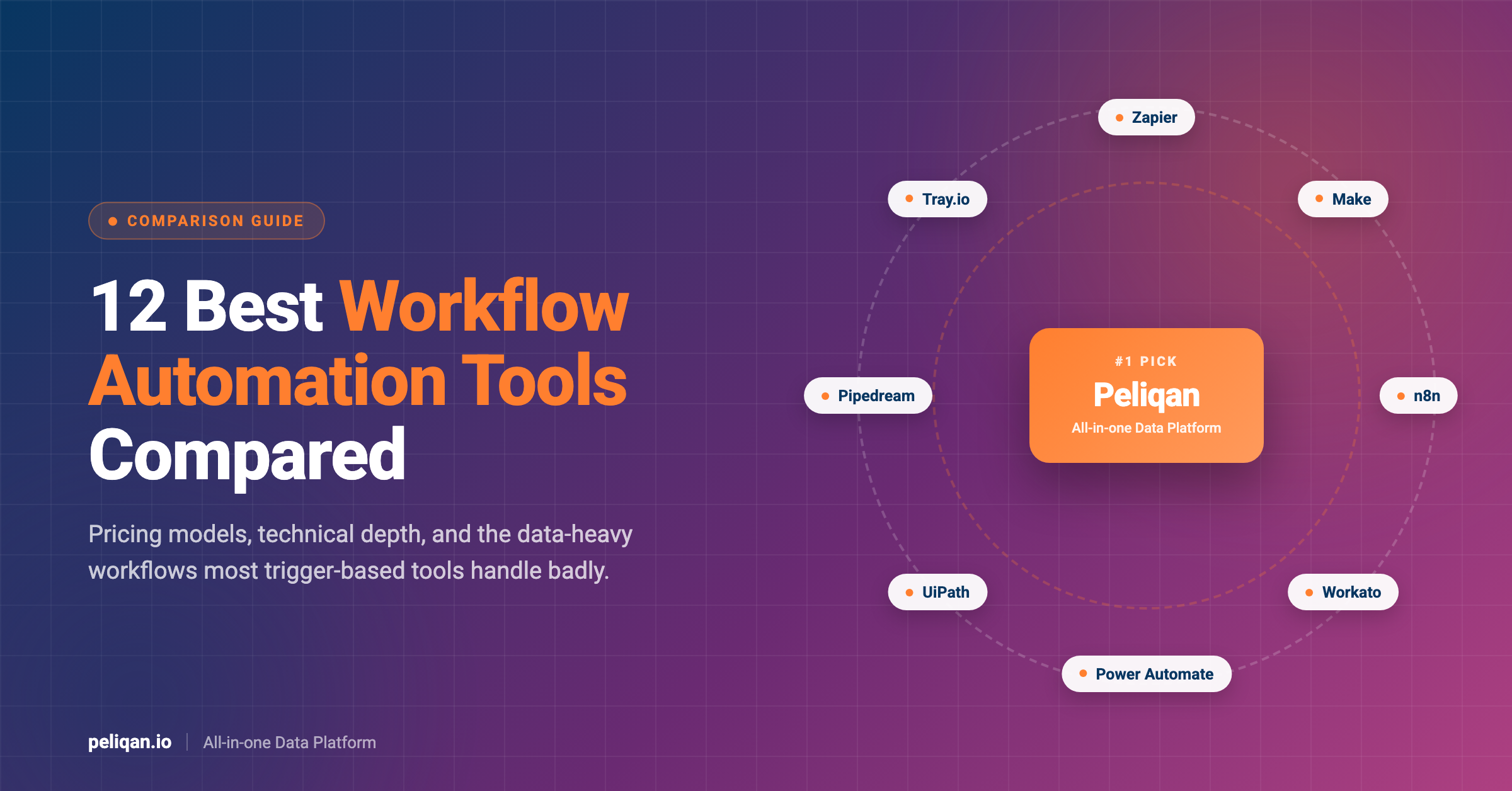





Workflow automation tools connect your apps and run multi-step processes without manual work. This guide compares 12 workflow automation tools on pricing, technical depth and where each one breaks, including the data-heavy workflows most of them handle badly.
The category has split. On one side, app-to-app automation that fires when a form is submitted or a deal closes. On the other, AI agents that decide what to do rather than following a fixed path. Most tools now claim both, and the gap between the claim and the reality is where teams lose months.
The market reflects the pressure. Workflow automation is worth roughly $26 billion in 2026 and is forecast to reach $40.8 billion by 2031 at a 9.4% CAGR. McKinsey puts automation adoption at 66% of organisations in at least one business function, up from 57% a year earlier, and 84% among large firms.
Below are 12 tools worth evaluating, what each costs, and an honest note on the workflows none of the trigger-based tools handle well.
What are workflow automation tools?
The three shapes of workflow automation
The practical test is whether your workflow needs data from several systems joined before anything useful can happen. “When a deal closes, create an invoice” is event-driven. “Every Monday, combine billing, CRM and support data, score account health, then update the CRM and alert the team” is a data workflow wearing an automation costume. Teams evaluating iPaaS vendors hit the same fork.
Workflow automation in 2026: what changed
The numbers behind the shift
- Market size: roughly $26 billion in 2026, heading to $40.8 billion by 2031
- Adoption: 66% of organisations automate at least one business function, up from 57%
- Large firms: 84% implemented some form of automation in the past twelve months
- AI agents: around 40% of enterprise applications are expected to include agents by 2026
- Hyperautomation: forecast to grow from $18.6 billion in 2026 to $45.2 billion by 2031
The AI agent numbers are the ones to read carefully. An agent that can call tools is only as good as the data those tools return, which is why agentic data pipelines became a separate discipline rather than a feature of the automation tools.
Top 12 workflow automation tools in 2026
1. Peliqan: the data workflow layer
Peliqan belongs on this list for a specific reason, and it is not as a Zapier replacement. If your automation is “when X happens in app A, do Y in app B”, the trigger-based tools below are the right answer and Peliqan is the wrong one.
Peliqan handles the other shape: scheduled workflows that need data from many systems pulled, joined, modelled and then written back or alerted on. It combines 300+ connectors, a built-in data warehouse on Postgres and Trino, low-code Python and SQL transformations, reverse ETL and alerting in one platform.
What Peliqan automates that trigger-based tools struggle with
Pricing is fixed from around $199 per month rather than per task or per operation, which changes the economics of high-volume workflows. A job touching fifty thousand records costs the same as one touching fifty. Custom connectors carry a 48-hour SLA.
Transformations are written as low-code SQL or Python, so the logic lives in a language your data people already use rather than in a proprietary visual builder.
Real-world example: CIC Hospitality
CIC Hospitality consolidated more than 50 data sources and saved over 40 hours a month by automating board reporting that had been assembled by hand. Read the full case study.
Best for: Data-heavy scheduled workflows, bulk operations, and automations that need several systems joined before acting.
Limitations: Not an event-driven app-to-app automation tool. For instant triggers across SaaS apps, pair it with one of the tools below.
2. Zapier
Zapier remains the default for event-driven automation and has the largest connector catalogue in the category. It is the fastest route from idea to working automation for a non-technical team, and its AI features have matured considerably.
Pricing starts at $19.99 per month for 750 tasks. The task-based model is the thing to model carefully: a five-step workflow running 100 times a day costs roughly $73.50 per month on Zapier against $10.59 on Make, because every step in every run counts as a task.
Best for: Non-technical teams needing broad app coverage and minimal setup.
Limitations: Per-task pricing scales painfully with volume, and complex branching logic gets awkward fast.
3. Make
Make offers a visual scenario builder with genuinely more logic capability than Zapier at a materially lower price point, starting at $9 per month for 10,000 operations. The canvas handles branching, iteration and error handling well.
The trade-off is a steeper learning curve. Make rewards people willing to think in data structures. Our n8n vs Make comparison covers where each one lands for technical teams.
Best for: Teams wanting more logic than Zapier at lower cost per operation.
Limitations: Harder to learn, and debugging complex scenarios takes patience.
4. n8n
n8n is the strongest choice for teams with a developer on staff. It gives you real control over workflow logic, custom code steps, webhooks and AI nodes, and it can be self-hosted, which matters for data sovereignty.
Cloud pricing starts around $20 per month for 2,500 executions on the Starter plan, with Pro at roughly $50 per month for 10,000 executions. Executions are counted per workflow run rather than per step, which is significantly cheaper than per-task pricing at depth.
It has become the default for AI agent workflows, and the LangChain vs n8n comparison is worth reading if you are choosing between a framework and a visual builder.
Best for: Technical teams, self-hosting requirements, and AI agent workflows.
Limitations: Requires engineering comfort. Self-hosting carries real operational overhead.
5. Workato
Workato is an enterprise automation and integration platform built for orchestrating processes across many business applications, with reusable recipes and centralised governance. It is the option organisations pick when automation has to be managed as shared infrastructure rather than departmental tooling.
Pricing is contract-based and lands in the $200 to $1,500 per month range for mid-market deployments, rising substantially at enterprise scale. Teams evaluating the category often start with Workato alternatives to calibrate what they are paying for.
Best for: Enterprises needing governance, reusable recipes and centralised orchestration.
Limitations: Enterprise pricing and sales cycle. Overkill for small teams.
6. Microsoft Power Automate
Power Automate is the pragmatic answer for organisations already standardised on Microsoft 365. It covers cloud flows, desktop RPA and approvals, and licensing is frequently bundled into agreements teams already hold, which makes the marginal cost look very attractive.
Best for: Microsoft-centric organisations, especially where approvals and SharePoint are involved.
Limitations: Connector quality outside the Microsoft ecosystem is uneven, and premium connectors carry extra licensing.
7. Tray.io
Tray.io targets technical operations teams who want low-code flexibility with enterprise governance. Its builder is more expressive than the mainstream tools, and it has leaned hard into AI-driven automation over the past two years.
Pricing is quote-based with no public rate card, which in practice means it is priced for organisations with a procurement process rather than a credit card.
The platform’s strength is handling workflows with genuine conditional complexity, the kind that turn into unmanageable spaghetti in a simpler visual builder. Its weakness is that this power assumes someone owns the automations as a job rather than a side task.
Best for: RevOps and technical operations teams needing flexible logic with governance.
Limitations: No published pricing, and the platform expects technical operators.
8. Pipedream
Pipedream is developer-first, built around code steps in Node, Python, Go and Bash with a generous free tier. It is closer to serverless functions with connectors attached than to a visual automation tool, which is exactly why developers like it.
Teams comparing it against alternatives usually weigh it on connector depth, which our Pipedream alternatives breakdown covers for B2B SaaS use cases.
Best for: Developers wanting code-level control with minimal infrastructure.
Limitations: Not suitable for non-technical users. Business process features are thin.
9. UiPath
UiPath leads robotic process automation, the discipline of automating work in systems that offer no usable API by driving the user interface directly. If your process runs through a legacy desktop application or an on-premise ERP screen, RPA is often the only route.
The category has consolidated as more legacy vendors shipped APIs, but RPA remains the only practical answer for mainframe terminals, desktop accounting packages and government portals. Treat it as a bridge with a maintenance cost rather than a destination: every bot is a dependency on a screen layout you do not control.
Best for: Legacy systems without APIs, high-volume repetitive desktop work.
Limitations: Expensive, and UI-driven automation is inherently brittle. Screens change and bots break.
10. Nintex
Nintex focuses on document-centric business process automation with strong document generation, e-signature and RPA capability, and it fits naturally alongside SharePoint and Microsoft deployments.
Mid-market deployments typically fall in the $200 to $1,500 per month band.
Best for: Document-heavy processes, contract workflows, Microsoft-aligned organisations.
Limitations: Less suited to modern SaaS-to-SaaS integration patterns.
11. Kissflow
Kissflow is a business process platform aimed at non-technical process owners who need forms, approvals, case management and routing without involving IT for every change.
The appeal is governance without engineering: a process owner in finance can change an approval threshold without filing a ticket. That is a real organisational win, and it is why business process tools survive alongside the more technical platforms rather than being displaced by them.
Best for: HR, finance and operations teams automating approval-driven internal processes.
Limitations: Limited depth for technical integration work or data-heavy workflows.
12. Celigo
Celigo sits between iPaaS and workflow automation, with prebuilt integration templates for common SaaS stacks such as NetSuite, Shopify and Salesforce. The template library is the selling point: common integrations arrive largely configured.
Best for: Mid-market companies with standard SaaS stacks wanting prebuilt integrations.
Limitations: Less flexible once you move outside the templated paths.
Workflow automation tools compared
Workflow automation pricing: the model matters more than the number
Entry prices in this category are misleading because the pricing models behave so differently under load. The same workflow can cost seven times more on one platform than another purely because of how runs are counted.
Four pricing models and how each behaves at volume
Model your actual workflows before signing. Take your three highest-volume automations, count steps and daily runs, and price them on each platform. The winner at ten runs a day is frequently not the winner at a thousand. The same discipline applies when comparing low-code integration platforms.
Where trigger-based automation breaks down
Every tool above is good at what it was built for. The failures cluster in predictable places, and they are almost always the same three problems.
Three workflows that break trigger-based tools
- Anything needing a join: if the logic requires data from three systems compared against each other, chaining API lookups per record is slow, expensive and fragile
- Bulk backfills and recalculations: reprocessing 50,000 historical records through a per-task platform is a budget event, not an automation
- Conditions based on aggregates: “alert me when a customer’s 30-day usage drops 40%” requires history and a calculation, which triggers cannot see
The usual workaround is to stage the data somewhere first, compute what you need, then let the automation tool act on the result. That staging layer is the part teams underestimate, and it is why data automation tooling exists as a separate category.
Once the data is modelled, pushing results back into the tools your team works in is a solved problem through reverse ETL.
Alerts can then fire from Slack and email messaging on data conditions rather than job status, which is the difference between learning that a pipeline succeeded and learning that the numbers it produced are wrong.
How to choose a workflow automation tool
Match the tool to the shape of the work
- Non-technical team, simple app-to-app: Zapier for coverage, Make if volume is high enough that unit price matters
- Developer on staff or self-hosting required: n8n, or Pipedream if you want code-first
- Already on Microsoft 365: Power Automate, especially where approvals are involved
- Enterprise governance and shared recipes: Workato or Tray.io
- Approvals, forms and routing: Kissflow or Nintex
- Legacy systems with no API: UiPath, accepting the maintenance burden
- Multi-source joins, bulk records, data conditions: a data workflow platform, paired with one of the above for triggers
Most mature teams end up running two tools rather than one, because the two shapes of work genuinely are different. The mistake is buying a second copy of the same shape and expecting it to solve the other problem. Teams building agent-driven automations should also read how to build AI agents against governed data.
What to automate first
Tool choice matters less than sequencing. Teams that automate in the wrong order build a pile of fragile workflows nobody trusts, then blame the platform.
A sensible order of operations
The other discipline worth adopting early is measuring what automation actually saved. Hours reclaimed and errors avoided are the numbers that justify the next budget conversation, and they are much harder to reconstruct after the fact than to capture as you go.
Conclusion
For event-driven automation across SaaS apps, the answer in 2026 is still Zapier for coverage, Make for cost-efficiency, or n8n for control and self-hosting. Those three cover the large majority of app-to-app work, and the choice between them is mostly about your team’s technical depth and your volume.
The decision that costs teams more is the one they do not realise they are making. Workflows that need several systems joined, thousands of records processed at once, or conditions computed from history are a different problem, and running them through per-task automation is how automation bills triple without the workflows getting better.
Peliqan handles that half: 300+ connectors, a built-in data warehouse, low-code SQL and Python transformations, reverse ETL and alerting, at fixed pricing that does not scale with record count. It runs alongside n8n, Make and Zapier rather than replacing them, and it is SOC 2 Type II certified, ISO 27001 compliant and EU-hosted.
If your automations keep stalling on data rather than triggers, connect your first data source and see whether the bottleneck was ever the automation tool.