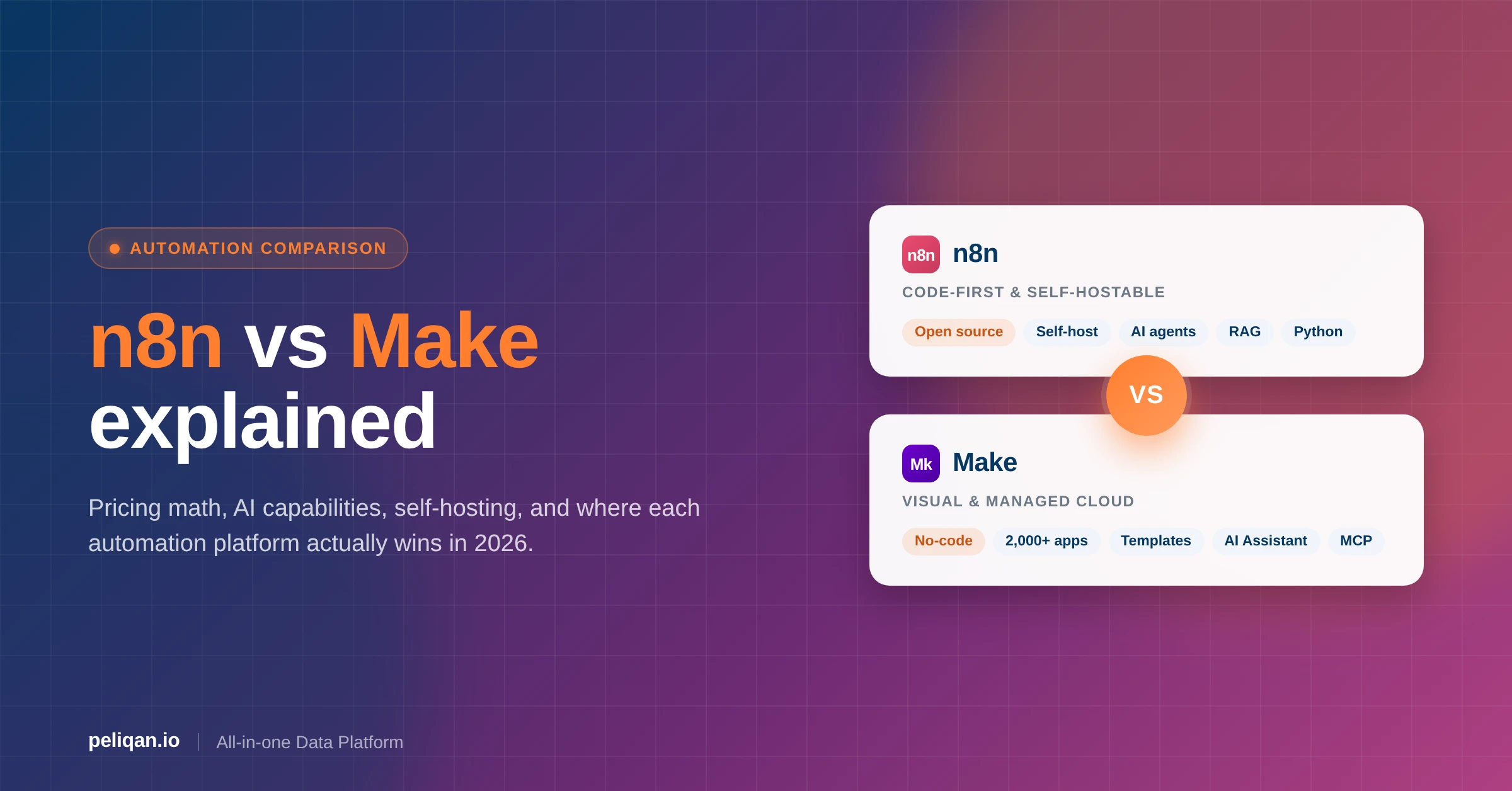





n8n vs Make is the most important automation decision teams are making in 2026. n8n leads on self-hosting, AI agent depth, and per-execution pricing that holds up at scale; Make leads on visual builder polish, integration breadth, and a managed cloud that requires zero ops effort. This guide breaks both platforms apart by architecture, pricing math, AI capability, security posture, and where a data layer like Peliqan fits when workflows go data-heavy.
Choosing the right workflow automation platform is one of the highest-impact decisions an operations or engineering team can make. The platform you pick determines the cost of every future automation, the latency of every customer-facing workflow, and whether your AI agents have access to clean business data or have to scrape it back from APIs every run. With n8n and Make pulling decisively ahead of Zapier on AI-native capabilities, this comparison covers what’s changed in the last 12 months and where each platform earns its place in the stack.
Quick decision framework: n8n vs Make at a glance
Before digging into the architecture, the short answer based on G2 user reviews and Reddit community feedback:
When to choose what
Platform overview: technical power vs visual simplicity
n8n: developer-centric automation
n8n positions itself as a developer-friendly automation platform with a fair-code licensing model. Founded in 2019 by Jan Oberhauser in Berlin, it allows unlimited self-hosting, full source-code access, and strong customization via JavaScript and Python. Teams that care about data sovereignty, infrastructure control, or complex branching logic gravitate to n8n first.
According to GitHub statistics, n8n has over 45,000 stars and a vibrant community of 40,000+ forum members – one of the fastest-growing open-source automation platforms in the market. As Nick Saraev’s detailed analysis notes, n8n has seen explosive growth in 2025 and 2026 as users hit the ceiling of cloud-only platforms and seek more technical capabilities.
Make: business-user-friendly experience
Make (formerly Integromat), launched in 2012, has evolved into a mature platform designed for business users. It emphasizes ease of use with a mind-map-style visual builder, pre-built templates, and deep app integrations – all without requiring code. Its cloud-first architecture and 2,000+ native app connectors make it accessible for teams without engineering resources.
The 2022 rebrand from Integromat to Make signaled a shift toward broader accessibility. As detailed in Make’s platform comparison, the platform now processes over 100 million operations monthly, serving thousands of fast-scaling organizations across 180+ countries.
The philosophy divide: open source vs managed service
The two platforms make fundamentally different bets about what teams actually want from automation infrastructure.
Feature comparison: deep technical analysis
Both platforms offer visual workflow builders, but they approach them very differently. Make guides users through automation using connected modules in a clean flowchart layout. n8n uses a flexible node-based canvas with branching, conditional logic, and multiple triggers per workflow.
According to Softailed’s technical comparison, n8n’s open-source foundation produces real architectural advantages: users can inject custom code at any point, manage global error flows, build and share custom nodes, and contribute back to the core platform.
Core workflow capabilities
AI and automation intelligence: the 2026 revolution
AI integration is now the biggest single differentiator between the two platforms. As BigSur AI’s analysis reveals, both have invested heavily in AI but with very different bets.
n8n’s AI arsenal
- 70+ AI-focused nodes including OpenAI, Anthropic, Google AI, Hugging Face, and local LLMs via Ollama for fully on-prem AI workflows.
- RAG with vector database support for Pinecone, Qdrant, Supabase, Weaviate, and pgvector – useful for grounding agents in business documents.
- Native LangChain integration for multi-agent workflows, tool routing, and complex agent loops.
- AI Agent Builder with explicit tool selection, system prompts, and multi-agent orchestration patterns.
- Custom AI endpoints supporting proprietary or fine-tuned models behind your own API gateway.
Make’s AI features
- Make AI Assistant for generating workflow scaffolds from natural language prompts.
- Pre-built AI modules for OpenAI, Google AI, Azure AI, ElevenLabs, and Eden AI – covering common SaaS-flavored AI use cases.
- MCP (Model Context Protocol) Server for modularized, reusable AI agents accessible to Claude, ChatGPT, and Cursor.
- Make Grid for visualizing AI-driven workflow relationships across scenarios.
- File-based context for AI agents without needing a full RAG vector database setup.
As noted in real-world AI automation tests, n8n excels at technical AI implementations that require custom logic and multi-agent systems, while Make prioritizes accessible AI features for business users through its visual interface. The community consensus in 2026 is clear: n8n has pulled ahead on AI-native capabilities, but Make remains the faster way to ship an AI-enhanced workflow that a non-engineer can maintain.
Pricing breakdown: understanding the true costs
This is where the comparison gets practical. The two platforms use fundamentally different billing units, which means a workflow that costs $20/month on n8n can cost $99+/month on Make – or vice versa, depending on shape.
Critical billing differences
- n8n bills per execution. A full workflow run counts as one execution regardless of how many nodes it touches.
- Make bills per operation. Each module or action consumes one or more operations or credits.
Cost example: a 10-step workflow running 1,000 times monthly
- n8n: 1,000 executions fits inside the $20/month Starter plan.
- Make: 10,000 operations requires the $9-16/month tier.
Cost example: a 50-step workflow running 1,000 times monthly
- n8n: Still 1,000 executions, still $20/month.
- Make: 50,000 operations, now in the $99+/month plan range.
Make recently switched to a credit-based system where AI operations may consume multiple credits per call, which has caught some teams by surprise. The full breakdown is in n8n’s comparison analysis. The practical implication: if your workflows are step-heavy or AI-heavy, n8n’s per-execution model usually wins. If they’re shallow and high-volume, Make can be cheaper.
Watch out: hidden cost traps in both platforms
- Make credit consumption on AI calls: A single OpenAI module call can consume 5-10 operations depending on token output – model your AI workflows carefully before committing.
- n8n self-host infrastructure overhead: “Free” self-hosting is not free – factor in 2-8 hours per month of ops maintenance, plus Redis and Postgres for queue mode.
- Loops and routers: A single Make router across 5 paths can multiply operations by 5x on every run.
- Failed retries count: Both platforms charge for failed executions/operations; flaky external APIs can drain your quota quietly.
Ease of use: learning curves and time to value
Make: rapid setup for all users
Make excels in accessibility. Its drag-and-drop builder, colorful interface, and real-time feedback make it approachable for non-technical users. According to Cybernews testing, users can have their first automation running within minutes using pre-built templates.
- 1,000+ pre-built scenario templates
- Guided setup with tooltips and visual cues
- One-click app authentication for most services
- No coding required for the vast majority of use cases
n8n: deeper control for technical teams
n8n has a steeper learning curve but offers unmatched flexibility. It assumes comfort with JSON, data structures, APIs, and basic programming concepts. The complexity unlocks capabilities that are simply not possible in cloud-only competitors.
- Direct access to raw data objects via expressions
- Custom JavaScript or Python at any step
- Manual OAuth configuration for maximum control over flows
- Community-built nodes for niche or industry-specific systems
Integration ecosystem: breadth vs depth
Make: extensive native library
Make offers over 2,000 native integrations with popular business tools. Each connector typically supports multiple triggers and actions with real-time data syncing. Make focuses on plug-and-play convenience and authenticated SaaS coverage.
n8n: customizable and API-first
n8n provides 400+ official integrations plus 2,900+ community nodes. Fewer in number, but n8n’s strength is flexibility – any API can be connected via HTTP Request nodes, and teams can build and publish their own custom nodes for proprietary systems.
Hosting and security: control vs convenience
n8n: full self-hosting flexibility
n8n can be fully self-hosted on your infrastructure for complete data sovereignty. This is non-negotiable for organizations under strict compliance regimes (HIPAA, GDPR, PCI DSS, financial services). You can deploy on AWS, Google Cloud, Azure, or on-premises behind your own firewall.
Security features:
- Complete data sovereignty – workflow data never leaves your perimeter
- Air-gapped deployment options for regulated industries
- Custom security configurations and secret management
- Role-based access control (RBAC) and SSO
- Audit logs for compliance evidence
Make: managed cloud infrastructure
Make is cloud-only, hosted on AWS in US (Virginia) or EU (Frankfurt). This simplifies operations but means trusting Make with your data and accepting their infrastructure decisions.
- SOC 2 Type II certified, GDPR compliant
- Data encryption at rest and in transit
- Enterprise SSO available on higher tiers
- On-prem agent for secure data access (Enterprise tier)
Community and support: open source vs premium service
n8n: vibrant open-source community
According to n8n’s community statistics:
- 40,000+ active forum members
- Same-day response times typical on the forum
- 800+ GitHub contributors
- Active Discord server with hundreds of dedicated channels
- Regular community-built nodes and workflow templates
Make: tiered support system
Make’s support is tiered by plan:
- Community forum available to all users
- Ticket-based official support
- Response times vary significantly by plan tier
- Premium 24/7 support reserved for Enterprise
- Extensive documentation and tutorial library
Users report mixed experiences with Make’s support, with lower-tier plans waiting longer for responses to critical issues.
Real-world use cases and success stories
n8n excellence areas
- Complex IT operations: Delivery Hero reports saving 200+ hours monthly automating IT workflows.
- AI integration: SanctifAI uses n8n for human-in-the-loop AI workflows with explicit approval gates.
- Data processing: Technical teams use n8n for ETL pipelines, often paired with a data warehouse for staging.
- Custom integrations: Companies with proprietary internal systems build custom nodes rather than wait for official support.
Make success scenarios
- Marketing automation: Quick campaign workflows and lead-nurturing flows wired up in an afternoon.
- E-commerce operations: Order processing, inventory sync, and refund workflows across Shopify, Stripe, and ERP.
- Business process automation: Invoice processing, HR onboarding, and approval flows for non-engineering teams.
- Quick SaaS integrations: Rapid deployment of standard connections without engineering time.
Customization and developer power
n8n: built for engineers
n8n offers unmatched flexibility for developers. As highlighted in technical comparisons:
- Unlimited JavaScript or Python code execution
- Custom node development and publishing to the community registry
- Direct database connections and queries
- Complex data transformations and parsing
- Git-based version control on self-hosted deployments
Make: visual power without code
Make’s customization stays visual:
- Built-in functions for data manipulation
- Filters, routers, and iterators for branching logic
- Custom functions (Enterprise plan only)
- Expression editor for calculations
- HTTP module for arbitrary API calls when needed
How Peliqan complements n8n and Make in data-heavy workflows
Both n8n and Make excel at orchestrating automations – triggering actions, moving data between apps, keeping business processes flowing. But once workflows become data-heavy, their limitations show up fast.
When workflows become data-heavy
“Data-heavy” means:
- Handling large volumes of data (bulk syncs, migrations, imports).
- Dealing with complex structures (nested JSON, multi-level joins, normalization).
- Connecting multiple sources where silos exist (CRM + ERP + Accounting + Support).
- Performing transformations (cleaning, deduping, enriching, joining datasets).
These challenges show up in real-world use cases like:
- Data syncs between business tools that need reverse ETL patterns
- Data migrations or onboarding workflows for new customers
- Imports of product catalogs, invoices, or customer lists at scale
- AI agents in n8n or Make (using RAG, Text-to-SQL, or MCP) that need queryable, unified data instead of raw API JSON
This is where Peliqan steps in as the data foundation layer for both platforms.
What Peliqan adds to n8n and Make
Peliqan provides an all-in-one data infrastructure that sits underneath your automations, keeping them reliable as data volume grows:
- 250+ connectors: Go beyond native nodes and modules with broader SaaS, file, database, and API coverage.
- Built-in data warehouse: Cache and query large datasets efficiently instead of pulling raw data on every workflow run.
- Transformations: Use Python and SQL transformations to clean and prepare data centrally, not scattered across workflows.
- 360° unified views: Merge CRM, ERP, accounting, and product data into business-ready models with proper customer data integration.
- Data explorer and governance: Browse, monitor, and enforce schemas across workflows.
- AI readiness: Built-in RAG and Text-to-SQL support so AI agents in n8n or Make can query structured, reliable business data.
n8n and Make: with and without Peliqan
Real-world example: Heylog
Heylog integrates TMS systems with real-time two-way data sync, activating transport data using APIs, events, and MQTT. The pattern – automation tools handling the workflow logic and Peliqan handling the data layer – is exactly how teams keep complex automations reliable as volume grows. Read the full case study.
Who benefits most
- n8n creators and power users who hit scaling or complexity ceilings
- Consultants and agencies building client automations where reliability matters
- Business and ops teams that need accurate, governed data across tools
- AI and ML teams creating intelligent workflows and agents that operate on top of governed business data
Migration considerations: switching between platforms
According to migration guides, switching between n8n and Make requires manual rebuilding:
- No direct import/export between the two platforms
- Different workflow paradigms (nodes vs modules)
- n8n’s HTTP Request node can recreate most Make scenarios
- Make’s HTTP module can replicate n8n’s custom API calls
- Expect 2-5 hours per workflow for re-implementation plus testing
Decision framework: which platform fits your needs?
Based on extensive analysis from automation experts and industry comparisons:
Choose n8n when:
- You have technical team members comfortable with code
- Data sovereignty and self-hosting are non-negotiable requirements
- You need complex workflows with multiple triggers per scenario
- Custom integrations with proprietary systems are essential
- Budget is tight but you have technical resources to manage self-hosting
- You want to build advanced AI agents, RAG systems, or multi-agent flows
Choose Make when:
- Non-technical team members need to build automations independently
- You want immediate results without infrastructure setup
- You need extensive pre-built integrations (2,000+) out of the box
- Visual workflow design is preferred over code
- You want managed infrastructure with zero maintenance overhead
- Simple to medium-complexity workflows are sufficient for your needs
Architectural decision tree (quick guide)
Walk through these questions in order to pick the right stack:
- Do you have engineers on the team? → Either works; otherwise Make.
- Do you need self-hosting or data sovereignty? → n8n.
- Are workflows shallow and high-volume? → Make on per-operation pricing.
- Are workflows step-heavy or AI-heavy? → n8n on per-execution pricing.
- Are you building AI agents with RAG and tool routing? → n8n.
- Do workflows join data from multiple systems? → Add Peliqan underneath either.
- Do you need governed, queryable business data for AI? → Add Peliqan.
Community insights and real user feedback
From Reddit discussions and user reviews, three patterns show up repeatedly:
n8n users report:
- “The self-hosting option is a game-changer for compliance” – Healthcare IT Manager
- “Community support is incredible, often faster than paid support elsewhere” – Startup Founder
- “Learning curve is real, but the flexibility is unmatched once you get it” – DevOps Engineer
Make users share:
- “Got our first automation running in 10 minutes” – Marketing Manager
- “The visual interface makes it easy to explain to stakeholders” – Operations Director
- “Costs can spiral with complex workflows or heavy AI usage” – E-commerce Manager
Future-proofing your automation strategy
Both platforms are evolving rapidly through 2026:
n8n’s trajectory
- Strengthening AI capabilities with more LLM integrations and agent patterns
- Improving accessibility for non-developers without sacrificing technical depth
- Expanding enterprise features (SSO, audit, RBAC)
- Growing the open-source ecosystem with community-led node development
Make’s direction
- Expanding the integration catalog to compete with Zapier on breadth
- Developing proprietary AI capabilities and the AI Assistant
- Improving collaboration and shared workspace features
- Positioning as the European alternative to US-headquartered solutions
Conclusion: making the right choice for your organization
The n8n vs Make decision comes down to your team’s technical capabilities, infrastructure requirements, and automation complexity. Neither is “better” in the abstract – both are mature 2026 platforms with very different bets about who their primary user is.
n8n is the right call for technical teams that need full control, want to self-host, or are building complex, scalable workflows cost-effectively. The open-source foundation, unlimited executions when self-hosted, and deep customization make it ideal for developers and organizations with specific compliance requirements.
Make is the right call for business teams that want to move fast, don’t want to code, and prefer a visual-first experience with minimal setup. The polished interface, extensive integrations, and managed infrastructure make it ideal for rapid deployment and non-technical users.
Peliqan helps teams on either platform go further by solving the data prep, routing, and analytics layers. It enables a layered architecture where automation meets data infrastructure, ensuring your workflows scale with the business regardless of which automation tool you pick. Pairing Peliqan with a proper data integration stack means your n8n or Make agents always read from governed business data instead of fragile API responses.
Whether you choose n8n’s technical power or Make’s business-friendly approach, success comes down to matching the tool to the team and the workload. Both platforms continue to evolve rapidly, so plan for where your automation needs will be in 18 months, not just where they are today.