




Bank reconciliation automation matches the lines on your bank statement to the entries in your ledger without a person doing it by hand. Rules handle the easy majority. AI has moved the line on the rest, because the hard cases are hard for a reason that rules cannot fix: the information needed to identify a payment is often not in the payment. This guide covers what matches itself, what does not, and the cases every other guide leaves out.
What actually gets matched
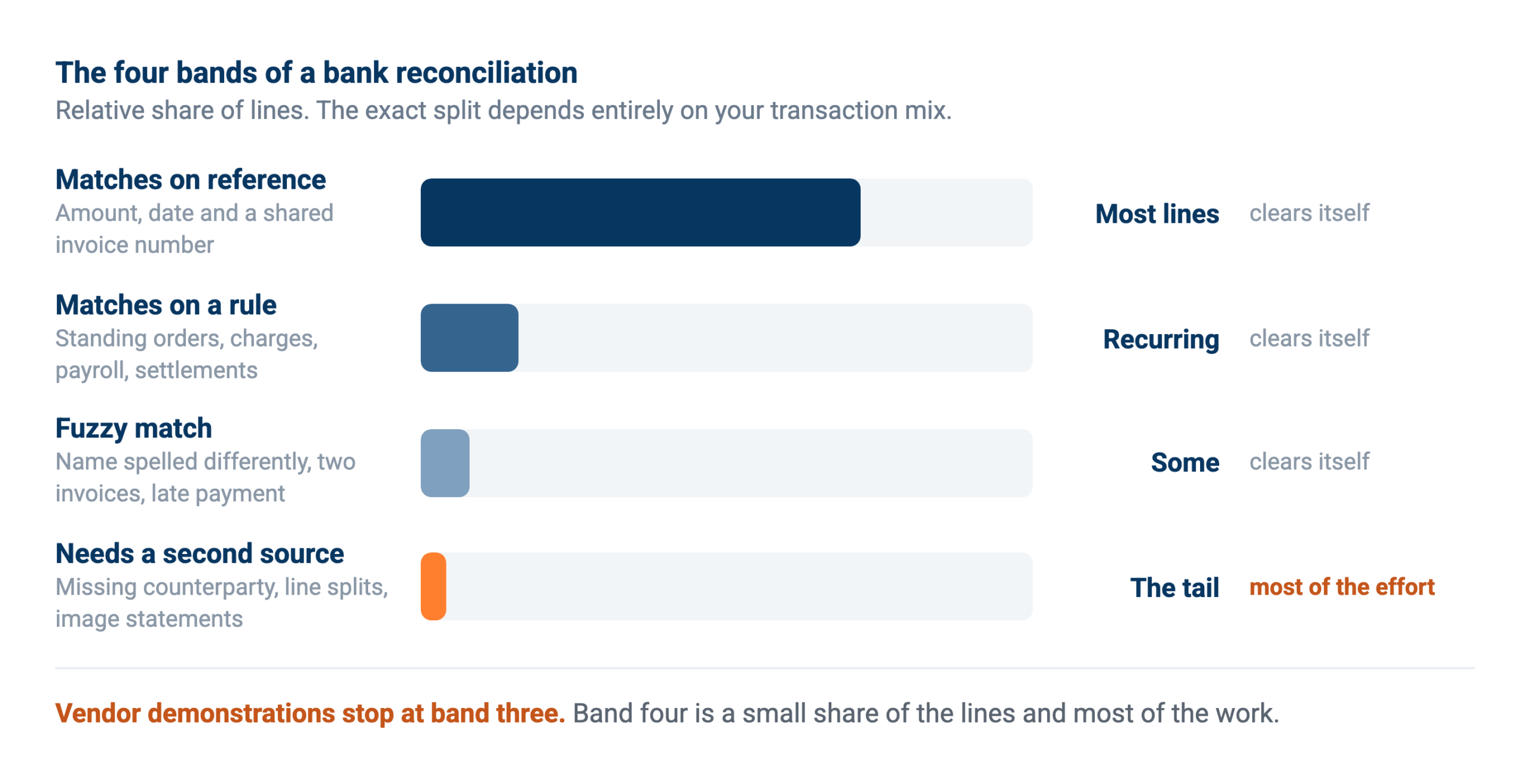
Reconciliation looks like one task and behaves like four, sorted by how much thought each line needs.
Most lines match on nothing more than amount, date and a reference that both systems share. A customer pays an invoice, the reference contains the invoice number, and the match is arithmetic. Depending on the business this is somewhere between two thirds and nine tenths of the statement, and any tool worth the name clears it without help.
The next band matches on a rule you wrote once. The monthly bank charge, the rent standing order, the payroll batch, the card settlement that arrives net of fees. These are recurring and predictable, so a rule holds, and the maintenance cost is remembering to update it when an amount changes.
Below that sits fuzzy matching. The amount is right but the reference is a customer name spelled differently, or the payment covers two invoices, or it arrived three days after the invoice was raised. Good software handles a lot of this, and it is where most vendor demonstrations stop.
Then there is the last band, which is the subject of most of this guide, because it is where the time actually goes.
How the matching actually runs
Stripped of vendor language, an automated reconciliation is five steps, and knowing them helps you work out where yours will break.
1. Both sides land in one place. Bank lines from the feed, open items and postings from the ledger. Until these sit together, everything after this is manual work with extra steps.
2. The obvious matches clear. Amount, date window and a shared reference. This runs first because it removes most of the volume and leaves a small enough remainder for anything expensive to be worth doing.
3. Rules take the recurring items. Standing orders, bank charges, payroll, settlement batches. Each rule is cheap, and the maintenance is remembering that a changed amount silently stops one working.
4. The remainder goes to judgement. This is where an AI assistant earns its place, because the question stops being “do these two numbers agree” and becomes “is this the same transaction”. Reading a garbled reference, recognising a customer under a trading name, spotting that a payment covers two invoices minus a credit note.
5. A person reviews what is proposed. Not every line, only the ones the routine could not close confidently. A good run produces a short list, and a list that never shrinks means the rules above it are wrong.
The order matters more than any individual step. Sending everything to judgement is slow and expensive, and sending nothing there leaves the tail permanently manual.
Continuous or at period end
Reconciling daily rather than monthly changes the economics, because the hard cases are easiest to solve while somebody still remembers the payment. A transfer with a missing counterparty is often identifiable on the day by whoever was expecting it, and unidentifiable three weeks later.
Daily also spreads the work, which is the real benefit. A month of unreconciled lines arriving in the first week of the close is what makes the close long, not the reconciliation itself. Where the feed supports it, a daily scheduled run and a short exception list beats a monthly marathon, and it means the close inherits a clean position rather than creating one.
The cases nobody writes about
These come from production usage rather than a feature list: real reconciliation work done by finance teams and accounting firms with an AI assistant on their own ledger and bank data. Every one of them defeats a matching rule.
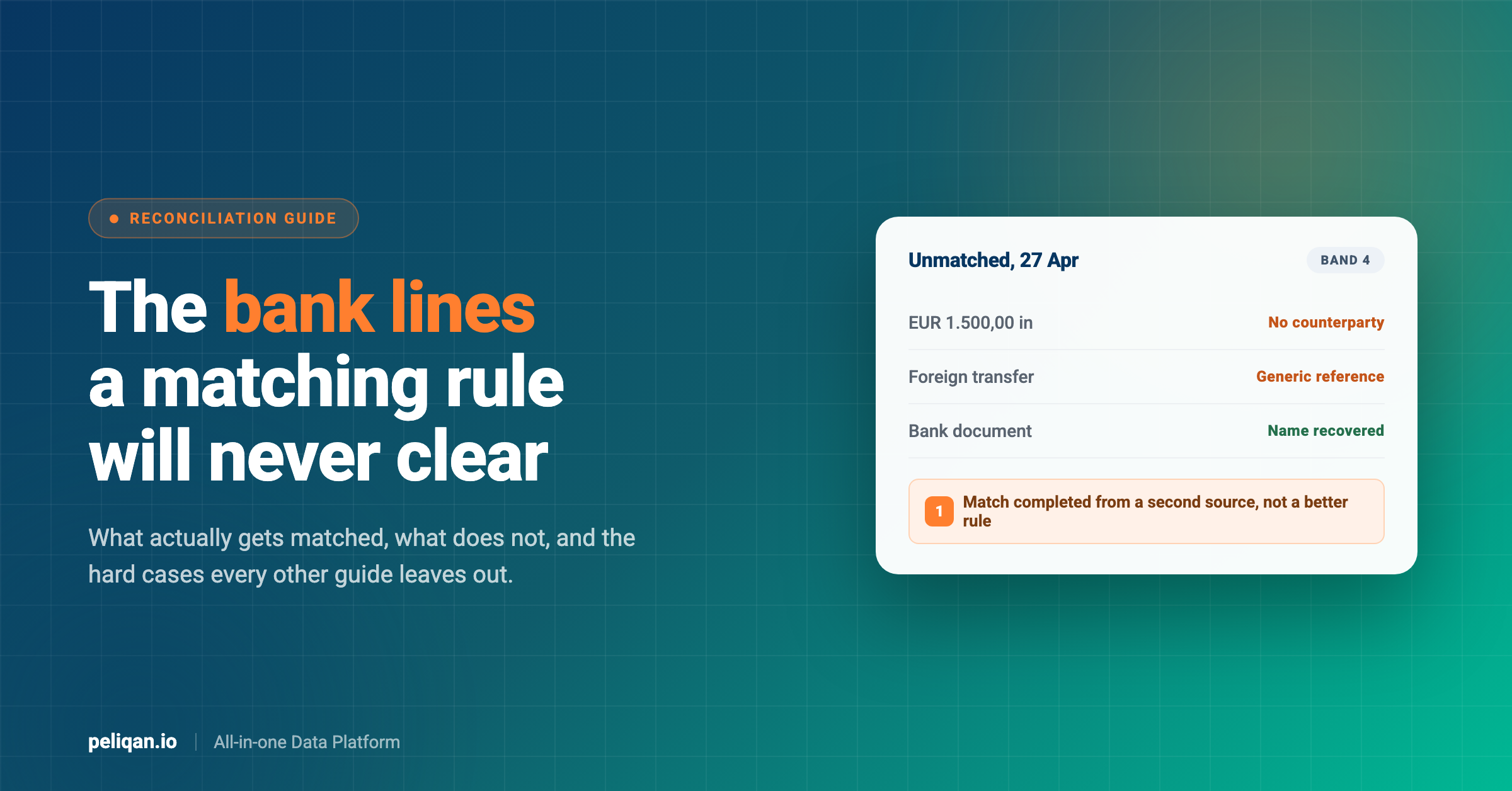
The payment with no counterparty
A foreign transfer arrives. The amount is clear, the date is clear, and the reference is generic text that identifies nothing. No counterparty name appears in the bank line at all, because the sending bank did not pass it through in a form the accounting system stored.
A rule cannot solve this, since the information is missing rather than malformed. What works is going one level deeper: the underlying bank document, the statement image or the transaction detail behind the line, often does carry the counterparty. In the production data this is a repeated pattern, with the assistant fetching the bank document to recover the name and then completing the match. The lesson is that reconciliation sometimes needs a second source, not a cleverer comparison.
One bank line, several payments
A single entry on the statement covers a day’s worth of receipts, or a batch payment settles six supplier invoices at once. The reconciliation is not a match, it is a split, and splitting safely means first reading every other line that shares the same statement entry so the rest stay untouched.
This is where automation earns trust or loses it. A tool that splits a line and quietly disturbs its neighbours produces a mess somebody unpicks by hand, which is worse than not automating at all.
Small settlements that are not worth a rule
Interest settlements, tiny FX adjustments, fees with a code nobody recognises. Individually trivial, collectively the reason a reconciliation is never quite finished. They resist rules because each type appears a few times a year, so nobody writes one.
The statement that only exists as an image
Year-end statements in particular often arrive as a PDF or scan rather than structured data. In one case the year-end closing balance for a bank journal had to be read off an image to reconcile it against the balance sheet. Automation that assumes a clean feed has nothing to say here.
VAT treatments that change the expected amount
A reverse-charge order settles for a different amount than the invoice suggests, so the line looks like a mismatch and is not one. Recognising this needs to know the VAT treatment of the underlying order, which lives in a different system from the bank line.
The pattern that actually works
Here is the thing production usage shows and the guides do not: the teams getting real value are not running a model that reconciles everything. They are building a reconciliation routine and extending it one transaction type at a time.
The sequence looks like this. Somebody reconciles a period with the assistant, hits a case it cannot resolve, works out what the rule should be, and adds it. Next period that type is handled and a new one surfaces. In the data you can watch this happen: a routine gets extended for a foreign transfer with a missing counterparty, then again for an interest settlement with a specific transaction code, then again for a fee type nobody had classified.
That accumulation is the asset, not the model. After a few cycles the routine covers the business’s real transaction mix rather than a generic one, and the remaining exceptions are genuinely exceptional. It also means the honest expectation to set internally is not “this will reconcile everything from day one” but “this will get quieter every month for about a quarter”.
The practical implication for how you build it: keep the logic somewhere it can grow. A routine you can read, version and extend beats a black box that either matches or does not, and it means the person who understands the transaction types can improve it without a vendor request. Building it as a scheduled job on your own data keeps that door open.
Where the data has to come from
Automation is only as good as the two feeds it compares, and both have constraints worth knowing before you design anything.
The bank side
Bank data arrives through PSD2 feeds, direct bank connections or file imports such as CODA and MT940. Feeds differ in how far back they reach, which matters more than people expect: a weekly automation that assumes ninety days of history breaks quietly when the feed only holds sixty. Test the actual depth of your feed before building on it rather than trusting the documentation.
The ledger side
The accounting system holds the entries to match against, and reading it at transaction level means volume. A full year of transaction lines runs to tens of thousands of rows, which is fine for a scheduled job and awkward for an ad hoc question. Materialising the comparison as a table on a schedule, rather than recomputing it live, is what keeps this usable, and the materialisation docs cover the mechanics.
Both sides need a freshness check
Reconciling against a stale sync produces exceptions that are not real, and nothing destroys confidence in an automation faster. In one account a connection scheduled to run every six hours had not updated for five days while still reporting itself healthy. Any reconciliation job should verify recency before it computes anything, and say the data timestamp on its output.
What changes when it is automated
The comparison usually gets made in hours saved, which is both hard to defend and not the most interesting difference.
Manually, a person works down the statement in order, matching what they recognise and setting aside what they do not. The set-aside pile is the problem: it grows through the month, it is worked by whoever has time, and the context needed to resolve each line decays as the days pass. Nothing about that process improves with repetition, because the knowledge stays in the person doing it.
Automated, the volume clears without attention and the exceptions surface immediately with the context attached. The more useful difference is that the handling accumulates. When somebody works out that a particular transaction code is an interest settlement, that becomes part of the routine rather than something the next person rediscovers. Over a quarter this compounds, which is why the exception list shrinks even though the transaction mix does not.
The honest trade is that automation moves effort forward. You spend time up front getting feeds connected and rules right, in exchange for a much smaller and more predictable monthly cost. Teams that stop halfway, with feeds connected but the tail unhandled, get the worst of both.
What automation still cannot do
Three honest limits, all of them observed rather than theoretical.
Writing the reconciliation back is the weak link
Reading both sides and proposing matches is reliable. Posting the reconciliation into the accounting system is not, and it varies by platform rather than by effort. In our own usage data, reads and analysis worked consistently while the write paths for reconciliation and cashbook operations did not succeed. Treat the proposed match as the output, keep the posting manual, and read our note on writing back safely before assuming otherwise.
It cannot invent information that was never captured
If the counterparty is absent from the bank line and from the underlying document, no amount of intelligence recovers it. The answer there is upstream: better payment references from customers, structured remittance advice, or a rule that routes those payments to a person immediately rather than after twenty minutes of searching.
It amplifies whatever your data already does
Duplicate suppliers, invoices entered twice, customers under two entity names. Reconciliation against messy master data produces confident wrong matches, which are worse than unmatched lines because nobody goes looking for them. Running quality checks on a schedule catches these first.
That order is worth insisting on. Cleaning the master data before automating the matching is unglamorous and it is the step that decides whether any of this holds up, and the wider quality practices apply here as much as anywhere.
Four questions before you automate reconciliation
- How far back does your bank feed actually reach: Test it. A weekly job built on an assumption about history fails in month three, quietly.
- What share of lines are genuinely hard: Count them for one period. If it is under five percent, rules plus a person may be the right answer and automation is a preference rather than a need.
- Does anything post automatically: If yes, name the approver. Proposing a match and posting it are different risk levels.
- Can you extend it yourself: The routine will need a new transaction type within a month. If that means a vendor ticket, factor that in.
Measuring whether it works
Three numbers tell you more than a time study.
Auto-match rate. What share of lines clear without a person. Useful as a trend rather than a target, since the right number depends entirely on your transaction mix. A business with many small foreign receipts will never hit the rate a domestic subscription business does, and comparing yourself to a vendor’s benchmark is meaningless.
Age of the oldest unmatched line. The number that actually predicts pain. A reconciliation with a healthy match rate and lines sitting unresolved for six weeks is not working, because those lines are the ones that turn into write-offs and awkward questions.
Exceptions per period, trending. Falling means the routine is learning your transaction types. Flat means it has stopped, usually because nobody is feeding new cases back into it. This is the measure that tells you whether the accumulation described above is actually happening.
Worth tracking alongside these: how often a proposed match gets corrected. That number should approach zero before anyone discusses automating the posting step, and it is the only real evidence that the matching is trustworthy.
Three ways teams do this
The third column is not a replacement for the first. Let the accounting system clear what it clears, and put the hard tail somewhere you can reason about it.
Real-world example: CIC Hospitality
CIC Hospitality consolidated more than 50 data sources into one reporting layer and automated the board pack that used to be assembled by hand, putting the saving at around 40 hours a month. Read the full case study.
If you reconcile for many clients
Accounting firms have a version of this problem that product marketing rarely addresses. The work is the same reconciliation repeated across dozens of client administrations, each with its own bank, its own transaction mix and its own quirks.
The economics change completely when the routine is written once and pointed at each client’s data, rather than configured per client inside each client’s accounting file. A new transaction type handled for one client is handled for all of them, and the daily output becomes a list of which clients need attention rather than thirty separate reviews. The constraint is access rather than matching: per-dossier permissions have to hold so work on one client cannot touch another.
How to start
Reconcile one period manually and write down what stopped you. Not the whole process, the interruptions. That list is your specification, and it will be shorter and more specific than any requirements document.
Get both feeds into one place. Bank data and ledger data have to sit side by side before anything can compare them. Syncing both into a central data warehouse makes the comparison an ordinary query instead of an integration project.
Automate the easy bands first and measure what is left. Clear the reference matches and the recurring rules, then count the remainder. That number is the honest size of the problem, and it is usually smaller and stranger than people expect.
Handle one hard transaction type per cycle. Foreign transfers this month, interest settlements next. Trying to solve the whole tail at once produces a routine nobody trusts and cannot debug.
Keep posting manual until the proposals are boring. When a month goes by with no corrections to the proposed matches, that is the signal to discuss automating the posting, and only for the types that have been stable.
How Peliqan fits
Peliqan syncs your accounting system and your bank data into a built-in data warehouse alongside 300+ other connectors, so the two sides of a reconciliation sit in the same place and a comparison becomes a query. Connecting a source takes minutes, and syncs run incrementally on a schedule you set.
The reconciliation itself is a routine you own: SQL or Python that you can read, extend and version as new transaction types appear. Run it on a schedule, route the exceptions into Slack or email, and keep the posting with a person. Assistants reach the same data through the MCP server, so an ad hoc question during the close and the scheduled job read one source of truth.
That combination is also what makes the hard cases tractable. Fetching the underlying bank document, checking a VAT treatment on the originating order, or looking at the other lines in the same statement entry are all just more queries when everything is in one place, and the same pattern applies to reconciliations that have nothing to do with banks.
One honest limit: writing reconciliations back into accounting systems is unreliable across the board, and we would rather say so than imply otherwise. Reading, matching and proposing are solid ground today. For accounting firms running this across many client administrations, per-dossier access matters as much as the matching, and our note for accountancy firms covers that.
Tell us which bank lines keep coming back unmatched and we will show you what the routine looks like.