




A history table keeps a dated record of how your data looked over time, instead of only its latest state. Without one, a status change overwrites the old value and the history is gone. This post explains what history tables are, when you actually need them, and how to set them up – in plain terms.
Here is a question your warehouse probably cannot answer: what did this order’s status look like three weeks ago?
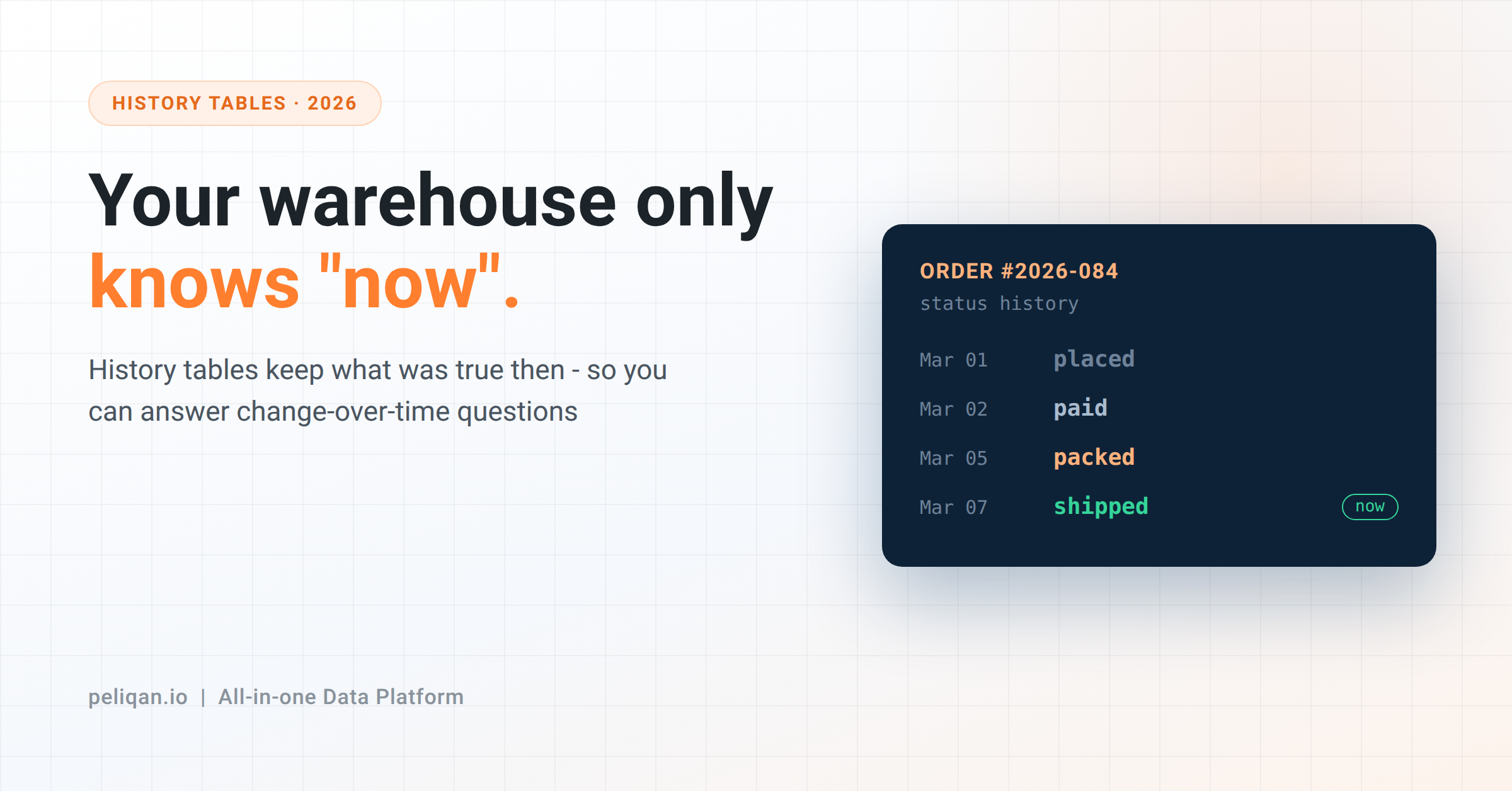
Most systems only store the current state. An order is “shipped” now. Yesterday it was “packed”, last week “paid”, before that “placed” – but each change overwrote the one before it. The order row shows “shipped”, and every earlier status is gone.
For a lot of questions that is completely fine. You usually want the current status. But some of the most valuable questions a business asks are about change over time, and those are exactly the ones a current-state-only warehouse cannot answer.
What a history table is
A history table records the state of your data at points in time, instead of overwriting it. When a value changes, the old version is kept with a date, and the new version is added alongside it.
So a normal orders table in your data warehouse stores one row per order, always showing the latest status. A history table stores one row per status change, each stamped with when it was true. One order that moved through four statuses becomes four dated rows.
That is the whole idea. You trade a little storage for the ability to look backwards – to see not just what is true now, but what was true then.
The questions it unlocks
These are the business questions that need history, and quietly go unanswered without it:
- How long does each step take? Average time from “paid” to “shipped” needs the timestamp of each status, not just the final one. This is your fulfilment speed, and you cannot measure it from current state alone.
- What did we report last quarter? If a deal’s value was 50,000 in March and someone corrected it to 45,000 in April, your current table shows 45,000 – and your March board report no longer reconciles. History lets you reproduce the number as it stood.
- When did this customer downgrade? Plan changes, credit-limit changes, address changes – anything where “when did this change, and from what?” matters for a decision.
- How has this trended? Stock levels, pipeline stages, account health – trends need past values, and past values are exactly what overwriting destroys.
Notice the pattern: these are change-over-time questions. If your reporting is only ever “what is true right now”, you may not need history at all. The moment someone asks “how did we get here”, you do.
Why the data isn’t already there
This surprises people. The data feels like it should be somewhere. It usually isn’t, for a simple reason: source systems are built to run the business today, not to remember yesterday.
Your CRM cares that the deal is worth 45,000 now. It has no reason to keep the old figure once someone updates it. The same is true of your ERP, your support desk, your inventory system – they store current state because that is what running operations needs. History is a reporting need, and it is on you to capture it, because the source will not.
And here is the part that bites: history can only be captured going forward. You cannot recover changes that already happened and were overwritten. The day you start snapshotting is day one of your history – which is why “we’ll add it later” quietly costs you every month you wait.
How history tables are built
There are two common approaches, and the right one depends on the source.
The first is snapshots. On a schedule – usually daily – you copy the current state of a table and store it with that day’s date. Do this every day and you build a day-by-day record: the table as it looked each day. Simple, reliable, and it works for any of the 300+ sources you connect. The cost is storage, since you keep a full copy per snapshot, though only the changed rows really matter.
The second is change tracking, often called slowly changing dimensions. Instead of copying everything daily, you keep one row per version of a record, each with a “valid from” and “valid to” date. When a value changes, you close off the old row and open a new one. It is more efficient than daily snapshots and gives you exact change moments rather than daily granularity, but it takes more care to set up correctly.
For most teams starting out, daily snapshots on the two or three tables that matter are the pragmatic choice. You can always move to change tracking later for the tables where daily granularity isn’t precise enough.
Don’t snapshot everything
The instinct, once you see the value, is to keep history on every table. Resist it, for the same reason you don’t set sync frequency to every minute on every table: cost without benefit.
Most tables don’t need history. A product’s description, a country lookup, a settings table – nobody asks how these changed over time. History earns its storage only where change-over-time questions get asked: order and deal status, prices, plan and subscription changes, inventory levels, account health. Pick those. Leave the rest as current-state.
A word on deleted rows
Deletion is history’s blind spot. When a record is deleted in the source, a normal sync removes it from your warehouse too – and now it is as if it never existed. For questions like “how many customers did we have last year”, silently vanishing records quietly corrupt the answer – and an AI agent reporting from that table has no way to know.
Handling this is part of the same discipline: instead of deleting, mark the row as no longer present and keep it, so “deleted” becomes another piece of history rather than a gap. Decide this per table, alongside your snapshot choices.
How this works in Peliqan
Peliqan handles both approaches on top of the warehouse where your data already lands. You can materialize any table or query into a physical table on a schedule you set, which is how you build daily snapshots – the query runs, the result is written with that run’s date, and the record accumulates.
For change tracking, there is a documented history tables approach for keeping dated versions of records.
There is also a separate method for handling deleted rows, so removals become history instead of gaps. Both work across data landing in the same warehouse first.
The decision the platform can’t make for you is which tables deserve history. That comes from knowing which change-over-time questions your business actually asks – and it is worth the ten minutes to decide before you need the answer.
Start capturing before you need it
History has one unusual property among data problems: you cannot fix it in a hurry. Every other gap you can backfill; this one you cannot, because the past states are already gone the moment you notice they’re missing.
So the move is simple. List the two or three tables where “how did this change?” is a real question – order status, deal value, plan changes are the usual suspects – and start snapshotting them now, even before anyone has asked. Future-you, trying to reconcile last quarter’s report, will be grateful.
If you want to see history capture set up on your own data, book a demo: pick one table that changes, switch on a daily snapshot, and watch the record start to build from day one.