




Claude Code can connect to your data platform over MCP and manage pipelines from the terminal: check what synced overnight, read failure logs, trace lineage before a risky change, and build transformation tables from a prompt. This is a real walkthrough of data pipelines in Claude Code – setup, daily workflow, and the honest limits.
Your pipelines live in a browser tab. Your work lives in a terminal. Most days those two worlds meet exactly once – when something breaks and you go clicking through sync logs to find out why.
MCP closes that gap. Claude Code speaks the Model Context Protocol natively, and if your data platform exposes an MCP server, your pipelines become something you can ask questions – in the same terminal where you already work.
This post is a walkthrough of managing data pipelines in Claude Code, using Peliqan’s MCP server as the example. The pattern works with any platform that exposes pipeline operations over MCP, so take the workflow even if you take a different tool. One honesty note up front: MCP tooling is evolving fast, so treat the specifics as a snapshot of what works today.
The setup: two commands
You need one thing first: a Peliqan API token, generated under Admin > API keys (or a personal API key under your User Settings). Then one command registers the server:
claude mcp add --transport http peliqan https://mcp.eu.peliqan.io/mcp \
  --header "Authorization: Bearer YOUR_PELIQAN_API_TOKEN"
Type /mcp inside a session and Peliqan should be listed as connected. That’s it – data pipelines in Claude Code go from idea to working session in a few minutes. The official Claude Code docs cover scopes if you want to share the config with your team – though note the config holds your token, so for a committed .mcp.json, keep the token in an environment variable rather than in the file.
Two details worth knowing. First, if you already connected the server in Claude’s web app, Claude Code picks it up automatically when you log in with the same account. Second, the token your AI client holds is a scoped key for the MCP endpoint only – it never sees the passwords or API keys of the underlying tools, and you can revoke it in one click.
And Claude Code asks for approval before each new MCP tool call by default. Keep that on while you build trust, exactly as you would with any write-capable agent.
Morning check: what synced overnight?
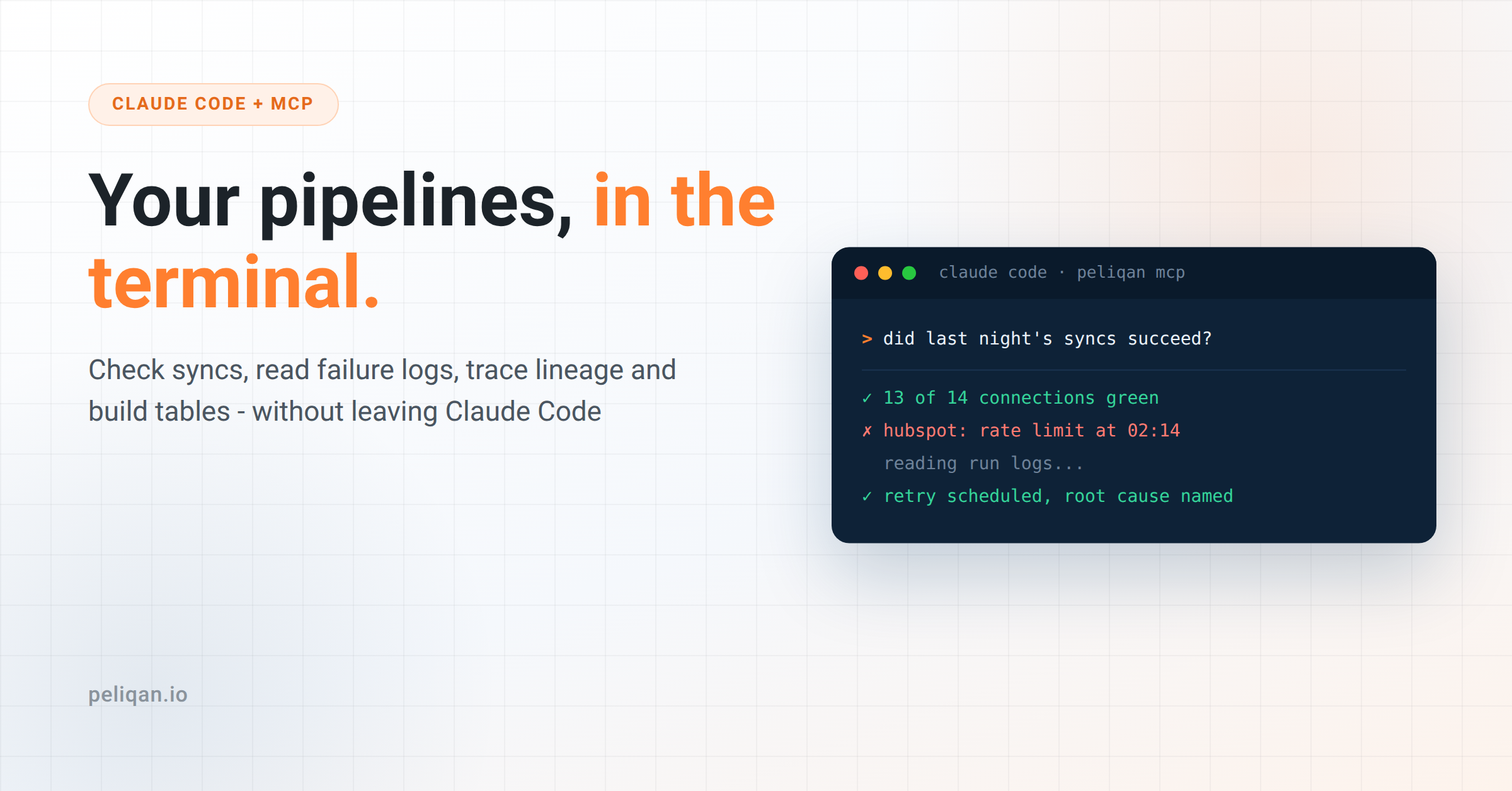
The first useful habit is the boring one. Open a session and ask:
> List my connections and check whether last night's syncs succeeded.Claude calls the server’s connection and pipeline-run tools, and answers in plain language: fourteen connections, thirteen green, HubSpot failed at 02:14. What used to be a click-through across sync dashboards is one question with one answer.
This sounds trivial. It is also the thing nobody actually did every morning when it took six clicks per connection.
Diagnosing a failed sync
The follow-up is where it gets genuinely good:
> Why did the HubSpot sync fail? Pull the run logs and tell me
  if it's auth, rate limiting or a schema problem.
Claude fetches the raw run logs and reads them – which is the part a language model is legitimately better at than you are at 8:45 in the morning. Rate-limit errors, expired tokens and unexpected-column errors all have recognizable signatures, and the agent names them faster than scrolling ever will.
Honest calibration: reading logs and classifying the failure works very reliably. Proposing the correct fix works often. Deciding whether to apply the fix is still your job, and should be.
Tracing lineage before you break something
Before touching a table that feels load-bearing:
> I want to rename a column in invoices_raw.
  What sits downstream of it?
The lineage tools return the tables upstream and downstream of the one you want to touch, so the agent can tell you that three query tables feed off it before you change anything. The five minutes this takes is the difference between a rename and an incident.
Building: a transformation from a prompt
Reading is half the job. The other half:
> Create a query table joining invoices to deals on company_id,
  with days_overdue calculated. Show me the SQL before you run it.
The server’s query-table tools create the SQL transformation and run it immediately, so the result is a real table in the warehouse, not a snippet in the chat. The “show me the SQL first” clause in the prompt is not decoration – review the join logic every time, the same way you’d review a colleague’s PR. Wrong joins produce plausible tables, and plausible is the dangerous kind of wrong.
This is also where accuracy depends on your setup more than on the model. An agent working from curated, well-described tables writes dramatically better SQL than one guessing at 400 raw ones – the whole argument of our context layer post applies directly here.
The habits that make data pipelines in Claude Code actually safe
Four rules from real use:
- Scope what the agent sees. Role-based permissions on the MCP server side decide which tables and operations exist for the agent at all. Narrow beats clever.
- Keep tool approval on until it annoys you for the right reasons. Pre-approve read tools once you trust them; keep asking on writes.
- Read the SQL. Every generated transformation, every time. Thirty seconds.
- Alert outside the terminal. The morning check is a habit, not a monitoring system – keep alerts wired to Slack or email so failures find you when you’re not asking.
What this doesn’t replace
Data pipelines in Claude Code are a workflow upgrade, not an architecture change. A few limits, stated plainly.
It is not a monitoring system – it answers when asked. It is not CI/CD for your transformations – version control and review still matter for anything critical. Long debugging sessions sometimes still end in the platform UI, where you can see the data. And every session spends tokens, so the economics favor short, purposeful sessions over leaving a terminal chatting with your warehouse all day.
None of these are complaints. They are the boundary of a tool that is genuinely useful inside it. And the boundary keeps moving – the same terminal workflow already extends to building full data apps, not just pipelines.
Why this works best warehouse-first
Everything above assumes one thing: the MCP server sits on a warehouse where your sources already live in one queryable place. That is what makes “join invoices to deals” a one-prompt operation instead of an API integration project – the warehouse-first MCP pattern doing its job.
In Peliqan’s case, that warehouse is built in, fed by 300+ connectors, with the MCP server, permissions and audit logging on top.
The full setup and what the server exposes are on the MCP page.
If you’d rather see data pipelines in Claude Code before wiring your own terminal, book a demo – and ask to see the morning check against real connections. That is the whole pitch.