




The Snowflake MCP server landscape has three lanes in 2026: Snowflake’s own managed MCP server, the open-source Snowflake Labs MCP you host yourself, and platform MCP servers like Peliqan that treat Snowflake as one source among many. Each answers a different question. This guide explains what every option does, how to set them up, where SQL-only servers stop short, and how to pick the right one for your AI agents.
What is the Snowflake MCP server?
An MCP (Model Context Protocol) server for Snowflake exposes your warehouse to AI agents – Claude, ChatGPT, Cursor, CrewAI – through a standard interface. Instead of exporting CSVs or writing one-off API glue, the agent asks a question, the MCP server translates it into governed SQL against Snowflake, and the answer comes back in the conversation.
Snowflake ships two official options. The Snowflake-managed MCP server runs inside your Snowflake account with zero infrastructure: it serves Cortex Analyst, Cortex Search and Cortex Agents as tools, supports direct SQL execution, and handles authentication through Snowflake’s built-in OAuth with role-based access control deciding which tools each agent can discover and invoke. The second option is the open-source Snowflake Labs MCP server (github.com/Snowflake-Labs/mcp), which you host and configure yourself – it adds custom Python tools, governed SQL and semantic view consumption for teams that want full control.
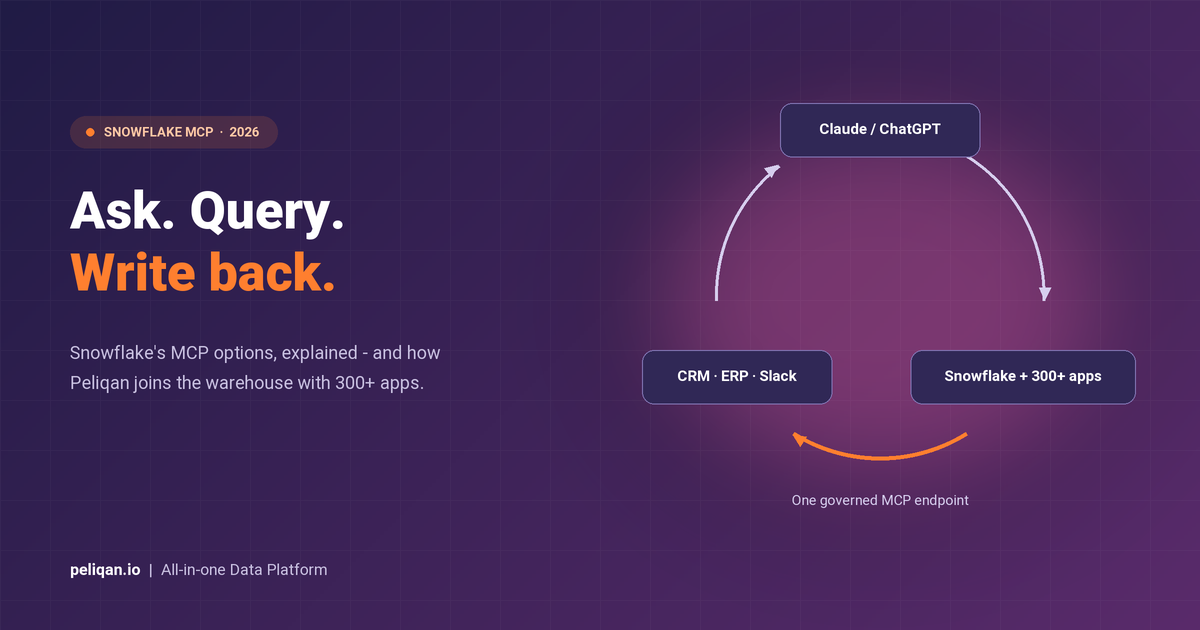
The third lane is a platform MCP server. Peliqan’s MCP server connects Snowflake and 300+ business apps behind one endpoint, so the same agent that queries your warehouse can join it with live CRM, ERP or billing data and write results back to those systems.
Snowflake MCP options at a glance
- Snowflake-managed MCP server: zero-infrastructure, Cortex tools + SQL, OAuth and RBAC built in – best for in-warehouse analytics
- Snowflake Labs MCP (open source): self-hosted, custom Python tools, semantic views – best for teams that want full control
- Peliqan MCP: Snowflake plus 300+ SaaS sources in one endpoint, cross-source SQL, writeback and ELT – best when agents need more than the warehouse
Setting up Snowflake’s managed MCP server
Per Snowflake’s documentation, the managed route is genuinely quick if your data and your questions both live inside Snowflake: you create the MCP server object in your account, define which tools it serves (Cortex Analyst for structured questions against semantic models, Cortex Search for documents, direct SQL execution, or custom tools), grant access via RBAC, and point your agent at the endpoint with OAuth. There is no gateway to deploy and no separate service to monitor.
The self-managed Snowflake Labs server takes more setup – a Python service you configure with YAML tool definitions – in exchange for custom tooling and semantic view support. Both are solid choices for their intended job: letting AI query what is already in the warehouse.
How to load data into Snowflake with MCP
This is the question most teams hit next, and it has a short honest answer: Snowflake’s own MCP servers do not load data. They query what is already there. Ingestion – getting HubSpot, Shopify, Odoo or Exact Online data into Snowflake in the first place – remains a separate ELT stack in the official architecture.
A platform MCP closes that gap. Peliqan’s Snowflake connector works in both directions: Snowflake as a source your agents query, and Snowflake as a target that Peliqan’s ELT pipelines load from 300+ SaaS apps and databases on a schedule or on demand. In practice that means an AI agent can trigger and monitor the pipeline that fills the warehouse, then query the result – one endpoint for both halves. Custom connectors for niche tools are built on a 2-week SLA.
Loaded data rarely arrives analysis-ready, so the same platform runs SQL and Python data transformations between landing and querying – cleaning, deduplicating and modelling before your agent ever sees a table.
Where SQL-only Snowflake MCPs stop short
If your question is “what were sales last quarter”, any of the three options answers it. The differences show up in the second question:
- Single-source scope: Snowflake MCPs see Snowflake. The moment an answer needs live data that has not been loaded yet – today’s HubSpot deals, this morning’s support tickets – a warehouse-only server cannot reach it.
- No writeback: analysis usually ends with an action: update the CRM field, flag the invoice, post to Slack. Snowflake’s MCP servers are read-oriented; pushing results into business apps needs MCP writeback, which is a platform capability.
- Credit consumption: agents are enthusiastic query generators. Every exploratory question burns Snowflake compute credits, and agent-driven workloads are harder to forecast than dashboards. Routing exploratory queries through Peliqan’s built-in warehouse layer keeps agent chatter off your Snowflake bill, reserving credits for the queries that need warehouse scale.
- Data quality blind spots: an agent will confidently query a broken table. Guardrails like data quality checks upstream of the MCP endpoint catch stale syncs and schema drift before they become wrong answers.
Snowflake managed vs Snowflake Labs vs Peliqan
| Capability | Snowflake managed MCP | Snowflake Labs MCP | Peliqan MCP |
|---|---|---|---|
| Hosting | Fully managed by Snowflake | Self-hosted | Fully managed, EU-hosted |
| Query scope | Snowflake only | Snowflake only | Snowflake + 300+ apps, cross-source SQL |
| Cortex AI tools | Yes (Analyst, Search, Agents) | Yes, plus semantic views | No (own text-to-SQL layer) |
| Writeback to business apps | No | No | Yes, routed and audit-logged |
| Data loading (ELT) | Separate stack | Separate stack | Built in, Snowflake as source or target |
| Custom tools | User-defined tools | Custom Python tools | Low-code Python APIs |
| Auth and governance | Snowflake OAuth + RBAC | Your configuration | Scoped tokens, per-user access, audit log |
| Best for | In-warehouse analytics | Full-control engineering teams | Cross-source agents with actions |
These are complements more often than competitors. Plenty of teams run Snowflake’s managed MCP for deep in-warehouse analytics alongside Peliqan for cross-source questions and writeback – the pattern our guide to the best MCP servers covers across the wider ecosystem.
Setting up Peliqan’s Snowflake MCP in four steps
- 1. Add your Snowflake connection. Account URL, warehouse, database and credentials – the Snowflake setup guide walks through it in a few minutes.
- 2. Create a scoped database user. Give the MCP connection a read-only role limited to the schemas agents should see; the permission scripts show the pattern. Never point an agent at an admin role.
- 3. Create your MCP API handler. One click generates the governed endpoint; scoped tokens control which tables, which operations and which users.
- 4. Connect Claude or ChatGPT. Paste the endpoint and token into your MCP client and start asking questions – the AI agents docs cover Claude, ChatGPT and custom agents.
From there, the same endpoint exposes every other connected source. Ask “join Snowflake revenue with open HubSpot deals by account” and the federation layer – Postgres plus Trino under the hood – executes it as one SQL statement, the pattern explained in depth in our cross-source MCP SQL guide.
Governance: the part procurement will ask about
Giving AI agents database access raises fair questions, and the answers should be boring: scoped read-only roles, per-user token permissions, a full audit log of every query and writeback, and no training on your data. Peliqan is SOC 2 Type II and ISO 27001 certified, GDPR, HIPAA and CCPA compliant, and EU-hosted on AWS Frankfurt – the security page has the details.
For European teams weighing residency requirements, our overview of GDPR-compliant MCP servers compares how the major options handle EU data.
Real-world example: CIC Hospitality
CIC Hospitality centralises 50+ sources – PMS, accounting, booking platforms – with Peliqan and saves 40+ hours per month on reporting, with the consolidated data queryable by AI through one governed endpoint. Read the CIC Hospitality case study.
What teams actually build with it
- Revenue reviews in chat: Snowflake revenue joined with CRM pipeline in one prompt, instead of waiting for the Monday dashboard refresh
- Churn-risk triage: warehouse usage metrics cross-referenced with billing and support data, with the flagged accounts written back to the CRM as tasks
- Finance close checks: agents comparing Snowflake aggregates against source-system totals in Exact Online or NetSuite before sign-off
- AI-assisted data engineering: using MCP from Claude or Cursor to inspect schemas, test transformations and validate loads – see how it works in Claude MCP workflows
- Document + data answers: RAG over contracts and policies combined with SQL over the warehouse, one conversation for both
Pricing for all of this follows a transparent fixed model rather than per-query consumption – predictable when agents multiply your query volume. Details are on the pricing page.
Final thoughts
Snowflake’s managed MCP server and the Snowflake Labs option are the right answer when the question starts and ends in the warehouse. The moment your agents need data that is not loaded yet, answers that span systems, or the ability to act on what they find, you need a platform layer on top – and that is the job Peliqan’s MCP does, with the Snowflake AI features to match.
Try it free at peliqan.io – connect Snowflake, generate your MCP endpoint and ask your first cross-source question in under fifteen minutes.