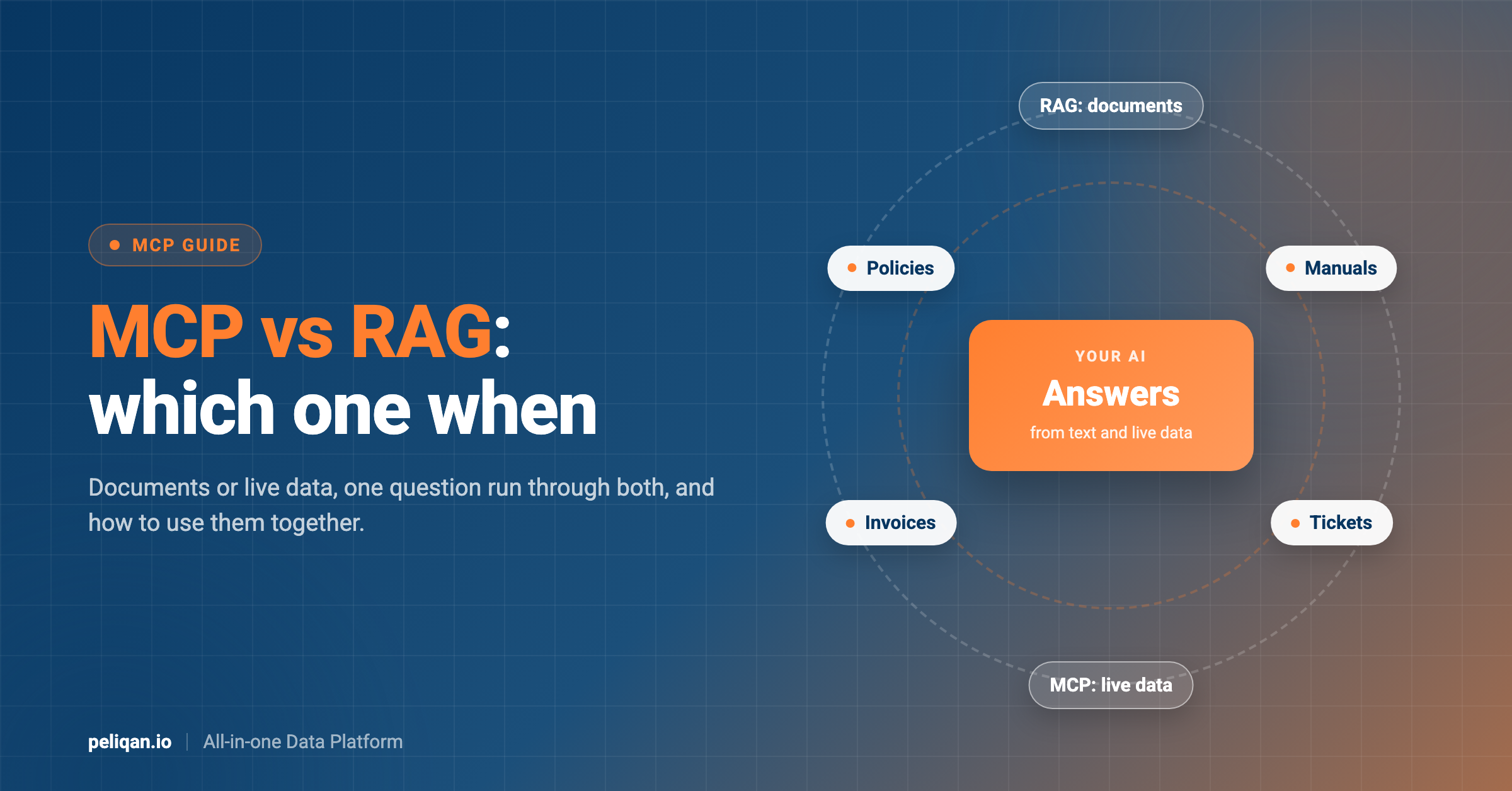





MCP vs RAG is a question about what kind of data your AI needs. RAG (retrieval-augmented generation) lets an AI look things up in your documents before it answers. MCP (Model Context Protocol) lets an AI use tools to fetch live data from your apps or take actions in them. They solve different problems, and most useful AI assistants end up using both.
This guide explains each one in plain words, runs one question through both, and shows when to use RAG, when to use MCP and how they work together.
RAG vs MCP: the short answer
- RAG is for knowledge written down in text: policies, manuals, contracts, help articles. The AI finds the most relevant passages and answers from them.
- MCP is for live data and actions: today’s invoices, a customer’s open tickets, creating a task. The AI calls a tool, and the tool talks to the app.
- Neither replaces the other. RAG cannot tell you what happened in your CRM this morning. MCP is not built to read a 200-page manual.
What is RAG?
RAG stands for retrieval-augmented generation. The idea was described in a 2020 research paper and is now one of the most common ways to make an AI answer from your own content instead of from what it learned in training.
RAG works in two stages.
- Preparing the documents. Your documents are split into small pieces, often a few paragraphs each. Each piece is turned into a list of numbers called an embedding, which captures its meaning. The embeddings are stored in a vector database.
- Answering a question. The question is turned into an embedding too. The system finds the pieces whose meaning is closest, usually the top three to ten, and gives them to the AI along with the question. The AI then writes its answer from those pieces.
This works well when the answer is written down somewhere and the wording of the question is close to the wording of the document. It is why RAG is popular for support assistants, internal knowledge bases and document search.
The choices that make RAG work well
Most RAG problems come from a few settings, not from the AI model:
- Piece size: pieces that are too small lose context, pieces that are too large bury the answer in unrelated text. A few paragraphs per piece, with a small overlap between pieces, is a common starting point.
- How many pieces to return: too few and the answer may be missing, too many and the AI gets distracted by loosely related text.
- Keyword search next to meaning search: meaning-based search can miss exact terms like product codes or contract numbers. Many teams combine it with a plain keyword search, which is often called hybrid search.
- Keeping it current: documents need to be processed again when they change, ideally on a schedule, or the AI keeps quoting old versions.
What is MCP?
MCP, the Model Context Protocol, is an open standard for connecting AI assistants to outside tools. An MCP server tells the AI which tools it offers, like “list overdue invoices” or “create a ticket”. The AI picks a tool, calls it, and the tool fetches the data from the app or makes the change.
In most MCP servers the data comes from the app at the moment you ask, so it is current. And because tools can change things, MCP lets an AI act, not just answer. If you want the full explanation of how MCP relates to the APIs underneath it, read our guide on MCP vs API.
MCP vs RAG: one question, two parts
Take a question a support lead might ask: “What is our refund policy for annual plans, and has Acme Corp already received a refund this year?”
The first half: a RAG question
“What is our refund policy for annual plans?” The answer is written in a policy document. RAG finds the paragraph about annual plans and the AI summarizes it. MCP would struggle here, because there is no tool for “read the meaning of this policy”. You could fetch the whole document through a file tool, but then the AI has to read all of it every time.
The second half: an MCP question
“Has Acme Corp already received a refund this year?” The answer is a fact in your billing system that may have changed this morning. RAG cannot answer it, because no document says it, and any copy of your billing data in a vector database would be out of date. An MCP tool that searches refunds in your billing app returns the current answer.
A good assistant uses both: RAG for the policy, MCP for the facts, and then combines them into one reply. If the AI is connected through Claude, our list of the best Claude connectors shows which apps already have ready-made MCP servers.
MCP vs RAG comparison table
When to use RAG
- Policies and procedures: HR handbooks, refund rules, security policies.
- Product knowledge: manuals, help center articles, release notes.
- Long documents: contracts and reports, where the answer is one paragraph in many pages.
- Content that rarely changes: the less often a document changes, the less you worry about the stored copy going out of date.
When to use MCP
- Current facts: open deals, unpaid invoices, today’s orders, ticket status.
- Numbers and totals: “how much revenue did we book in August?” needs every record counted, not a few similar passages.
- Actions: creating a task, updating a contact, posting a message.
- Several apps at once: questions that combine data from the CRM, billing and support.
Business data like invoices and deals is structured: rows and columns with exact values. For that kind of data, a query is more reliable than a similarity search. RAG finds text that sounds like your question. It does not add up a column or filter by date. Our article on AI-ready data explains why structure matters so much for AI answers.
Using RAG and MCP together
The two are not competitors, and the cleanest way to combine them is to put RAG behind an MCP tool. You build a tool called something like “search_documents” that runs a RAG search and returns the best passages. To the AI, it is just another MCP tool next to “list_invoices” and “create_task”. The AI decides when to search documents and when to query live data, based on the question.
This keeps one connection for the AI app, and it means the same document search works in Claude, ChatGPT and other MCP clients. The extra step of choosing between tools also works best when there are not too many of them, a point we cover in our MCP rate limits guide.
Is RAG obsolete now that MCP exists?
No. MCP changes how an AI reaches data, not whether it needs to search documents. A company’s knowledge still lives in text: policies, contracts, manuals and meeting notes. When that text is too long to give the AI in full, something still has to find the right passage, and that is what RAG does.
What has changed is where RAG sits. Instead of a separate system bolted onto one chatbot, document search is becoming one tool among many that an AI agent can call. Larger context windows also mean some small document sets can simply be given to the AI in full, without RAG. For large or frequently changing document collections, retrieval is still the practical way to do it.
The weak spots of each
Both approaches have real limits. Knowing them saves a lot of debugging later.
Where RAG goes wrong
- Out-of-date copies: if a policy changes and the documents are not processed again, the AI answers from the old version.
- Wrong passages: a question worded differently from the document can retrieve the wrong section, and the AI answers confidently from it.
- Split context: when a key sentence is cut in half between two pieces, neither piece makes sense on its own.
- Counting and totals: RAG sees a handful of passages, so it cannot count or sum across all your records.
- Access control: if everyone’s documents go into one vector store, someone may get answers from documents they were never allowed to read.
Where MCP goes wrong
- Too many tools: every tool description takes up space, and with dozens of tools the AI picks the wrong one more often.
- Rate limits: every tool call that reaches an app counts against its API limits.
- Write access: tools that can change data need careful permissions and, ideally, a person approving important actions.
- Many servers to manage: each app has its own server and login, which gets hard to track as a team grows.
For the security side of MCP, see our guide to MCP security settings.
If you are managing many MCP servers across a team, our article on MCP gateways explains when a central control point helps.
Where Peliqan fits
Peliqan works on the structured-data side first. You connect your business apps, Peliqan syncs them into its data warehouse, and the Peliqan MCP server answers questions by running SQL on that data. That is how it handles totals, filters and questions that combine several apps, which RAG cannot do. Our post on cross-source MCP queries shows what that looks like.
One difference from a typical MCP server: Peliqan answers from a synced copy, not by calling each app on every question. You choose how often each connection syncs, from near real-time to daily, as explained in our guide to sync frequency.
RAG is available too, but it is not part of the standard MCP server. It is something you add.
How RAG works in Peliqan
The setup steps are in the guide to RAG in Peliqan.
Adding a document search tool to your own MCP server is covered in the guide to building a custom MCP server. Because both the documents and the business data sit in the same warehouse, one custom server can offer document search and SQL questions side by side.
Whichever route you take, answers are only as good as the data behind them. Our guide to the context layer for AI agents covers what else an AI needs to answer correctly, beyond retrieval and tools.
RAG vs MCP: which should you use?
- Use RAG when the answer is written in documents and you need the AI to find and quote the right passage.
- Use MCP when the answer is a current fact, a number across many records, or an action in an app.
- Use both when your questions mix knowledge and live data, which is most real assistants. Put the RAG search behind an MCP tool so the AI has one place to look.
If most of your questions are about business data in your CRM, billing and support tools, start with MCP and structured data, then add document search where it helps. The Peliqan MCP page shows which apps one MCP server can reach.