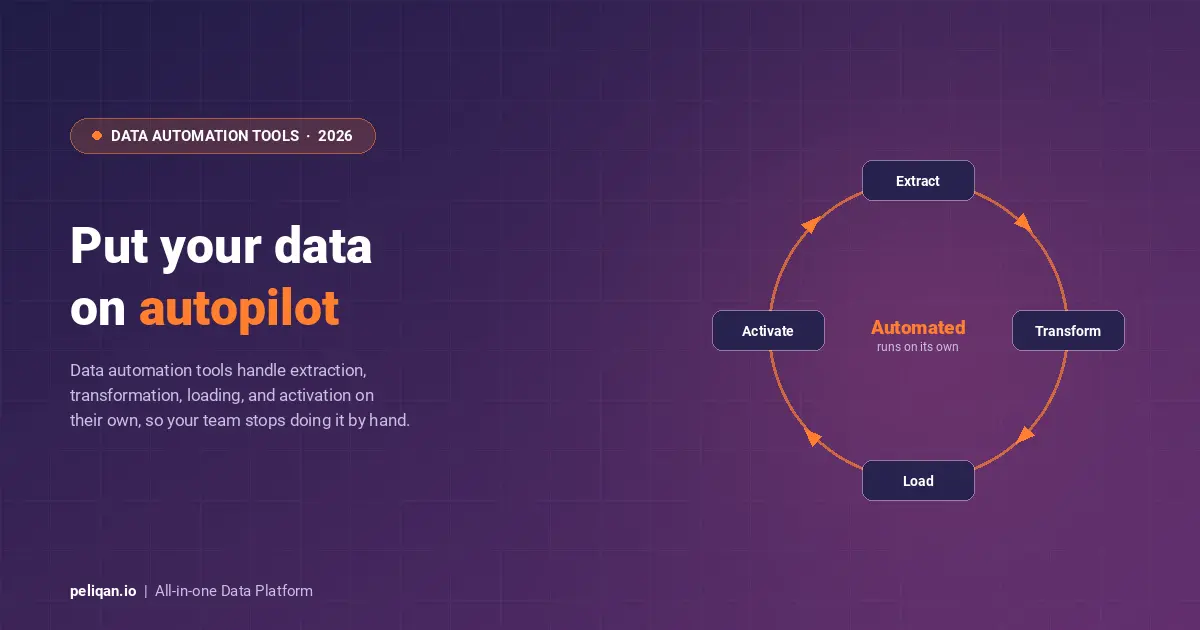





Data automation tools remove the manual work from your data lifecycle, from collecting and transforming data to moving it between the apps that run your business. The term covers two related jobs: automating data pipelines (ELT) and automating app-to-app workflows. This guide sorts the leading 2026 tools into those groups and helps you pick the right one.
Most teams reach for data automation when manual work starts to break down: data is copied between systems by hand, reports are rebuilt every week, and errors creep in. Automation tools take over those repetitive tasks so people can focus on analysis instead of plumbing. The catch is that “data automation” spans two distinct categories, and mixing them up leads to the wrong choice.
On one side are data pipeline and ELT tools that move and reshape data between sources and a warehouse. On the other are workflow and app-automation platforms that connect business applications and trigger actions between them. Some platforms do both. This guide covers the leading options in each group and how to choose.
What are data automation tools?
Data automation tools are software that streamlines stages of the data lifecycle, such as extraction, transformation, loading, and movement, with minimal manual intervention. They are a core part of any modern data management strategy, turning fragile manual routines into pipelines and workflows that run on their own.
The payoff is measurable. Automating repetitive tasks frees your team’s time for analysis, reduces the human error that comes with manual handling, and scales as data volumes grow. It also shortens the time to insight and cuts cost by removing low-value manual effort. Adoption reflects this: a McKinsey survey found that around 70 percent of organisations are at least piloting automation in one or more business units.
The effects reach beyond the data team. Automation improves collaboration across departments because everyone works from the same current numbers, and it makes data processing more reliable as the scale of inputs climbs. Surveys point the same way, with a large majority of IT users reporting higher satisfaction once automation is in place and a growing share of organisations now well past the halfway mark on their automation goals. The common thread is that manual data handling does not scale, and automation is how teams keep pace without adding headcount.
That said, automation is only as good as the design behind it. A poorly planned pipeline automates the wrong thing or breaks silently, so the tool you pick, and the category it belongs to, matters as much as the decision to automate at all.
The two kinds of data automation
Before comparing products, decide which problem you are solving. Data pipeline automation focuses on getting data from many sources into a warehouse, cleaned and analysis-ready, on a schedule or in real time. Workflow automation focuses on connecting applications, so an event in one tool triggers an action in another. The table below shows where the main tools sit.
All-in-one data automation platforms
Peliqan is a user-friendly data automation platform that brings extraction, transformation, loading, orchestration, and activation into one product. Instead of stitching a pipeline tool to a warehouse to a workflow tool, you build and manage the whole flow in one place, which suits teams without a dedicated data engineer.
It connects to over 250 sources with pre-built connectors, transforms data by combining SQL and Python, and runs on a cloud platform with scheduling and monitoring built in. That breadth of connectivity is what lets it replace several point tools at once.
Its intuitive interface lets you integrate data from diverse sources quickly, which shortens the path from raw data to a working pipeline and keeps non-technical users productive without waiting on engineering.
Custom connectors are delivered within 2 weeks when a source is missing, and an on-premises connectivity option covers data that cannot leave your network. Real-time queries and proactive monitoring help keep data accurate and surface issues before they reach a report.
Beyond moving data, it can build interactive data apps with low-code scripts, so the same platform that automates ingestion can also surface the results to the people who need them.
It can also push processed data back into business tools. That last step, data activation, is what lets a single platform automate both the pipeline and the downstream actions, which is the gap most point tools leave open.
Pricing runs from a free trial to paid plans scaled to features and data volume, so it fits both small teams and larger deployments.
Data pipeline and ELT automation tools
These tools automate the work of getting data into a warehouse. Hevo Data is a fully managed, no-code pipeline platform offering real-time replication from many sources with automatic schema management, which makes it a popular choice for teams that want hands-off ingestion. It pairs naturally with the wider set of data pipeline tools worth comparing.
Fivetran is the fully managed ELT standard, with a large connector library, automatic schema sync, and continuous replication, though its volume-based pricing can be hard to predict. Our Peliqan vs Fivetran comparison covers where each fits.
Stitch is a lighter, analytics-focused ELT service for loading data into cloud warehouses with minimal setup, while Informatica PowerCenter is the enterprise option, with deep transformation, metadata management, and governance for complex environments. Both sit within the broader category of data integration tools.
Microsoft Azure Data Factory is the cloud-native orchestration and ELT service for Azure-centric teams, with a visual builder and tight integration across Azure services. Talend Open Studio is the open-source choice, offering a drag-and-drop interface and strong transformation features, which keeps data quality manageable without licensing cost.
Workflow and app automation tools
The second category automates actions between applications rather than building analytical pipelines. Zapier is the most accessible, letting non-technical users connect thousands of apps with trigger-based “Zaps” and conditional logic, which is ideal for lightweight data transfer and task automation between SaaS tools.
Tray.io targets enterprise-grade automation, with a visual builder, API-based logic, and the scale and security features larger organisations need for complex integrations across many applications.
Workato rounds out the group as a broad integration and automation platform for businesses of all sizes, adding advanced features like API management and robotic process automation on top of workflow building. These iPaaS tools excel at moving records and triggering actions, but they are not built for the heavy, warehouse-bound transformations that pipeline tools handle.
The two categories overlap at the edges, which is where teams get confused. A workflow tool can move a few records between apps on a trigger, and a pipeline tool can run on a schedule, but they optimise for different things. If your end goal is analytics and reporting at volume, lead with a pipeline or ELT tool; if it is operational automation between SaaS apps, lead with a workflow platform. When you genuinely need both, running two systems adds cost and handoffs that an all-in-one platform avoids.
Data automation tools compared
This table summarises the main tools, what each is best for, and how it is deployed. Pricing and features change, so confirm current details with each vendor before deciding.
How to choose a data automation tool
Start with the category. If your goal is analytics-ready data in a warehouse, you want a pipeline or ELT tool; if it is connecting apps and triggering actions, you want a workflow platform; if it is both, an all-in-one platform avoids running two systems. Naming that first narrows the field fast.
Within a category, weigh data volume and complexity, since some tools handle massive datasets while others suit simpler flows. Match the tool to your team’s technical skills, because some need engineering while others are built for non-technical users. Then check that it scales with your growth and fits your budget, comparing open-source against managed options on total cost rather than licence price alone.
Finally, list the specific capabilities you need, such as real-time replication, advanced transformation, API management, or robotic process automation, and test your shortlist on a real workflow. A short pilot reveals far more than any feature list, and it pairs well with adjacent data orchestration tools if scheduling and dependencies matter.
The 2026 shift: AI and agentic automation
The biggest change in 2026 is AI moving into the automation layer itself. Tools now use AI to suggest, generate, and repair pipelines, and a new wave of agentic approaches lets AI agents adapt workflows in response to changing data rather than following fixed rules. This reduces the manual upkeep that has always been the hidden cost of automation.
The durable point underneath the hype is that automated, well-governed data is the foundation AI depends on. A platform that can both automate the data flow and serve clean data to assistants and agents, through capabilities like text-to-SQL and a Model Context Protocol gateway, lets teams build AI agents on trusted data rather than scattered exports.
Automation in practice: CIC Hospitality
CIC Hospitality automated data flows from 50+ sources into one platform and now saves 40+ hours per month by fully automating board reports that used to be built by hand. Read the full case study.
Conclusion
Data automation tools let teams extract more value from their data while spending less time on repetitive work. The first decision is which kind of automation you need: pipeline and ELT, app and workflow, or both. From there, match the tool to your data volume, team skills, and budget, and pilot before you commit.
For teams that want to automate the full path from source to insight without running several systems, an all-in-one data platform covers both categories at once, while specialised needs are still well served by best-of-breed pipeline or workflow tools.