




Choosing from the long list of data pipeline tools is harder than it looks, because half the products in any “top 10” article do not actually do the same job. This guide fixes that. It groups the leading data pipeline tools by what they are built for, explains where each one fits, and gives you a use-case decision guide so you can shortlist in minutes instead of comparing apples to oranges.
Data volumes keep climbing, and the gap between the teams that move data well and the teams that drown in manual exports keeps widening. The right tool reduces engineering overhead, keeps analytics current, and gives leadership one trusted view of the business. The wrong tool locks you into a category that does not match your problem.
Most listicles rank Apache Airflow, Fivetran, and Kafka in the same numbered list, even though an orchestrator, a managed ELT service, and a streaming platform solve different problems and are rarely substitutes. Below, the tools are sorted into the six categories that actually exist in 2026, with an honest read on strengths, trade-offs, and who each one suits.
What is a data pipeline tool?
A data pipeline tool automates the flow of data from sources such as databases, APIs, SaaS applications, and event streams into a destination, usually a data warehouse, lake, or downstream business application. It handles extraction, loading, and often the transformation of data in between, so analysts and engineers stop writing one-off scripts and stop repeating manual imports.
The reason categories matter is that the word “pipeline” covers everything from a nightly batch job to a sub-second event stream. A tool that excels at scheduled SaaS ingestion will not help you process telemetry in real time, and a streaming engine is overkill for a finance team syncing accounting data once a day. If you want the full conceptual breakdown, see our guide to building a data pipeline step by step.
ETL, ELT, and reverse ETL: what is the difference?
Three acronyms shape how most pipeline tools work, and the order of the letters tells you where the heavy lifting happens. ETL extracts data, transforms it in a staging area, then loads the clean result into a warehouse. It was the norm when storage and compute were expensive.
ELT flips the last two steps. It extracts and loads raw data straight into a cloud warehouse, then transforms it in place using the warehouse’s own compute. Because warehouses like Snowflake and BigQuery scale on demand, ELT has become the default for modern pipelines, which is why most ingestion tools in this guide are ELT-first.
Reverse ETL runs the pipeline the other way. It pushes modelled data from the warehouse back into operational tools such as a CRM or a finance system, so the cleaned numbers reach the people who act on them. A tool that handles ingestion, transformation, and reverse ETL in one place removes a whole class of glue code. If you are evaluating the wider tooling landscape, our roundup of data management tools covers the adjacent categories.
The six categories of data pipeline tools
Before looking at individual products, get oriented on the landscape. These are the six categories serious buyers evaluate in 2026, and the example tools that define each one.
Managed ELT and ingestion tools
This is the category most people mean when they say “data pipeline tool.” These products specialise in extracting data from many sources and loading it into a destination, usually leaving transformation to the warehouse.
Fivetran
Fivetran is the mature, fully managed option. It offers a large library of pre-built connectors with automated schema-drift handling, so connectors keep working when a source API changes. It is the safe choice for batch ELT from SaaS sources into a cloud warehouse with minimal maintenance.
Trade-off: consumption-based pricing tied to monthly active rows can become hard to predict as volumes grow, and it is ingestion only, so you still need a warehouse and a transformation layer.
Airbyte
Airbyte is the open-source choice. Its Connector Development Kit makes it strong for long-tail and custom sources, and it can be self-hosted for full control. Teams with engineering capacity use it to avoid per-row pricing.
Trade-off: self-hosting carries operational overhead, and connector reliability varies more than with a fully managed service.
Hevo and Stitch
Hevo is a no-code, near real-time ELT service aimed at teams that want simplicity. Stitch is a lightweight, affordable option built on the open Singer standard, well suited to smaller teams that need basic replication without much configuration.
Trade-off: both prioritise ease over depth, so complex transformations and custom logic are limited.
Orchestration tools
Orchestrators do not move data themselves. They schedule jobs, manage dependencies between tasks, and give you visibility when something fails. They sit on top of the tools that do the moving. For a deeper look at this group, see our roundup of data orchestration tools.
Apache Airflow
Apache Airflow is the default Python orchestrator with the biggest ecosystem. Airflow 3, generally available since 2025, added asset-aware scheduling, DAG versioning, and multi-team deployments, which keep it relevant for large engineering teams.
Trade-off: it requires Python skills and carries the heaviest operational footprint of the orchestrators. Running and maintaining a production instance is resource-intensive for smaller teams.
Dagster, Prefect, and Mage
Dagster is asset-centric, treating data assets, lineage, and quality checks as first-class concepts, which suits teams that want observability built in. Prefect is a lighter Python orchestrator with dynamic workflows and a simpler operating model. Mage offers block-based authoring for small teams that want a friendly entry point.
A quick way to tell the categories apart
- If it has connectors and loads data: it is an ingestion or ELT tool (Fivetran, Airbyte).
- If it schedules other jobs but moves nothing itself: it is an orchestrator (Airflow, Dagster).
- If it transforms data already in the warehouse: it is a transformation tool (dbt).
- If it handles change events in real time: it is a streaming or CDC tool (Kafka, Estuary).
Streaming and CDC tools
When latency matters in seconds rather than hours, you need change data capture or event streaming. These tools react to data as it changes instead of running on a schedule.
Kafka and Confluent
Apache Kafka is the distributed backbone for high-throughput, event-driven data movement. Confluent is the managed commercial offering built around it. Both suit organisations with real-time and event-driven architectures.
Trade-off: setup and operations are complex, and Kafka is infrastructure, not a turnkey pipeline.
Estuary and Striim
Estuary focuses on CDC and batch pipelines with sub-second latency into destinations like Snowflake, with a managed model that is easier to adopt than raw Kafka. Striim combines CDC, transformation, and delivery in a streaming-first platform for enterprises modernising away from nightly batch jobs.
Transformation tools
Once data lands in the warehouse, it still needs to be modelled into clean, analysis-ready tables. dbt is the standard here. It lets teams define transformations in SQL, version them in Git, and test them, bringing software engineering discipline to analytics. It is not a pipeline mover on its own, so it pairs with an ingestion tool and a warehouse. For a fuller picture of the surrounding workflow, our overview of data automation options is a useful companion.
Cloud-native ETL tools
If your stack is already committed to one cloud provider, a native service can reduce integration friction. AWS Glue is a serverless ETL service for discovering, preparing, and moving data within AWS. Azure Data Factory plays the equivalent role in the Microsoft ecosystem. Matillion is a cloud-native ETL platform with pushdown transformation that runs inside your warehouse.
Trade-off: these are strongest when you stay inside one ecosystem. Cross-cloud or heavy SaaS-source scenarios often still need a dedicated ingestion tool.
All-in-one data platforms
The categories above each solve one slice of the problem. Stitching together an ingestion tool, a warehouse, a transformation layer, and a reverse-ETL tool works, but it means four contracts, four bills, and four integration points to maintain. All-in-one platforms collapse that stack into a single product, which is why teams without a dedicated data engineer increasingly start here.
Peliqan
Peliqan is an all-in-one data platform that covers ingestion, a built-in warehouse, transformation, and activation in one place. It ships with over 300 pre-built connectors, a built-in Postgres and Trino warehouse, a spreadsheet UI with SQL on anything, and low-code Python for developers who want to build custom pipelines. Custom connectors are delivered within 2 weeks when a source is missing.
Where Peliqan fits
Domo and Keboola
Domo bundles ingestion, transformation, and visualisation in one low-code environment, with a strong focus on dashboards. Keboola is an end-to-end data operations platform aimed at teams that want a managed, component-based stack. Both reduce tool sprawl, though each leans toward a particular strength, analytics for Domo and data operations for Keboola.
The 2026 shift: AI-native and self-healing pipelines
Two changes are reshaping the category. The first is agentic development, where AI agents help write, fix, and monitor pipelines. The second is the move toward self-healing pipelines and AI-driven troubleshooting. Airflow added a Common AI Provider, Dagster shipped a chat-native assistant, and Mage introduced an agent CLI.
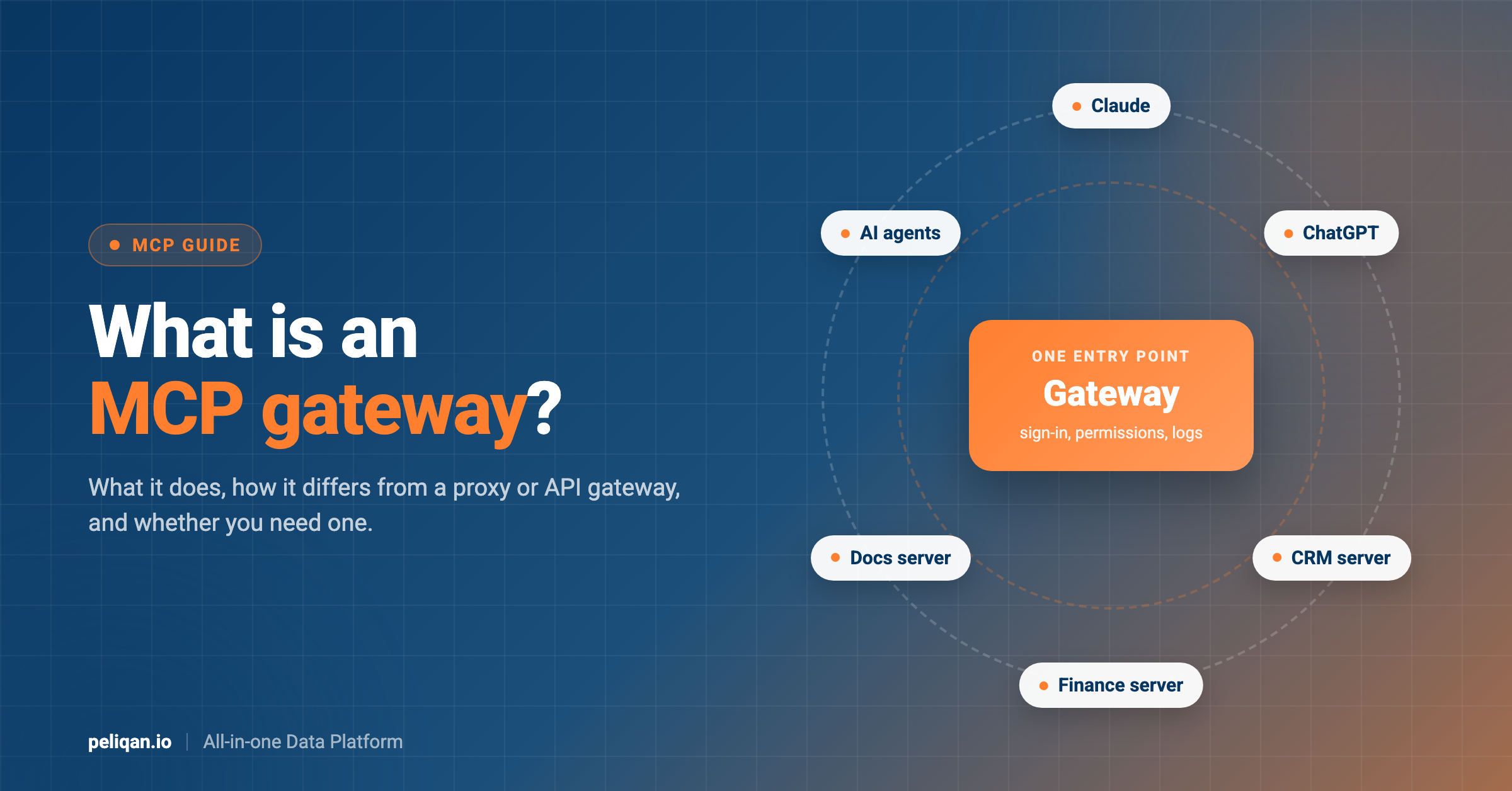
The practical consequence is that the platform an agent works on should have a small surface area and be aware of the data it produces. Peliqan leans into this with an AI-ready data layer that includes automatic vectorising for retrieval-augmented generation, text-to-SQL, and an MCP gateway so AI agents can query governed business data directly. You can see the agentic workflow in action in our walkthrough of how to build an ELT pipeline with an AI data engineer, or explore how teams build AI agents on top of their own data.
What to look for in a data pipeline tool
Within a category, a handful of criteria separate a tool that fits from one you outgrow in a year. Use these to pressure-test any shortlist.
Selection criteria that matter
- Connector coverage: does it support your actual sources today, and how fast are missing ones added?
- Schema-drift handling: when a source API changes, does the pipeline adapt or break silently?
- Pricing behaviour: does cost stay predictable as data volume grows, or scale with rows processed?
- Maintenance burden: how much engineering time does it take to keep running in production?
- Observability: can you see run logs, row counts, and failures without bolting on a separate tool?
- AI readiness: does the platform expose governed data to AI agents and assistants cleanly?
Decision guide: which category for which job
Match the use case to the category first, then shortlist tools within it. This avoids the common mistake of comparing tools that are not substitutes.
How the tools compare on pricing model
Pricing model matters as much as the headline rate, because the model determines how costs behave as you scale. Exact figures change, so check each vendor’s current page, but the underlying models are stable.
For current numbers and what each tier includes, see Peliqan’s pricing. The predictable, volume-independent model is one reason consultancies and finance teams favour an all-in-one platform over per-row ingestion pricing.
What good pipeline tooling looks like in practice
The point of any pipeline tool is to remove manual data work and give the business current, trusted numbers. The clearest measure of success is how many hours stop being spent on manual consolidation, and how quickly a new source becomes usable. Many teams use a pipeline to centralise data from dozens of systems into one warehouse, then point BI and AI tools at it.
Real-world example: CIC Hospitality
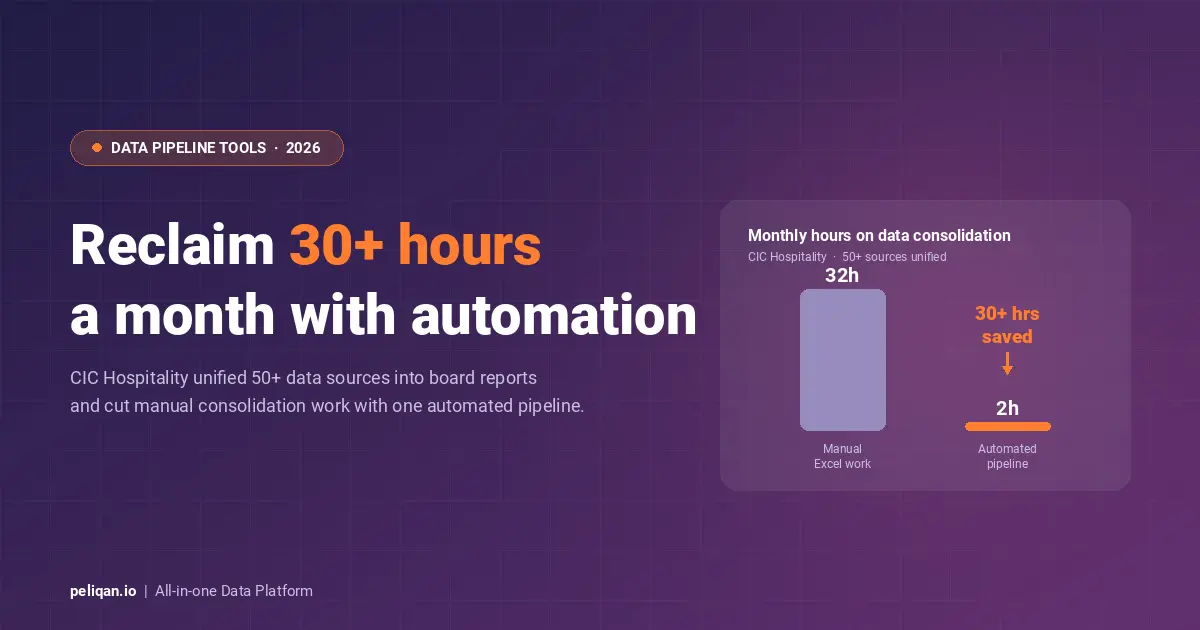
CIC Hospitality unified fragmented data from 50+ sources into real-time, board-level reports and now saves 30+ hours per month by replacing manual Excel consolidation with automated pipelines. Read the full case study.
How to choose your data pipeline tool
Start with the job, not the brand. Decide whether your core need is ingestion, orchestration, streaming, transformation, or an end-to-end platform, then shortlist two or three tools inside that category. Weigh the pricing model against your expected volume, factor in how much engineering time you can commit to operations, and check that the tool fits the AI and warehouse direction your stack is heading.
If you have a dedicated data engineering team and high-volume, specialised needs, a best-of-breed stack of category leaders gives you the most control. If you want fewer moving parts and faster time to value, an all-in-one platform that covers ingestion, warehouse, transformation, and activation in one place will get you to trusted numbers sooner. You can dig deeper into the surrounding documentation in the Peliqan documentation to see how the pieces fit together.