




Silverfin to Power BI – if you’re an accounting firm running client workpapers and compliance in Silverfin but need cross-client portfolio dashboards in Power BI, the integration path is less obvious than it should be.
Silverfin has become the go-to cloud platform for post-accounting and compliance work across Europe. Over 150,000 companies sit on the platform, with 600+ accounting firms – including Deloitte, VGD, and VMB/PKF – using it to standardize workpapers, automate accounts production, and manage client portfolios. Since its acquisition by Visma in 2023, the Belgian-born platform has continued expanding its integration ecosystem and AI capabilities like AI Mapping for automated chart-of-accounts standardization.
But Silverfin is a compliance and workpaper platform, not a BI tool. When partners and practice managers need to analyze engagement profitability across 200 clients, track completion rates by team, or combine Silverfin financial data with CRM and billing systems in Power BI, the data extraction gets complicated. This guide covers what works and the approach that gives accounting firms a reliable reporting foundation for Silverfin data in Power BI.
What data lives in Silverfin
Silverfin’s Structured Data Hub centralizes the financial and compliance data your firm works with daily. That includes trial balances (standardized into a unified chart of accounts across all clients), journal entries and adjustments, working papers with reconciliations and roll-forwards, accounts production data (statutory accounts, management accounts), tax computation data, client metadata (entity details, filing deadlines, engagement status), and user activity logs (who did what, when).
For Power BI reporting, the most valuable datasets are typically the standardized trial balance data for cross-client financial benchmarking, engagement and workflow status for practice management dashboards, accounts production timelines for deadline tracking, and client portfolio metrics for partner reporting. Silverfin exposes this data through its REST API and Data Hub, but the API wasn’t designed for bulk BI extraction.
Why connecting Silverfin directly to Power BI is harder than expected
Silverfin doesn’t offer a native Power BI connector. The platform has an open API and a Data Hub that can share data with external tools, but turning that into a reliable Power BI data feed requires custom middleware and careful handling of Silverfin’s API constraints.
Common pain points with Silverfin data extraction
For a firm with a handful of clients, manual exports from Silverfin might work. But the moment you need portfolio-wide analytics, cross-client benchmarking, or combined views of Silverfin data with your CRM and billing system, you need a different architecture.
The data warehouse approach – connect Silverfin to Power BI through a central hub
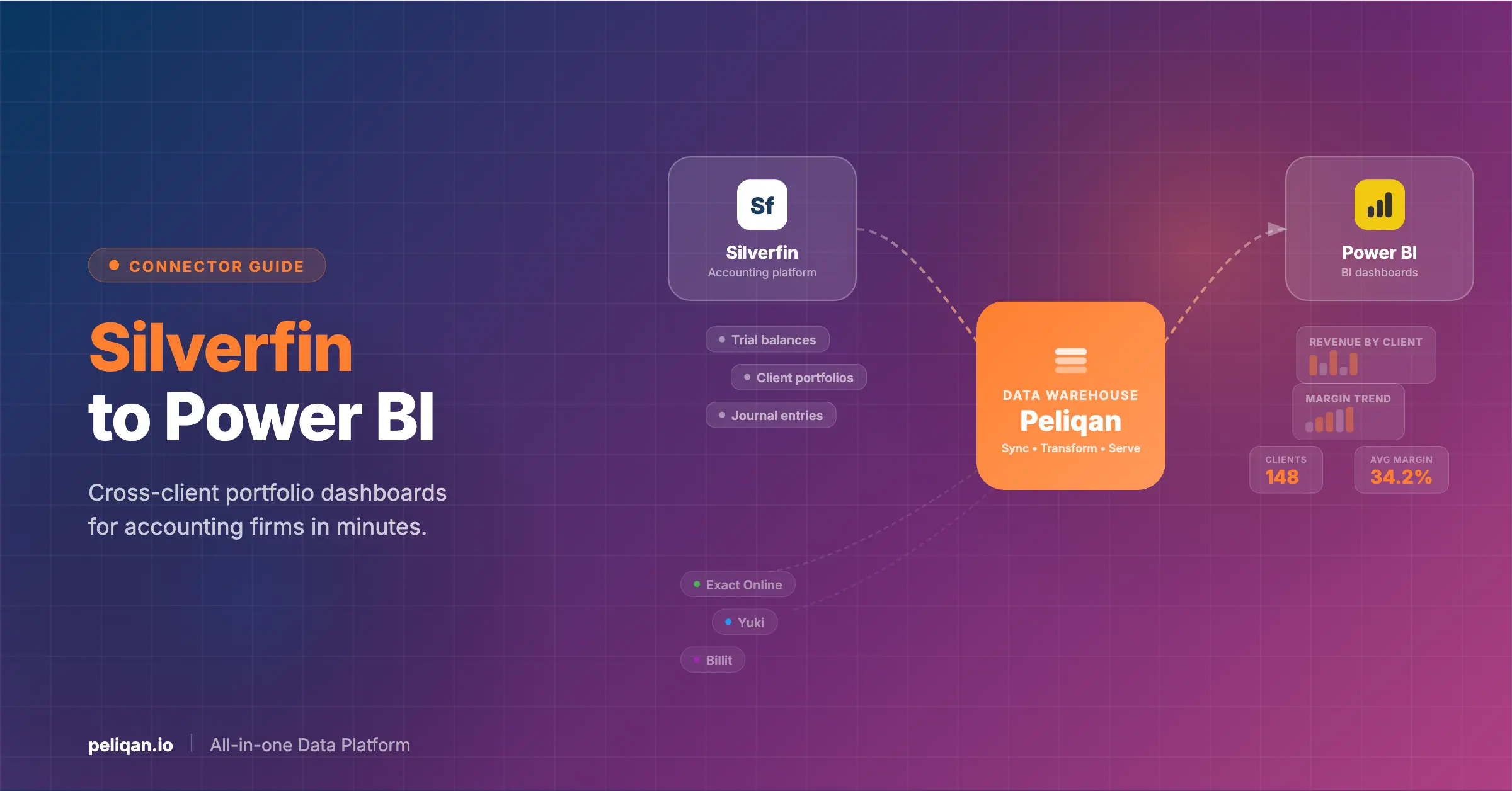
Instead of building custom API middleware or exporting CSVs, the more robust approach is to replicate Silverfin data into a data warehouse and connect Power BI to that warehouse. This decouples your reporting from Silverfin’s API constraints and gives you a clean, query-optimized dataset designed for cross-client analytics.
Peliqan includes a pre-built Silverfin connector that handles authentication, incremental syncing, and the single-concurrent-request limitation automatically. Setup takes about 10 minutes.
How it works with Peliqan
Example: SQL query for cross-client financial benchmarking
Once your Silverfin data is in the warehouse, you can run cross-client analytics with standard SQL. Here’s a query that benchmarks revenue and expense ratios across your client portfolio – something that would require exporting trial balances from each client individually without a warehouse:
SELECT
    c.name AS client_name,
    c.industry AS sector,
    fp.period_end AS reporting_period,
    SUM(CASE WHEN a.account_type = 'revenue' THEN tb.balance END) AS total_revenue,
    SUM(CASE WHEN a.account_type = 'expense' THEN tb.balance END) AS total_expenses,
    ROUND(
        SUM(CASE WHEN a.account_type = 'expense' THEN tb.balance END) /
        NULLIF(SUM(CASE WHEN a.account_type = 'revenue' THEN tb.balance END), 0) * 100, 1
    ) AS expense_ratio_pct
FROM trial_balances tb
JOIN accounts a ON a.id = tb.account_id
JOIN companies c ON c.id = tb.company_id
JOIN fiscal_periods fp ON fp.id = tb.period_id
WHERE fp.period_end >= '2025-01-01'
GROUP BY 1, 2, 3
ORDER BY total_revenue DESC;
Peliqan’s AI-assisted SQL editor can generate these queries from plain English – ask “show me expense ratios by client for the current fiscal year” and get working SQL. Save results as materialized views that refresh automatically with each sync.
Connecting Power BI to the Peliqan warehouse
In Power BI Desktop, select Get Data, choose PostgreSQL Database, and enter the connection credentials from Peliqan. You’ll see all your Silverfin source tables plus any transformed views – client benchmarks, completion dashboards, filing trackers – ready for dashboard building.
Peliqan’s built-in warehouse runs on Postgres with Trino for federated queries, includes 250+ connectors with a 2-week custom connector SLA, and supports SQL and low-code Python transformations. Pricing starts at roughly $199/month – a fraction of what custom API development would cost.
Multi-client portfolio reporting for accounting firms
The biggest gap in Silverfin’s native reporting for practice management is cross-client portfolio analytics. A managing partner needs to see engagement profitability across 300 clients, filing deadline compliance by team, and revenue concentration risk – and they need it in a single Power BI dashboard, not by clicking through individual client files in Silverfin.
Peliqan handles this through multi-customer management that automatically tags all records by client entity. Combined with row-level security in Power BI, partners see the full portfolio while individual team leads see only their assigned clients. For firms offering advisory services, this same architecture powers the client-facing dashboards that differentiate your practice.
Built for accounting firms and finance consultants
Peliqan’s platform is purpose-built for finance consultants and accounting firms that need to deliver reporting, data apps, and client portals across their entire portfolio. The white-label option lets you offer branded dashboards to clients – turning compliance data into an advisory upsell.
Skip Power BI entirely – query Silverfin data with AI
Not every question needs a dashboard. With MCP (Model Context Protocol), you can connect Silverfin data to AI assistants like Claude or ChatGPT and ask questions in plain English.
Peliqan provides an MCP server that connects to your Silverfin data through the same warehouse sync. Once running, you can ask questions like:
- “Which clients have accounts production deadlines in the next 30 days?”
- “Show me the top 10 clients by revenue growth year-over-year”
- “What’s the average expense ratio across our manufacturing clients?”
- “Which engagements are behind schedule compared to last year’s timeline?”
The AI queries your warehouse directly, so you’re working with the same governed data your Power BI dashboards use. For partners preparing for portfolio review meetings or team leads triaging workload, this delivers answers in seconds instead of hours of manual lookups.
Comparing your options
Combine Silverfin with other accounting and practice tools
Accounting firms rarely work in Silverfin alone. Bookkeeping happens in Exact Online, Yuki, or Xero. Client communication runs through a CRM. Billing goes through practice management software. And some firms handle e-invoicing through platforms like Billit.
With Peliqan’s 250+ connectors, you can bring Silverfin workpaper data together with bookkeeping platforms, CRM systems, and billing tools in a single warehouse. Build Power BI dashboards that show the complete client lifecycle – from onboarding to compliance delivery to billing and collection.
Popular Silverfin combinations in Power BI
- Silverfin + Exact Online: Combine workpaper compliance status with live bookkeeping data to see which clients have both clean books and completed accounts production
- Silverfin + Yuki: Join automated bookkeeping data from Yuki with Silverfin’s standardized trial balances for a unified Belgian accountancy workflow
- Silverfin + HubSpot: Track the client journey from CRM lead through to active engagement in Silverfin, measuring onboarding velocity and engagement profitability
- Silverfin + Billit: Connect Peppol e-invoicing data with Silverfin compliance records for end-to-end financial process visibility
Getting started
If you’re currently exporting trial balances from Silverfin client by client, building custom API scripts that hit the single-request limit, or consolidating practice data in Excel, the warehouse approach eliminates these problems without requiring API development work.
Peliqan offers a free trial with the Silverfin connector included. Connect your Silverfin environment, explore your cross-client data in Peliqan’s spreadsheet-style UI, build your practice-specific transformations, and plug in Power BI – all within a single platform.
SOC 2 Type II certified with fixed pricing from ~$199/month, Peliqan handles the entire data pipeline so your firm can focus on what matters – delivering great advisory work, not maintaining API integrations.