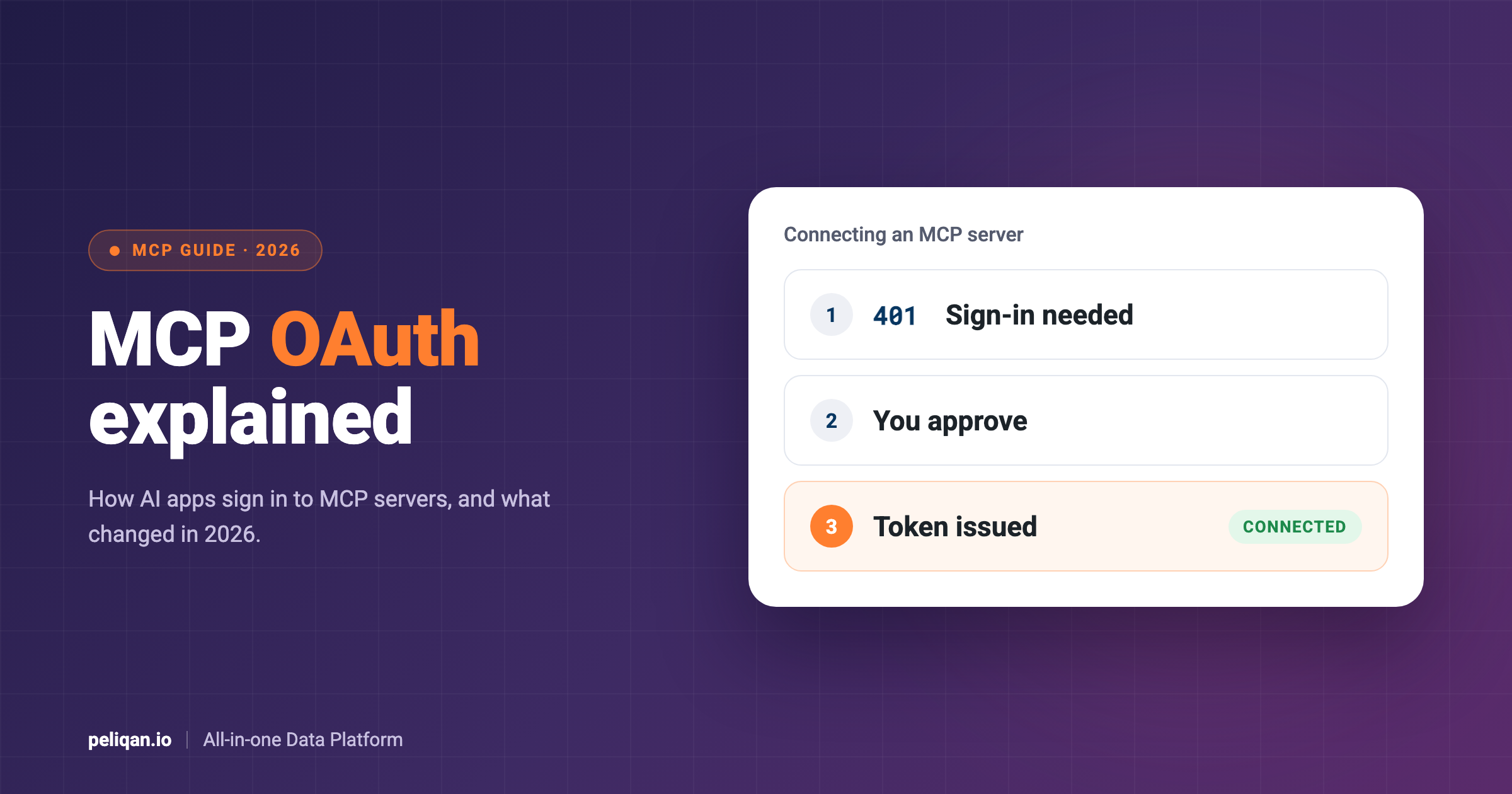





MCP OAuth is how an AI app such as Claude, ChatGPT or Cursor gets permission to use a remote MCP server on your behalf. Instead of pasting a password or API key, you sign in once in your browser, approve access, and the app receives a short-lived token for that one server. This guide explains how MCP authentication works step by step, what changed in the 2026 version of the spec, and what usually breaks.
MCP OAuth: the short answer
- Remote MCP servers use OAuth 2.1. The MCP server checks tokens, a separate or built-in authorization server issues them, and the AI app (the MCP client) asks for them.
- Discovery is automatic. The server answers an unauthenticated request with a 401 that points to its metadata, and the client finds everything else from there.
- The 2026 spec changed registration. Client ID Metadata Documents are now the recommended way for an app to identify itself, and Dynamic Client Registration is marked as deprecated.
Does MCP need authentication?
Authentication is optional in MCP, and whether you need it depends on where the server runs. A local server that runs on your own computer over stdio does not use OAuth at all; the spec says it should read its credentials from the environment, such as an API key in a config file.
A remote server reached over HTTP is different, because anyone on the internet could call it. For those, the MCP authorization spec defines one standard way to sign in, built on OAuth 2.1. That is what Claude’s custom connectors and ChatGPT’s custom MCP servers use when they show you a sign-in window.
Our guide to ChatGPT connectors shows what that looks like for users, including which ChatGPT plans can add custom MCP servers.
The flow is the same in Claude, where you add a remote server as a custom connector; our list of the best Claude connectors walks through it.
The three roles in MCP OAuth
MCP OAuth involves three parties. The MCP client is the AI app, such as Claude, ChatGPT, Cursor or VS Code, acting on behalf of a user. The MCP server holds the tools and acts as an OAuth resource server: it accepts or rejects requests based on the token. The authorization server signs the user in and issues tokens. It can be part of the MCP server’s own service or a separate identity provider.
There is often a second layer behind the server. An MCP server that reads your CRM or accounting data also needs its own access to those apps. The spec’s security best practices call it “token passthrough” when a server simply forwards the client’s token to those apps, and treat it as a serious anti-pattern. A server should only accept tokens issued for itself, and use separate credentials for the systems behind it.
How the MCP OAuth flow works, step by step
This is the flow a client follows the first time it connects to a protected remote server.
The first response is what makes the rest automatic. A protected server answers an unauthenticated request like this:
HTTP/1.1 401 Unauthorized
WWW-Authenticate: Bearer resource_metadata="https://mcp.example.com/.well-known/oauth-protected-resource", scope="files:read"
The resource_metadata address tells the client where to find the server’s metadata. The optional scope tells it which permissions to ask for first. From there, the client needs no manual configuration, which is why adding a well-built remote MCP server to Claude or ChatGPT only asks for a URL.
Two details in steps 5 to 7 matter for security. PKCE ties the one-time code to the client that started the sign-in, so a stolen code is useless on its own. The resource parameter names the exact MCP server the token is for, and the server must reject tokens issued for anything else.
Client registration in 2026: CIMD, pre-registration and DCR
Before it can sign a user in, a client needs a client ID that the authorization server recognizes. This is the part of MCP OAuth that changed most, and many guides still describe the older approach. The client registration section of the current spec lists three options.
A client that supports all three should try them in this order: a pre-registered ID if it has one, then CIMD if the authorization server says it supports it, then DCR if the server offers a registration endpoint, and finally asking the user to enter client details.
The move away from DCR is practical. With DCR, a client creates a new registration on every server it connects to, which leaves servers with many one-off client IDs and little information about who each client is. With CIMD, the client ID is a web address the client controls, so the server can read a stable description of it without storing a new registration each time.
Scopes and step-up authorization
Scopes are the permissions in a token, such as read access to files. A server should list the scopes a client needs in its 401 challenge, and clients should ask for no more than that. If a client later tries something its token does not cover, the server answers with 403 and an insufficient_scope error that names the missing scope.
The client can then ask the user to approve the extra permission, which the spec calls step-up authorization. This keeps first-time sign-ins small: a client can start with read access and only ask for more when a user actually tries to change something.
Tokens: lifetimes, refresh and audience
Access tokens are meant to be short-lived. When one expires, the server answers with 401 and the client needs a new one. To avoid sending the user through sign-in again, most servers also issue a refresh token that the client can swap for a fresh access token.
The spec is careful here: clients must not assume they will get a refresh token, because the authorization server decides. When a server does not issue refresh tokens, users have to reconnect each time access expires, which is the most common reason a connector “randomly” stops working. Many servers also rotate refresh tokens, issuing a new one on each use and retiring the old one.
Every token is bound to one audience: the MCP server it was issued for. Servers must check this and reject tokens meant for other services, and clients must not send tokens to a server they were not issued for.
Machine-to-machine and company sign-in
The core flow assumes a person who can click “approve” in a browser. That does not fit background jobs or companies that want central control, so MCP has optional authorization extensions for both.
OAuth Client Credentials covers machine-to-machine access, such as a scheduled job or CI pipeline calling MCP tools with no user involved. Enterprise-Managed Authorization lets employees reach MCP servers through their company’s identity provider, so access follows the same policies as other work apps instead of each person approving each server. Both are optional, so check whether a given client and server support them.
What breaks in practice
Most MCP OAuth problems show up as a connector that will not connect, or that works for a while and then stops. These are the usual causes.
OAuth vs API keys for MCP
Many MCP servers still accept a plain API key, especially local servers and internal tools. Keys are simple, but they are long-lived, are often shared between people, and usually carry every permission the account has. If a key leaks from a config file, it works until someone notices and revokes it.
OAuth fixes most of that for remote servers: each user signs in as themselves, tokens expire on their own, access can be revoked per user, and nobody copies a secret into a chat app. Keys still make sense for local development and quick tests. For anything shared with a team, OAuth is the safer default. Our MCP security guide covers the other controls worth setting up in production.
Example: connecting to Peliqan’s MCP server
To make the flow concrete, here is what happens when Claude or ChatGPT connects to Peliqan’s MCP server, whose address is https://mcp.peliqan.io/mcp. The first steps are visible in the server’s public metadata.
The first request without a token gets a 401 that points to the server’s Protected Resource Metadata:
HTTP/1.1 401 Unauthorized
WWW-Authenticate: Bearer realm="Peliqan", resource_metadata="https://mcp.peliqan.io/.well-known/oauth-protected-resource"
That document names the authorization server, whose metadata advertises the authorization code flow with PKCE (S256) and refresh tokens. Peliqan uses pre-registration: the metadata includes a fixed client ID, the redirect addresses of Claude and ChatGPT are registered in advance, and local addresses are accepted for command-line clients. So a client can skip the registration step entirely.
The user then signs in with their Peliqan account and approves access. The client receives a short-lived access token and a refresh token that rotates on each use, so the connection can stay active without signing in again every time.
The second layer works the way the spec recommends. The user’s apps, such as a CRM or accounting system, are connected inside Peliqan, and Peliqan holds those credentials. The AI app only ever holds a token for Peliqan’s MCP server, never the credentials of the apps behind it. Our guide to MCP gateways explains how this differs from a gateway that sits in front of other vendors’ servers.
Conclusion
MCP OAuth gives remote MCP servers one standard way to let AI apps in: a 401 that points to metadata, a browser sign-in protected by PKCE, and a short-lived token bound to one server. For users, that means connecting a server takes a URL and a click on “approve” instead of copying keys around.
If you build or run an MCP server, check three things against the current spec: publish Protected Resource Metadata where your 401 points, support Client ID Metadata Documents or pre-registration rather than relying only on Dynamic Client Registration, and issue refresh tokens so users stay connected. If you only use MCP servers, prefer ones that sign you in with OAuth over ones that ask you to paste an API key.