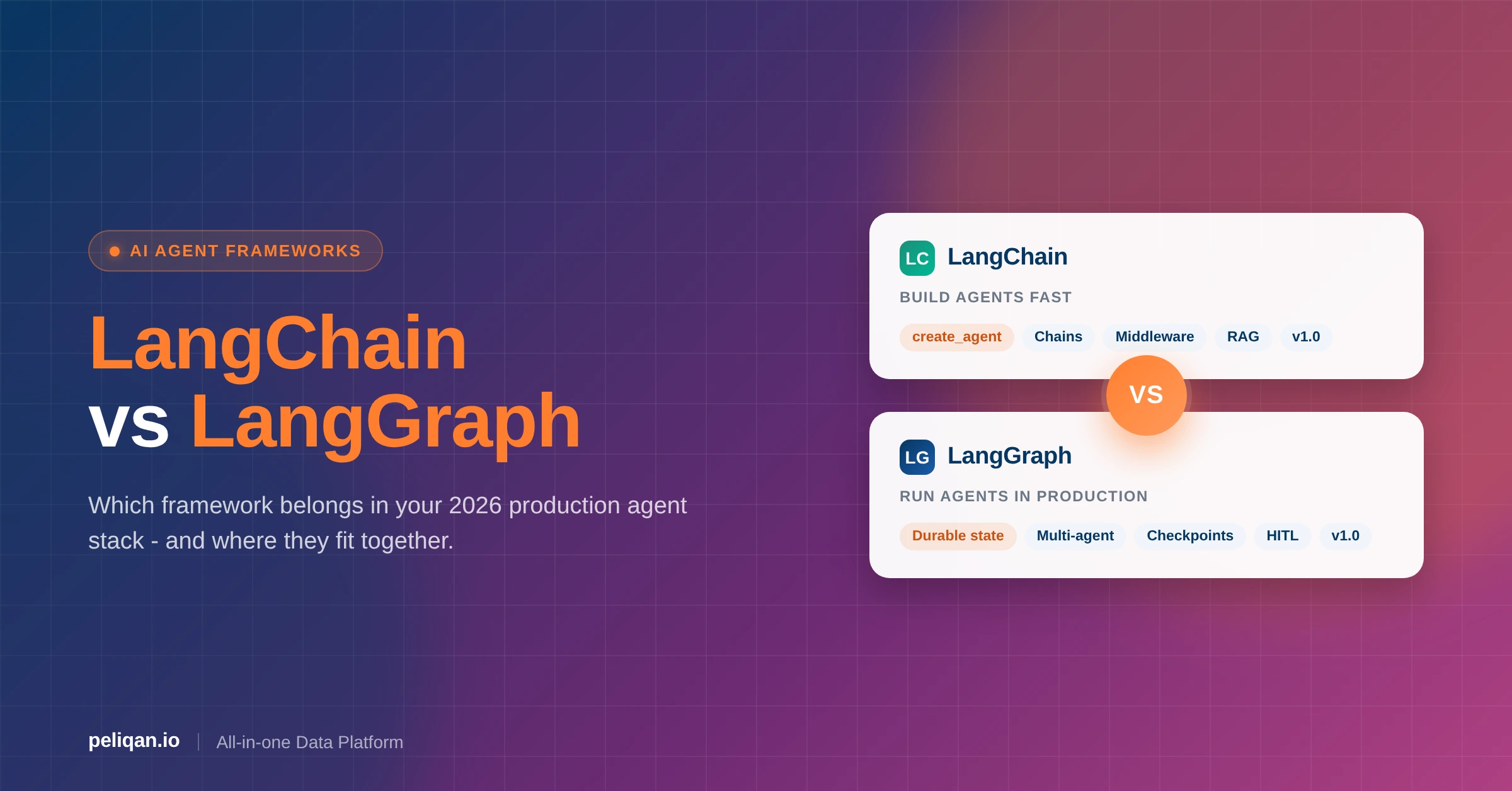





LangChain and LangGraph are made by the same company, and since version 1.0 (October 2025) they are two layers of one stack, not rival tools. LangChain is the quick way to build an agent. LangGraph is the runtime underneath that keeps state, pauses for people and recovers from crashes. This guide explains what each one does, shows the same agent written in both, and gives a simple way to decide which one you need.
LangChain vs LangGraph: the short answer
- LangChain is for building agents fast. You give
create_agenta model, some tools and a prompt, and it runs the tool-calling loop for you. - LangGraph is for controlling how an agent runs. You draw the workflow as a graph of steps, and it saves state after each step so the run can pause, resume or recover.
- Since 1.0, LangChain agents run on LangGraph. You can start in LangChain and move parts to LangGraph later without a rewrite.
LangChain is the high-level framework. It gives you model wrappers, tool calling, retrievers, vector store integrations, the create_agent function and middleware for shaping the agent loop. It fits linear pipelines, prototypes and most single-agent apps.
LangGraph is the low-level orchestration runtime. Workflows are graphs with shared state, checkpoints, human-in-the-loop pauses and durable execution. It fits multi-agent systems, long-running jobs and any agent that must survive a server restart.
What is LangChain?
LangChain is an open-source framework for building apps and agents on top of large language models. It is built from small parts you combine: models, prompts, tools, retrievers, vector stores and memory.
The center of LangChain 1.0 is create_agent. It replaces the older AgentExecutor pattern with one function that works with any model provider. Middleware lets you change what happens at each step of the loop, such as trimming the conversation, retrying a failed tool or asking a person to approve an action.
What is LangGraph?
LangGraph is an open-source library for building stateful agent workflows as graphs. Each node does one unit of work, such as calling a model, calling a tool or running plain Python. Edges decide which node runs next, including branches and loops.
All nodes read and write one shared state object. A checkpointer saves that state after every step. This is what makes the extra features possible: resume after a crash, pause for a human and continue days later, or replay an old run from any step to debug it.
LangChain vs LangGraph: feature comparison
Is LangGraph owned by LangChain?
Yes. LangGraph is built and maintained by LangChain, the same company behind the LangChain framework and LangSmith. Both libraries are open source under the MIT license, so you can use them without paying LangChain anything.
You can also use LangGraph without the LangChain framework. Nodes are plain Python functions, so you can call any model SDK inside them. Most teams still use LangChain’s model and tool wrappers inside their graphs because they save time.
What changed with LangChain 1.0 and LangGraph 1.0
Both libraries reached 1.0 in October 2025. The LangChain team promised no breaking changes until 2.0, which is the main reason teams that waited for stable APIs started using them. Older chains and helpers moved to a separate langchain-classic package, so old code keeps working while you migrate. As of October 2026, the latest releases on PyPI are LangChain 1.4 and LangGraph 1.2.
LangChain 1.0 highlights
LangGraph 1.0 highlights
The same agent in LangChain and LangGraph
Both examples answer one question: is this customer account healthy? The data is hard-coded so you can run them as they are.
LangChain version
from langchain.agents import create_agent
from langchain.chat_models import init_chat_model
from langchain.tools import tool

@tool
def get_account_health(account_id: str) -> dict:
    """Return health metrics for a customer account."""
    return {"mrr": 4200, "usage_score": 78, "open_tickets": 2}

model = init_chat_model("anthropic:claude-sonnet-5-5")
agent = create_agent(
    model=model,
    tools=[get_account_health],
    system_prompt="You are a customer success analyst. Use tools to answer.",
)

result = agent.invoke(
    {"messages": [{"role": "user", "content": "Is account 482 healthy?"}]}
)
LangGraph version (with durable state)
from typing import TypedDict
from langgraph.graph import StateGraph, START, END
from langgraph.checkpoint.postgres import PostgresSaver
from langgraph.types import RetryPolicy

class State(TypedDict):
    account_id: str
    health: dict
    recommendation: str

def fetch_health(state: State) -> dict:
    # Look up the account in your data source
    return {"health": {"mrr": 4200, "usage_score": 78}}

def recommend(state: State) -> dict:
    # Call the model here with state["health"]
    return {"recommendation": "Schedule a QBR within 14 days."}

builder = StateGraph(State)
builder.add_node("fetch", fetch_health, retry_policy=RetryPolicy(max_attempts=3))
builder.add_node("recommend", recommend)
builder.add_edge(START, "fetch")
builder.add_edge("fetch", "recommend")
builder.add_edge("recommend", END)

DB_URI = "postgresql://user:password@localhost:5432/agents"
with PostgresSaver.from_conn_string(DB_URI) as checkpointer:
    checkpointer.setup()  # creates the checkpoint tables on first run
    graph = builder.compile(checkpointer=checkpointer)

    # State is saved per thread_id, so the run can resume after a crash
    config = {"configurable": {"thread_id": "acct-482"}}
    result = graph.invoke({"account_id": "482"}, config=config)
The LangChain version is shorter and lets the model choose when to call the tool. The LangGraph version fixes the order of steps, retries the data lookup up to three times and saves state in Postgres after every step. You could also add a human approval node between the two steps. That is the trade-off in short: speed of writing versus control over the run.
You can get part of the way without leaving LangChain. Passing a checkpointer to create_agent gives the agent durable state too, because it runs on LangGraph underneath. You move to a custom graph when you need a fixed order of steps, branches or several agents.
LangChain vs LangGraph vs LangSmith
LangSmith is the third product people mix up with the other two. It is not a framework. LangSmith is LangChain’s platform for tracing, evaluating and deploying agents. It works with LangChain, LangGraph or code that uses neither.
Two names changed in 2025 and still cause confusion. The hosted runtime once called LangGraph Platform is now LangSmith Deployment. The visual debugger once called LangGraph Studio is now LangSmith Studio. Older tutorials still use the old names.
Should you learn LangChain or LangGraph first?
Learn LangChain first. Its parts (models, tools, messages, retrievers) are the same parts you use inside LangGraph nodes, and create_agent shows you how an agent loop works in a few lines.
Move to LangGraph when you hit a limit: you need a fixed order of steps, a branch, a pause for a person, several agents working together, or a run that must survive a restart. If you already know Python well and your first project is clearly multi-step, starting with LangGraph directly is fine too.
Is LangGraph still relevant in 2026?
Yes. LangGraph is more central now than before 1.0, because every LangChain agent built with create_agent runs on it. LangChain names Uber, LinkedIn and Klarna among the companies running LangGraph in production, and lists Elastic among the teams building with it.
What has changed is that you need to write raw LangGraph less often. For a single agent with tools, LangChain plus middleware is usually enough. LangGraph is where you go for custom control.
When to use LangChain vs LangGraph
A quick decision guide
Go through these questions in order:
- Is the workflow a straight line with no branches? → LangChain
- Do you want to test an idea before you commit to an architecture? → Start with LangChain
- Does the workflow branch, loop or need a fixed order of steps? → LangGraph
- Do several agents need to work together? → LangGraph
- Does a person need to approve steps in the middle? → LangGraph, or LangChain middleware for simple tool approvals
- Must the run survive a server restart? → Either one, with a Postgres, SQLite or Redis checkpointer
If your team would rather build workflows in a visual editor than in Python, a framework may not be the right tool at all. Our LangChain vs n8n comparison covers that choice.
Running agents in production
Tracing and debugging
Turn on LangSmith tracing from the first day. It records each model call, tool call and state change, which is how you find the three most common production problems: an agent calling the same tool over and over, tool errors the agent silently ignores, and answers that get worse after a model upgrade. For LangGraph, LangSmith Studio adds a visual view of the graph where you can step through state and replay a run from any checkpoint.
Error handling
Most teams that ship reliable agents use the same few patterns. In LangChain 1.0, most of them are prebuilt middleware.
- Retry with backoff: for flaky external APIs. Use the model and tool retry middleware in LangChain, or a retry policy per node in LangGraph.
- Fallback models: if the main model fails or hits a rate limit, switch to a second model without breaking the run.
- Call limits: cap how many model or tool calls one run can make, so a looping agent stops before it burns your budget.
- Schema validation: check model output with Pydantic or JSON Schema before another system uses it.
- Human approval: pause before risky actions, such as sending an email or changing a record, which matters most in finance and healthcare.
Cost and speed
The model API is still the biggest cost in almost every agent. A few habits help in both frameworks:
- Use a cheaper, faster model for simple steps and keep the strongest model for hard reasoning.
- Run independent steps in parallel. LangGraph runs nodes that do not depend on each other at the same time.
- Keep conversations short with summarization middleware, so each call sends fewer tokens.
- Watch traces for runs with many repeated calls before they show up on the invoice.
Deployment
Both libraries are Python (and JavaScript) packages, so you can deploy them anywhere you run code: a container, Kubernetes or a serverless function. Serverless works well for stateless LangChain agents. For LangGraph, keep state in an external checkpointer such as Postgres, because the in-memory one is lost when the process stops. If you do not want to run the infrastructure yourself, LangSmith Deployment hosts LangGraph agents for you.
Moving from LangChain to LangGraph
The path most teams follow:
- Prototype with LangChain to test prompts, tools and retrieval.
- Add a checkpointer and middleware to the same
create_agentagent when you need saved state, retries or approvals. - Move the parts that need fixed control into a LangGraph graph, reusing your LangChain models and tools inside the nodes.
- Add human-in-the-loop nodes where the business process needs a pause.
- Trace everything in LangSmith so you can compare the old and new versions.
Because LangChain agents already run on LangGraph, this is a step-by-step change, not a rewrite. A compiled LangChain agent can even be used as a node inside a larger graph.
Where business data fits in
Neither framework gives your agent access to your business data. That part is up to you, and it is often the slowest part of the project: one API client per app, each with its own auth, rate limits and data shapes. If an agent needs CRM, billing and support data to answer one question, that is three integrations to build and maintain before the agent can do anything useful.
One way to handle this is to put a single data layer between the agent and your apps. With Peliqan, you connect your business apps once (there are 300+ connectors), and your LangChain or LangGraph agent reaches all of them through one MCP server or API. LangChain agents can load MCP tools with the official langchain-mcp-adapters package.
- Questions run as SQL on synced data. Peliqan syncs each app into its built-in warehouse on a schedule you set per connection. When the agent asks a question, it runs as SQL on that synced copy, so a question does not trigger a fresh call to the app’s API every time.
- Actions go back to the app through writeback. Creating or updating records in the source app runs through writeback, which is on by default and can be switched off per connection.
- Documents for RAG. For retrieval over documents, such as pages in Notion, Google Drive or GitHub, the RAG Manager app stores embeddings in the same warehouse, and you use it from a custom MCP server.
In the LangGraph example above, the fetch_health node is where this would plug in: instead of a hard-coded dictionary, the node runs one query across CRM, billing and usage tables.
Conclusion
LangChain vs LangGraph is not an either-or choice anymore. Start with LangChain and create_agent for most agents, because it is the fastest way to get something working. Add a checkpointer and middleware when you need saved state, retries or approvals. Move to a custom LangGraph graph when you need a fixed order of steps, branches, long-running jobs or several agents.
Both libraries are stable since 1.0, both are free and open source, and they share one runtime. Pick the level of control your workflow needs, trace every run from day one, and let real usage tell you when to go deeper.