





Choosing the right workflow automation platform can make the difference between seamless business operations and constant technical headaches. With n8n and Make (formerly Integromat) emerging as top alternatives to Zapier, decision-makers face a critical choice between technical flexibility and user-friendly simplicity.
This comprehensive comparison examines n8n vs Make based on features, real-world capabilities, pricing models, integration support, customization depth, community support, AI capabilities, and the strategic role of tools like Peliqan in building sustainable automation systems. Whether you’re a developer seeking full control or a business team wanting quick automation wins, this guide will help you make an informed decision.
Quick Decision Framework: n8n vs Make at a Glance
Before diving deep, here’s a quick framework based on G2 user reviews and Reddit community feedback:
- Choose n8n if: You have technical resources, need self-hosting for data sovereignty, want unlimited executions with complex logic, require custom code flexibility (JavaScript/Python), or handle sensitive/regulated data
- Choose Make if: You prioritize ease of use, need 2,000+ pre-built integrations, prefer cloud-hosted solutions with zero maintenance, want visual workflows without coding, need quick time-to-value
- Choose Peliqan with either: When data-heavy workflows require consolidation, transformation, and analytics-ready outputs at scale
Platform Overview: Technical Power vs Visual Simplicity
n8n: Developer-Centric Automation
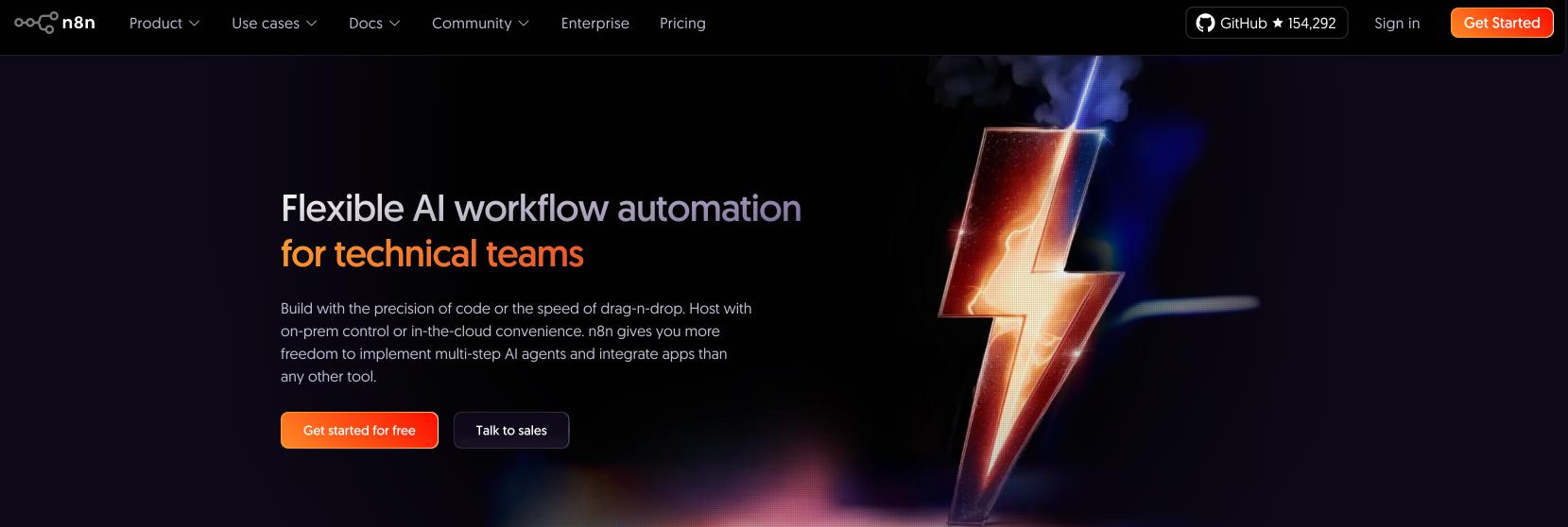
n8n positions itself as a developer-friendly automation platform with a fair-code licensing model. Founded in 2019 by Jan Oberhauser in Berlin, it allows unlimited self-hosting, full access to the source code, and strong customization via JavaScript and Python. Organizations that prioritize data sovereignty, infrastructure control, or complex business logic will find n8n particularly attractive.
According to GitHub statistics, n8n has over 45,000 stars and a vibrant community of 40,000+ forum members, making it one of the fastest-growing open-source automation platforms. As Nick Saraev’s detailed analysis notes, n8n has seen explosive growth in recent months as the market matures and users seek more technical capabilities.
Make: Business-User-Friendly Experience
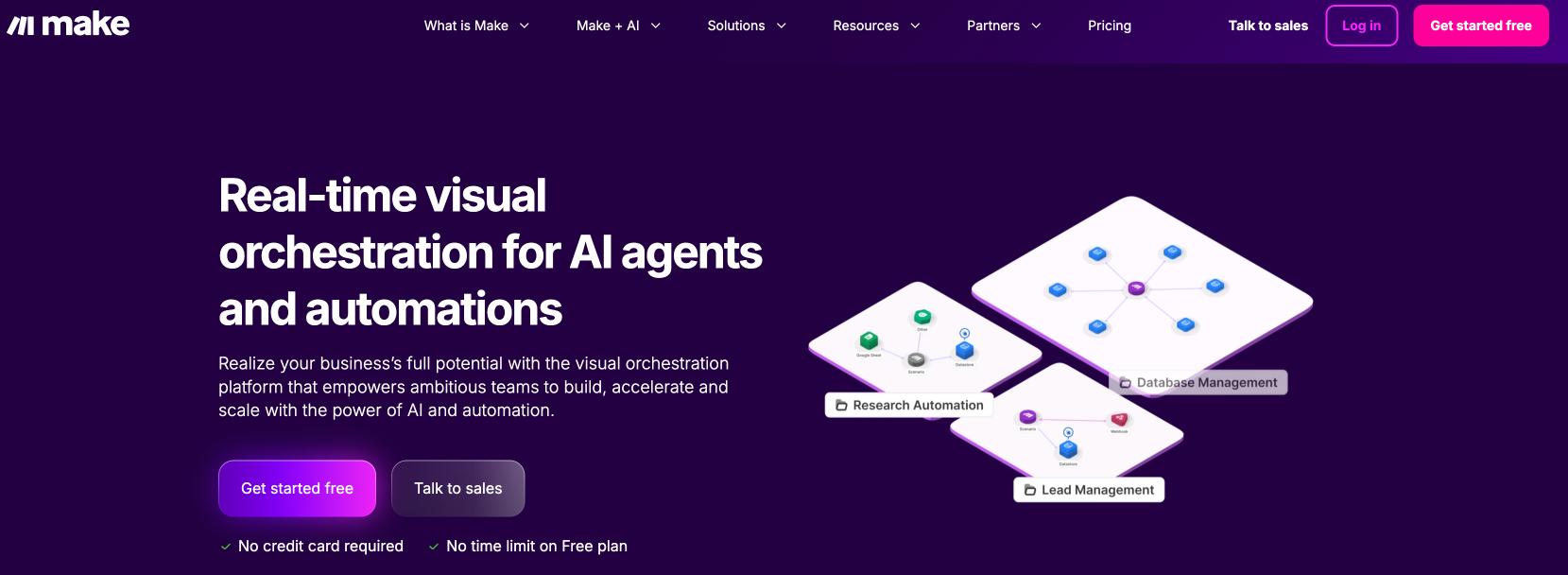
Make(formerly Integromat), launched in 2012, has evolved into a mature platform designed for business users. It emphasizes ease of use, offering a mind-map-style visual builder, pre-built templates, and deep app integrations – all without requiring coding. Its cloud-first architecture and 2,000+ native app connectors make it accessible for teams without technical expertise.
The 2022 rebrand from Integromat to Make signaled a shift toward broader accessibility. As highlighted in Make’s platform comparison, the platform now processes over 100 million operations monthly, serving thousands of fast-scaling organizations across 180+ countries.
The Philosophy Divide: Open Source vs Managed Service
Understanding the fundamental philosophy of each platform helps explain their design choices:
n8n’s “For Devs, By Devs” Approach:
- Open-source foundation with visible source code on GitHub
- Community-driven development with 800+ contributors
- Self-hosting as a first-class option
- Flexibility over simplicity in design decisions
Make’s “For Everybody” Philosophy:
- Polished, business-ready solution
- Managed cloud service with zero infrastructure concerns
- Emphasis on speed and reliability
- Pre-built solutions with customization where needed
Feature Comparison: Deep Technical Analysis
Both platforms offer visual workflow builders but approach them differently. Make guides users through automation using connected modules in a clean, flowchart layout. n8n uses a flexible node-based canvas that supports branching, conditional logic, and multiple triggers per workflow.
According to Softailed’s technical comparison, n8n’s open-source foundation gives it unique advantages: users can inject custom code at any point, manage global error flows, build and share custom nodes, and even contribute to the core platform.
Core Workflow Capabilities
| Feature | n8n | Make |
|---|---|---|
| Multiple Triggers | Yes – unlimited triggers per workflow | No – one trigger per scenario |
| Custom Code | JavaScript/Python at any step | Custom functions (Enterprise only) |
| Error Handling | Global error workflows, custom error nodes | Error handlers per module |
| Sub-workflows | Native with Execute Workflow node | Scenario linking available |
| Debugging | Real-time execution, step replay, one-click module deactivation | Visual monitoring, execution history |
| Data Processing | Code-based transformations, custom functions | Visual data mapping, built-in functions |
AI and Automation Intelligence: The 2026 Revolution
AI integration has become a critical differentiator. As BigSur AI’s analysis reveals, both platforms have invested heavily in AI but with different approaches:
n8n’s AI Arsenal
- 70+ AI-focused nodes including OpenAI, Hugging Face, Google AI, Anthropic, and local LLMs via Ollama
- RAG (Retrieval Augmented Generation) with vector database support for building knowledge bases
- LangChain integration for complex AI agent workflows
- AI Agent Builder with tool selection and multi-agent orchestration
- Custom AI endpoints supporting proprietary or fine-tuned models
Make’s AI Features
- Make AI Assistant for natural language workflow creation
- Pre-built AI modules for OpenAI, Google AI, Azure AI, ElevenLabs, Eden AI
- MCP (Model Context Protocol) Server for modularized, reusable AI agents
- Make Grid for visualizing AI-driven workflow relationships
- File-based context for AI agents without complex RAG setup
As noted in real-world AI automation tests, n8n excels in technical AI implementations requiring custom logic and multi-agent systems, while Make prioritizes accessible AI features for business users through its visual interface.
Pricing Breakdown: Understanding the True Costs
The pricing models of n8n vs Make differ fundamentally, affecting long-term costs significantly:
| Plan Type | n8n (Cloud/Self-hosted) | Make |
|---|---|---|
| Free Plan | Community Edition: Unlimited (self-hosted) Cloud: Limited testing tier |
1,000 operations/month |
| Starter | $20/month (2,500 executions) Self-hosted: Free + infrastructure costs |
$9/month (10,000 operations/credits) |
| Pro/Mid-tier | $50/month (10,000 executions) | $16-29/month (varying operations) |
| Business/High | $120/month team plans | $99/month (150,000 operations) |
| Enterprise | Custom (cloud or self-hosted) | Custom with enhanced features |
Critical Billing Differences
- n8n: Bills per execution (entire workflow run = 1 execution), regardless of complexity
- Make: Bills per operation (each module/action = 1+ operation/credit)
Cost Example Comparison
A 10-step workflow running 1,000 times monthly:
- n8n: 1,000 executions → fits in $20/month Starter plan
- Make: 10,000 operations → requires $9-16/month plan
A 50-step workflow running 1,000 times monthly:
- n8n: Still 1,000 executions → same $20/month cost
- Make: 50,000 operations → requires $99+/month plan
Important: Make recently switched to a credit-based system where AI operations may consume multiple credits, as detailed in n8n’s comparison analysis.
Ease of Use: Learning Curves and Time to Value
Make: Rapid Setup for All Users
Make excels in accessibility. Its drag-and-drop builder, colorful interface, and real-time feedback make it approachable for non-technical users. According to Cybernews testing, users can create their first automation within minutes using pre-built templates.
Key advantages:
- 1,000+ pre-built scenario templates
- Guided setup with tooltips and visual cues
- One-click app authentication for most services
- No coding required for most use cases
n8n: Deeper Control for Technical Teams
n8n has a steeper learning curve but offers unmatched flexibility. It assumes comfort with JSON, data structures, APIs, and basic programming concepts. However, this complexity unlocks capabilities impossible in other platforms.
Technical advantages:
- Direct access to raw data objects
- Custom JavaScript/Python at any step
- Manual OAuth configuration for maximum control
- Community-built nodes for extended functionality
Integration Ecosystem: Breadth vs Depth
Make: Extensive Native Library
Make offers over 2,000 native integrations with popular business tools. Each connector typically supports multiple triggers and actions with real-time data syncing. Make focuses on plug-and-play convenience.
n8n: Customizable and API-First
n8n provides 400+ official integrations plus 2,900+ community nodes. While fewer in number, n8n’s strength lies in flexibility – any API can be connected via HTTP Request nodes, and users can create custom nodes for proprietary systems.
| Aspect | n8n | Make |
|---|---|---|
| Official Integrations | 400+ (growing rapidly) | 2,000+ |
| Community Extensions | 2,900+ community nodes | Limited community apps |
| Custom Integration | Create/publish custom nodes | HTTP module + official submission |
| API Flexibility | Direct API access, custom auth | Pre-configured modules primarily |
Hosting & Security: Control vs Convenience
n8n: Full Self-Hosting Flexibility
n8n can be fully self-hosted on your infrastructure, enabling complete control. This is crucial for organizations with strict compliance requirements (HIPAA, GDPR, PCI DSS). You can deploy on AWS, Google Cloud, Azure, or on-premises.
Security features:
- Complete data sovereignty
- Air-gapped deployment options
- Custom security configurations
- Role-based access control (RBAC)
- SSO and audit logs
Make: Managed Cloud Infrastructure
Make is cloud-only, hosted on AWS in the US (Virginia) or EU (Frankfurt). While this simplifies operations, it means trusting Make with your data and accepting their infrastructure decisions.
Compliance features:
- SOC 2 Type II certified
- GDPR compliant
- Data encryption at rest and in transit
- Enterprise SSO available
- On-prem agent for secure data access (Enterprise)
Community and Support: Open Source vs Premium Service
n8n: Vibrant Open-Source Community
According to n8n’s community statistics:
- 40,000+ active forum members
- Fast response times (often same-day)
- 800+ GitHub contributors
- Active Discord server
- Regular community-built nodes and workflows
Make: Tiered Support System
As detailed in user reviews:
- Community forum for all users
- Ticket-based official support
- Response times vary by plan tier
- Premium 24/7 support for Enterprise
- Extensive documentation and tutorials
Users report mixed experiences with Make’s support, with lower-tier plans experiencing slower response times for critical issues.
Real-World Use Cases and Success Stories
n8n Excellence Areas
- Complex IT Operations: Delivery Hero saves 200+ hours monthly automating IT workflows
- AI Integration: SanctifAI leverages n8n for human-in-the-loop AI workflows
- Data Processing: Technical teams use n8n for ETL pipelines and data transformations
- Custom Integrations: Companies with proprietary systems build custom nodes
Make Success Scenarios
- Marketing Automation: Quick campaign workflows and lead nurturing
- E-commerce Operations: Order processing and inventory sync
- Business Process Automation: Invoice processing, HR workflows
- Quick Integrations: Rapid deployment of standard SaaS connections
Customization and Developer Power
n8n: Built for Engineers
n8n offers unmatched flexibility for developers. As highlighted in technical comparisons:
- Unlimited JavaScript/Python code execution
- Custom node development and publishing
- Direct database connections and queries
- Complex data transformations and parsing
- Git-based version control possibilities
Make: Visual Power Without Code
Make’s customization stays visual:
- Built-in functions for data manipulation
- Filters, routers, and iterators
- Custom functions (Enterprise plan only)
- Expression editor for calculations
- HTTP module for API calls
How Peliqan Complements n8n and Make in Data-Heavy Workflows
Both n8n and Make excel at orchestrating automations – triggering actions, moving data between apps, and keeping business processes flowing. But once workflows become data-heavy, you’ll quickly notice their limitations.
When Workflows Become Data-Heavy
“Data-heavy” means:
- Handling large amounts of data (bulk syncs, migrations, imports)
- Dealing with complex structures (nested JSON, multi-level joins)
- Connecting multiple sources where data silos exist (CRM + ERP + Accounting + Support)
- Performing transformations (cleaning, deduping, enriching, or joining datasets)
These challenges often appear in real-world use cases like:
- Data syncs between business tools
- Data migrations or onboarding workflows
- Imports of product catalogs, invoices, or customer lists
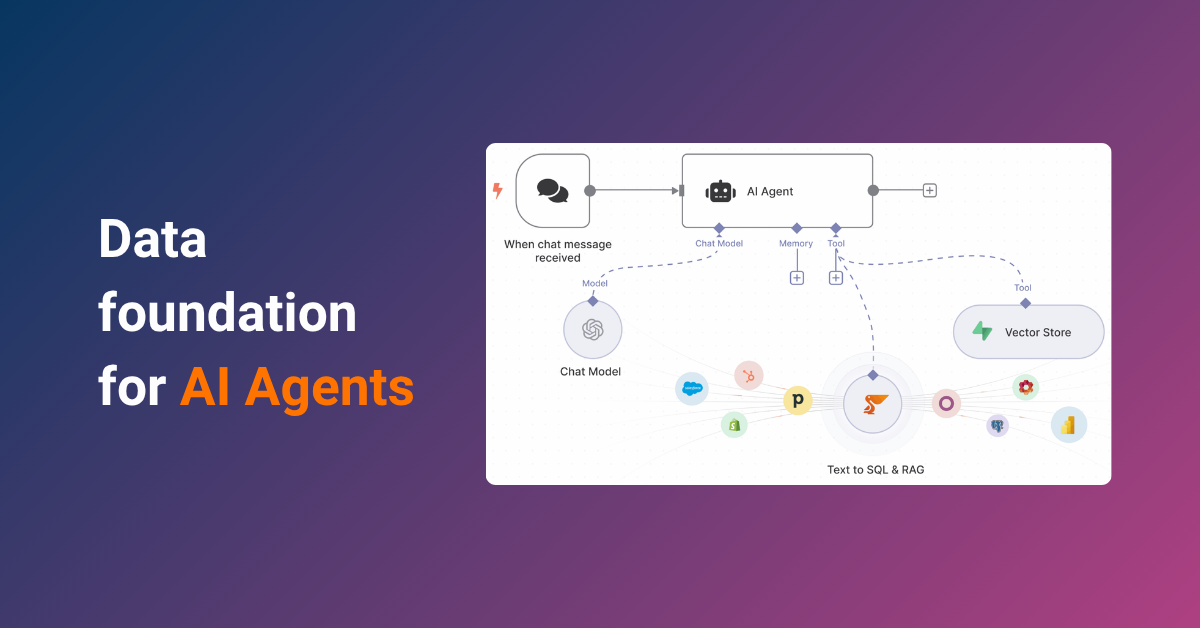
- AI agents in n8n or Make (using RAG, Text-to-SQL, or MCP) that require queryable, unified data
This is where Peliqan steps in as the data foundation layer for both platforms.
What Peliqan Adds to n8n and Make
Peliqan provides an all-in-one data infrastructure that sits underneath your automations, ensuring they scale and remain reliable:
- 250+ connectors: Go beyond native nodes/modules with broad SaaS, file, DB, and API coverage
- Built-in data warehouse: Cache and query large datasets efficiently instead of pulling raw data every time
- Transformations: Use Python/SQL logic to clean and prepare data centrally, not scattered across workflows
- 360° unified views: Merge CRM, ERP, accounting, and product data into business-ready models
- Data explorer & governance: Browse, monitor, and enforce schemas across workflows
- AI readiness: Built-in RAG and Text-to-SQL support so AI agents in n8n or Make can query structured, reliable business data
n8n and Make — With & Without Peliqan
| Aspect | n8n or Make Alone | With Peliqan |
|---|---|---|
| Data Sources | Limited to native connectors | 250+ connectors (SaaS, DBs, files, APIs) |
| Data Handling | Live API calls; can slow with volume | Cached warehouse for fast, scalable access |
| Transformations | Ad-hoc logic inside workflows | Central pipelines in Python/SQL |
| Scaling | Workflows grow complex with bulk data | Robust ETL handles high volume & complex joins |
| Governance | Minimal visibility/control | Unified models, schemas, and lineage tracking |
| AI Agents | Rely on raw JSON payloads | Query clean business data via Text-to-SQL & RAG |
Who Benefits Most
- n8n creators and power users who hit scaling or complexity limits
- Consultants & agencies building client automations where reliability matters
- Business & ops teams that need accurate, governed data across tools
- AI/ML teams creating intelligent workflows and agents on top of business data
Migration Considerations: Switching Between Platforms
According to migration guides, switching between n8n and Make requires manual rebuilding:
- No direct import/export between platforms
- Different workflow paradigms (nodes vs modules)
- n8n’s HTTP Request node can recreate most Make scenarios
- Make’s HTTP module can replicate n8n’s custom API calls
Decision Framework: Which Platform Fits Your Needs?
Based on extensive analysis from automation experts and industry comparisons:
Choose n8n When:
- You have technical team members comfortable with code
- Data sovereignty and self-hosting are requirements
- You need complex workflows with multiple triggers
- Custom integrations with proprietary systems are needed
- Budget is tight but you have technical resources
- You want to build advanced AI agents and RAG systems
Choose Make When:
- Non-technical team members need to build automations
- You want immediate results without infrastructure setup
- You need extensive pre-built integrations (2,000+)
- Visual workflow design is preferred
- You want managed infrastructure with zero maintenance
- Simple to medium complexity workflows are sufficient
Community Insights and Real User Feedback
From Reddit discussions and user reviews:
n8n Users Report:
- “The self-hosting option is a game-changer for compliance” – Healthcare IT Manager
- “Community support is incredible, often faster than paid support elsewhere” – Startup Founder
- “Learning curve is real, but the flexibility is unmatched” – DevOps Engineer
Make Users Share:
- “Got our first automation running in 10 minutes” – Marketing Manager
- “The visual interface makes it easy to explain to stakeholders” – Operations Director
- “Costs can spiral with complex workflows” – E-commerce Manager
Future-Proofing Your Automation Strategy
Both platforms are evolving rapidly:
n8n’s Trajectory:
- Strengthening AI capabilities with more LLM integrations
- Improving accessibility for non-developers
- Expanding enterprise features
- Growing the open-source ecosystem
Make’s Direction:
- Expanding integration catalog to compete with Zapier
- Developing proprietary AI capabilities
- Improving collaboration features
- Positioning as European alternative to US solutions
Conclusion: Making the Right Choice for Your Organization
The n8n vs Make decision ultimately comes down to your team’s technical capabilities, infrastructure requirements, and automation complexity.
n8n is ideal for technical teams that need full control, want to self-host, or need to build complex, scalable workflows cost-effectively. Its open-source nature, unlimited executions when self-hosted, and deep customization capabilities make it perfect for developers and organizations with specific compliance requirements.
Make is the right choice for business teams that want to move fast, don’t want to code, and prefer a visual-first experience with minimal setup. Its polished interface, extensive integrations, and managed infrastructure make it ideal for rapid deployment and non-technical users.
Peliqan helps teams using either tool go further by solving for data prep, routing, and analytics. It enables a layered approach where automation meets data infrastructure, ensuring your workflows can scale with your business needs regardless of which platform you choose.
Whether you choose n8n’s technical power or Make’s business-friendly approach, success lies in understanding your requirements, team capabilities, and growth trajectory. Both platforms continue to evolve rapidly, so consider not just your current needs but where your automation journey will take you in the coming years.